What Is an MCP Server? A Plain-English Guide for Non-Developers
An MCP server is a small program that gives an AI assistant access to one specific thing: your meeting notes, your calendar, a company database, the files in one folder. The assistant connects to the server, sees a short list of what it can do — search recordings, read a transcript — and calls those functions when your question needs them.
That is the whole idea. The Model Context Protocol (MCP) is the agreed format for that conversation, so the same server works with Claude, ChatGPT, Cursor and every other compatible app instead of needing a separate integration for each one. The official documentation compares it to a USB-C port for AI applications: one connector, many devices.
This article explains the parts in plain language, what a server can and cannot do with your data, and how to tell a local server from a cloud one — which turns out to be the question that matters most.
Host, client, server: who is who
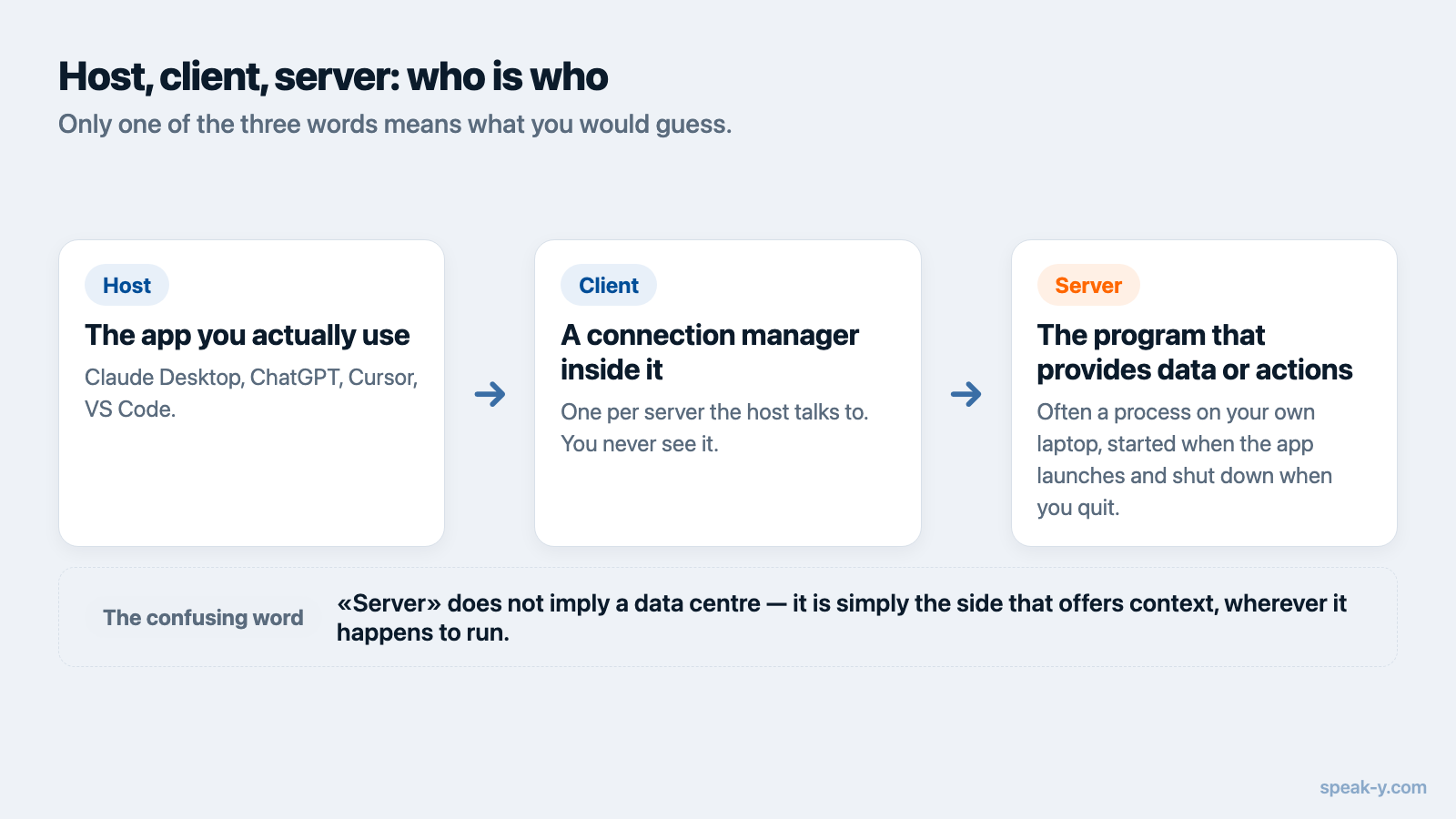
Three words get used constantly, and only one of them means what you would guess.
- Host — the AI application you actually use: Claude Desktop, ChatGPT, Cursor, VS Code.
- Client — a connection manager inside that application. The host creates one client per server it talks to. You never see it.
- Server — the program that provides the data or the actions.
The confusing part is the word server. It does not imply a data centre. An MCP server is often a program sitting on your own laptop, started by the AI app when it launches and shut down when you quit. In MCP terminology, a server is simply the side that offers context, wherever it happens to run.
What a server actually exposes
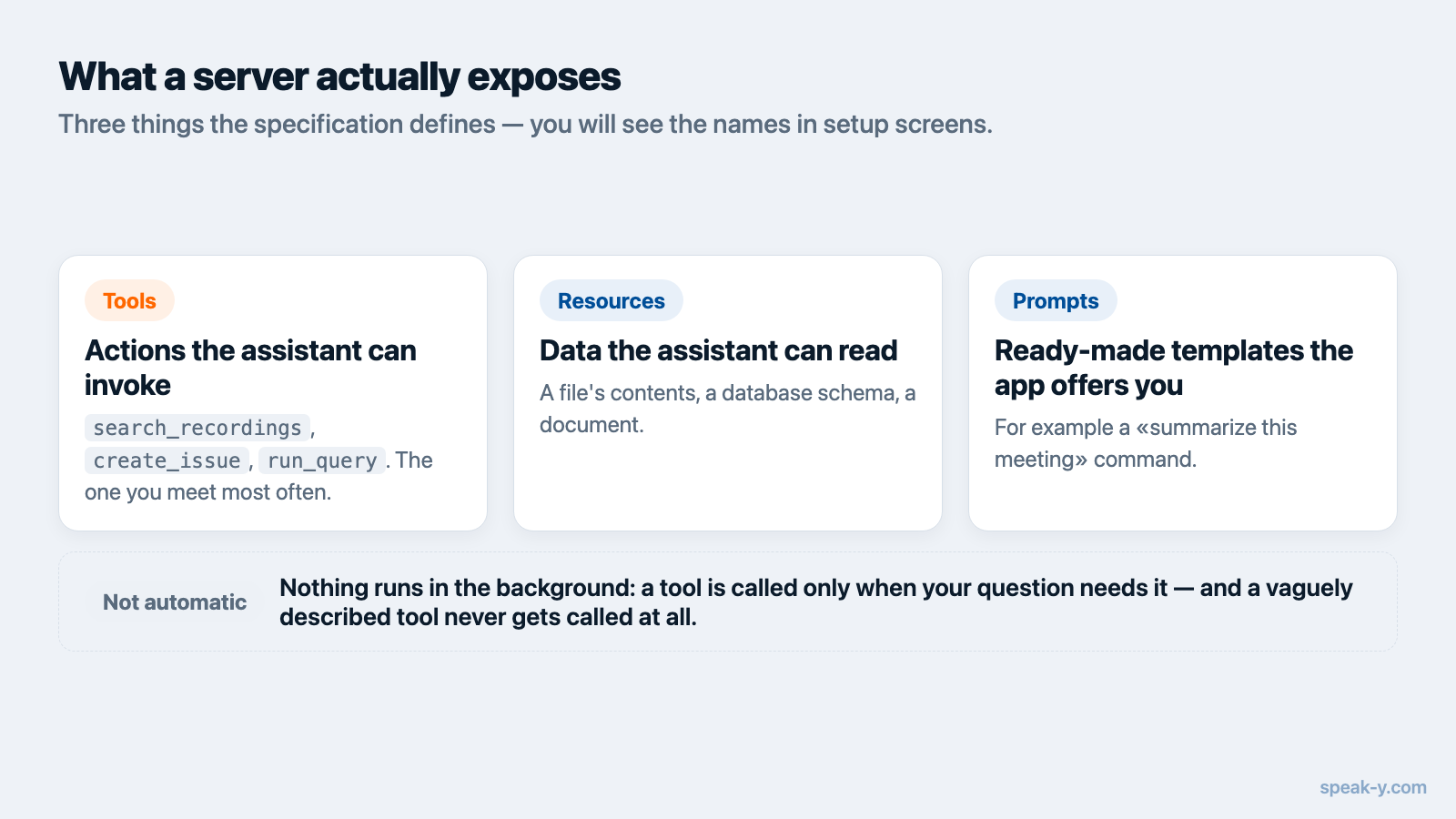
The specification defines three things a server can offer, and it is worth knowing the names because you will see them in setup screens:
- Tools — actions the assistant can invoke.
search_recordings,create_issue,run_query. This is the one you will encounter most. - Resources — data the assistant can read, like a file's contents or a database schema.
- Prompts — ready-made templates the app can offer you, for example a "summarize this meeting" command.
Nothing here happens silently in the background. The assistant reads the list of available tools, and when your question seems to need one, it calls it and uses the answer. If your question does not need it, nothing is touched. A tool with a vague description simply never gets used — which is why server quality varies so much between vendors.
Local or remote: the question that decides your privacy
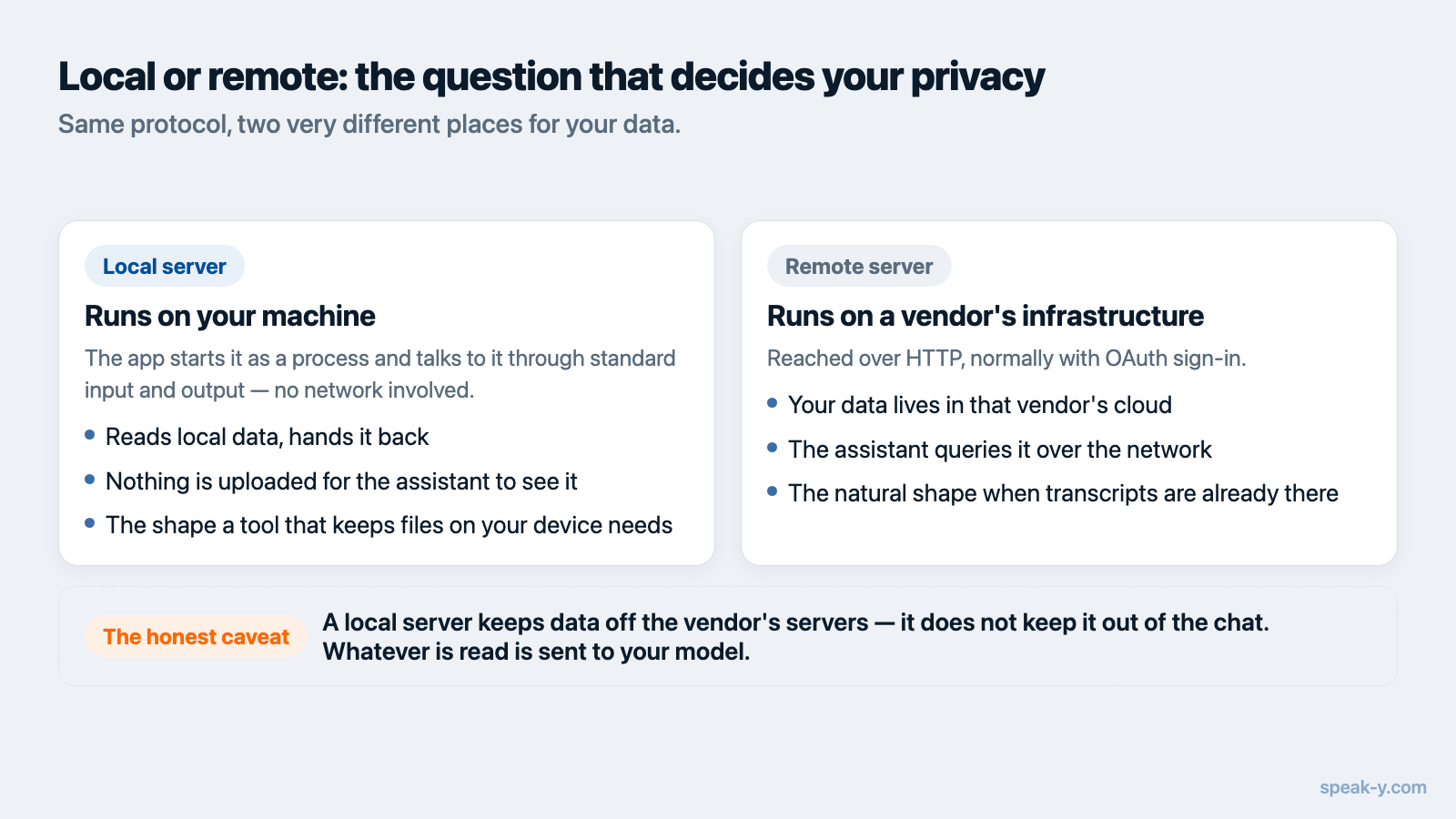
MCP servers run in one of two places, and the difference is not cosmetic.
Local servers run on your machine and communicate with the AI app through standard input and output — no network involved. The app starts the server as a process; the server reads local data and hands it back. Nothing is uploaded in order for the assistant to see it.
Remote servers run on a vendor's infrastructure and are reached over HTTP, normally with OAuth sign-in. Your data lives in that vendor's cloud, and the assistant queries it over the network.
Meeting notetakers illustrate the split well. Checked on 10 August 2026:
Fireflies documents a remote MCP endpoint at api.fireflies.ai/mcp using
OAuth, and Otter's connector is likewise an OAuth-authenticated cloud service
presented as part of its enterprise offering. In both cases the transcripts
already live in the vendor's cloud, so a cloud MCP server is the natural
shape. A tool that keeps recordings on your device instead needs the local
kind — that is how the Speak-Y MCP server works: it runs on your
machine and reads local recordings. Its tools that change something — tagging
a recording, naming a speaker, publishing one to a team channel — run inside
the app itself, are declared to the client as data-changing so the assistant
asks first, and can be switched off, leaving reading in place.
One honest caveat that applies to both: a local server keeps your data off the vendor's servers, but it does not keep it out of the conversation. Whatever the assistant reads gets sent to whichever model you are chatting with, exactly as if you had pasted it in. Local means not stored elsewhere, not invisible to the model.
Why a non-developer should care
The practical shift is that you stop moving information by hand. Instead of opening an app, finding the right note, copying a paragraph and pasting it into a chat window, you ask the question and the assistant fetches what it needs.
In everyday use that looks like:
- "What did we promise the client on last Tuesday's call?"
- "List every action item from this week's meetings that has my name on it."
- "Draft a follow-up email based on the pricing discussion with Acme."
The assistant chains the steps — search, read, write — on its own. Our guide to connecting meeting notes to an AI assistant walks through prompts that work reliably in practice.
What MCP is not
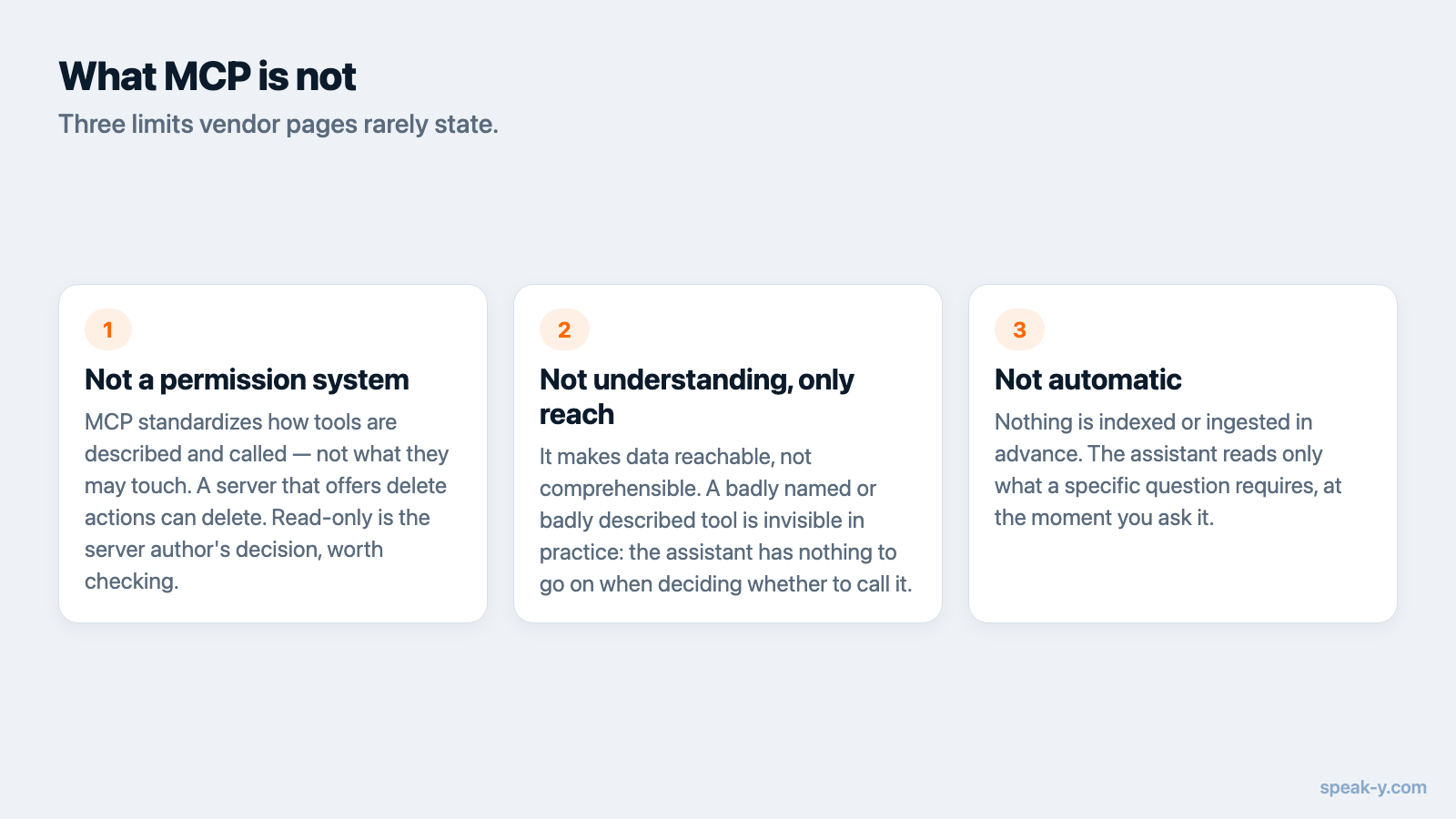
Three limits worth stating plainly, because vendor pages rarely do:
- It is not a permission system. MCP standardizes how tools are described and called, not what they are allowed to touch. A server that offers delete actions can delete. Read-only is a decision the server's author makes, so it is worth checking rather than assuming.
- It does not make the model understand your data. It only makes the data reachable. A badly named or badly described tool is invisible in practice, because the assistant has nothing to go on when deciding whether to call it.
- It is not automatic. Nothing is indexed or ingested in advance. The assistant reads only what a specific question requires, at the moment it asks.
Who is behind the standard
MCP was introduced by Anthropic in November 2024. OpenAI adopted it across its products in March 2025 and Google DeepMind followed in April 2025 — the point at which it stopped being one vendor's format.
In December 2025 Anthropic donated the protocol to the Agentic AI Foundation, a directed fund under the Linux Foundation co-founded by Anthropic, Block and OpenAI, with support from Google, Microsoft, AWS, Cloudflare and Bloomberg. The maintainers who had been running the project kept technical control; changes go through a public proposal process.
The numbers give a sense of scale. At the December 2025 announcement the project reported roughly 97 million monthly SDK downloads and about 10,000 active servers. By the 2026-07-28 specification release — the current revision, which made the protocol stateless so servers scale on ordinary web infrastructure — the primary SDKs were approaching half a billion downloads a month.
Trying one without editing config files
The fastest path is an app that ships a server built in. In Speak-Y, the MCP server is part of the desktop app: open Settings → Integrations, pick your client, and the configuration is written for you. It runs locally and is available on every plan including the free one; the tools that change anything ask before they act, and can be switched off entirely. The MCP documentation covers manual setup for clients without a one-click installer.
Once it is connected, your dictations and meeting notes become something you can interrogate in conversation rather than scroll through. And if your team shares meetings into a common knowledge base, the same question — "what did we decide about this?" — starts returning answers from work you were not personally in the room for.
FAQ
What is an MCP server in simple terms?
An MCP server is a small program that exposes one source of data or one set of actions — your notes, your calendar, a database — to an AI application through a standard interface. The assistant connects to it and can then search and read that data, or run the actions the server allows.
Do I need to be a developer to use an MCP server?
No. Many apps now ship an MCP server built in and install it into your AI client in a couple of clicks. You only touch a configuration file if the app you want to connect has no one-click installer.
Does an MCP server send my data to the AI company?
The server itself does not, but the assistant does. A local server runs on your machine and reads local files; a remote server runs in a vendor's cloud. In both cases, whatever the assistant actually reads becomes part of your conversation with the model provider.
Who controls the MCP standard?
Anthropic introduced MCP in November 2024 and donated it in December 2025 to the Agentic AI Foundation, a directed fund under the Linux Foundation co-founded by Anthropic, Block and OpenAI. The current specification revision is dated 2026-07-28.
How is an MCP server different from a plugin?
A plugin is written for one specific application. An MCP server is written once against an open standard and works with any MCP-compatible client — Claude, ChatGPT, Cursor, VS Code and others — so you set up access once instead of per app.