Voice Coding: Dictating Prompts to Claude Code and Cursor
Every major AI coding tool shipped voice input over the last year, so the first
question is no longer whether you can dictate a prompt. Claude Code has /voice,
Cursor has held-key voice input in its agent window, and VS Code has dictation
built into chat, the editor and the terminal.
The question that is left is narrower and more useful: each of these covers the one box where you talk to the model, and none of them covers the other twenty places a developer types prose all day. That gap is the whole argument for a system-wide dictation tool, and it is also why the interesting effect of voice coding is not speed — it is that spoken prompts come out three times longer than typed ones, and the extra length is context the model was missing.
Facts about other tools below were checked on 17 August 2026.
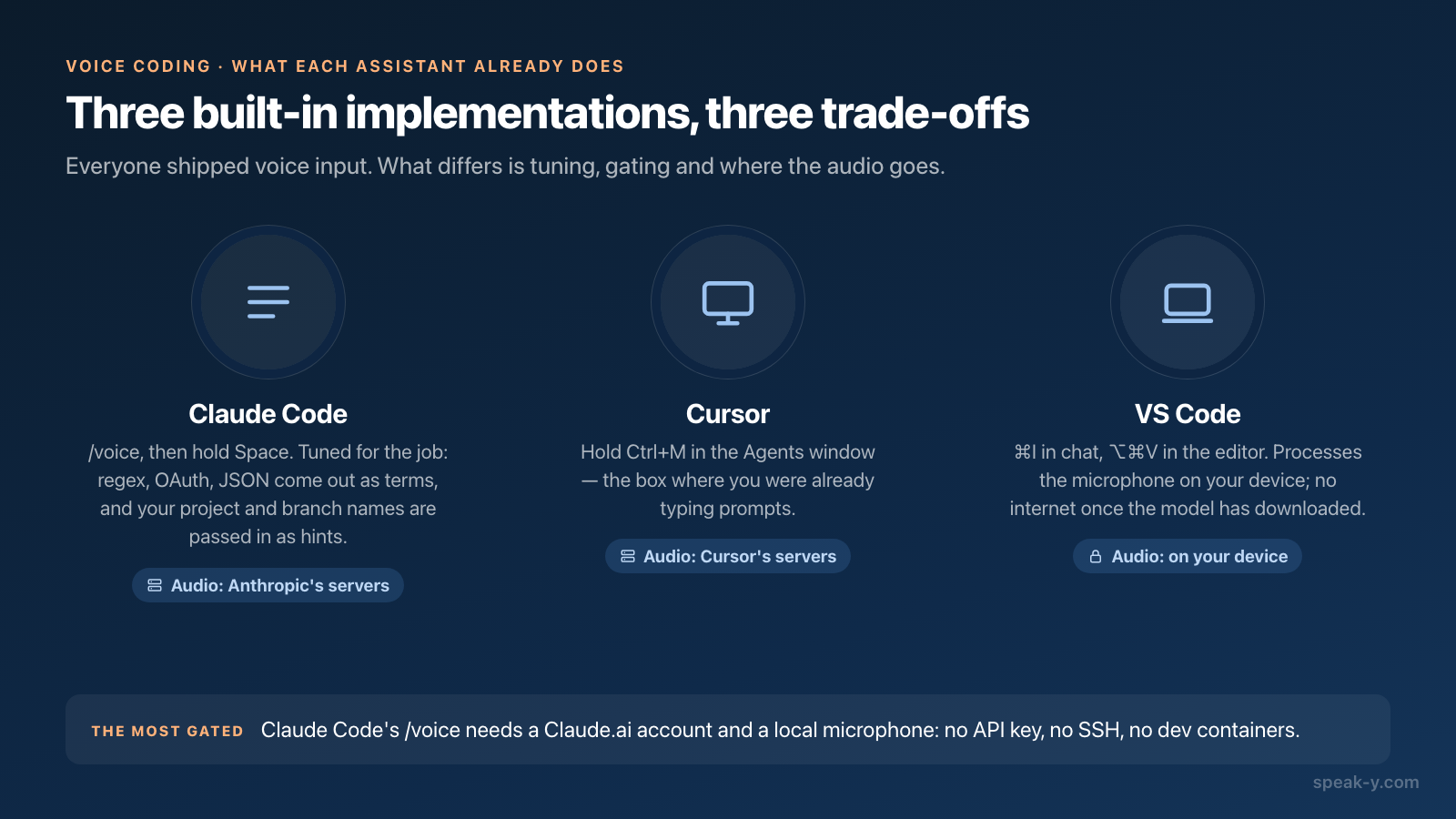
What each assistant already does
| Tool | How you start it | Where it works | Where the audio goes |
|---|---|---|---|
| Claude Code | /voice, then hold Space (or tap once to start and again to send) |
CLI prompt and agent view; also the VS Code extension | Anthropic's servers |
| Cursor | Hold Ctrl+M in the Agents window |
Agent and chat prompt box | Cursor's servers |
| VS Code | ⌘I in chat, ⌥⌘V in the editor |
Chat, Agents window, editors and terminals | On your device by default |
Three details are worth pulling out of that table.
Claude Code's dictation is tuned for the job. Terms like regex, OAuth,
JSON and localhost are recognised as terms, and your current project name and
git branch name are passed in as recognition hints automatically — which is why
the branch you are on comes out spelled correctly instead of phonetically. The
transcription does not consume tokens and does not count toward the limits shown
in /usage.
It is also the most gated. /voice needs a Claude.ai account: it is
unavailable when Claude Code runs on an Anthropic API key, Amazon Bedrock, Google
Cloud's Agent Platform or Microsoft Foundry, and organisations with HIPAA
compliance enabled have it switched off by policy. It needs a local microphone,
so it does not work over SSH, in Claude Code on the web, or in VS Code Remote,
Dev Containers and Codespaces.
VS Code is the outlier on privacy. Its built-in dictation processes microphone audio on your device and needs no internet connection once the model has downloaded. The feature is marked experimental, and it is unavailable on VS Code for the Web, Intel Macs, 32-bit and Arm32 systems and musl-based Linux distributions such as Alpine — the Speech extension covers those.
Why a spoken prompt carries more context
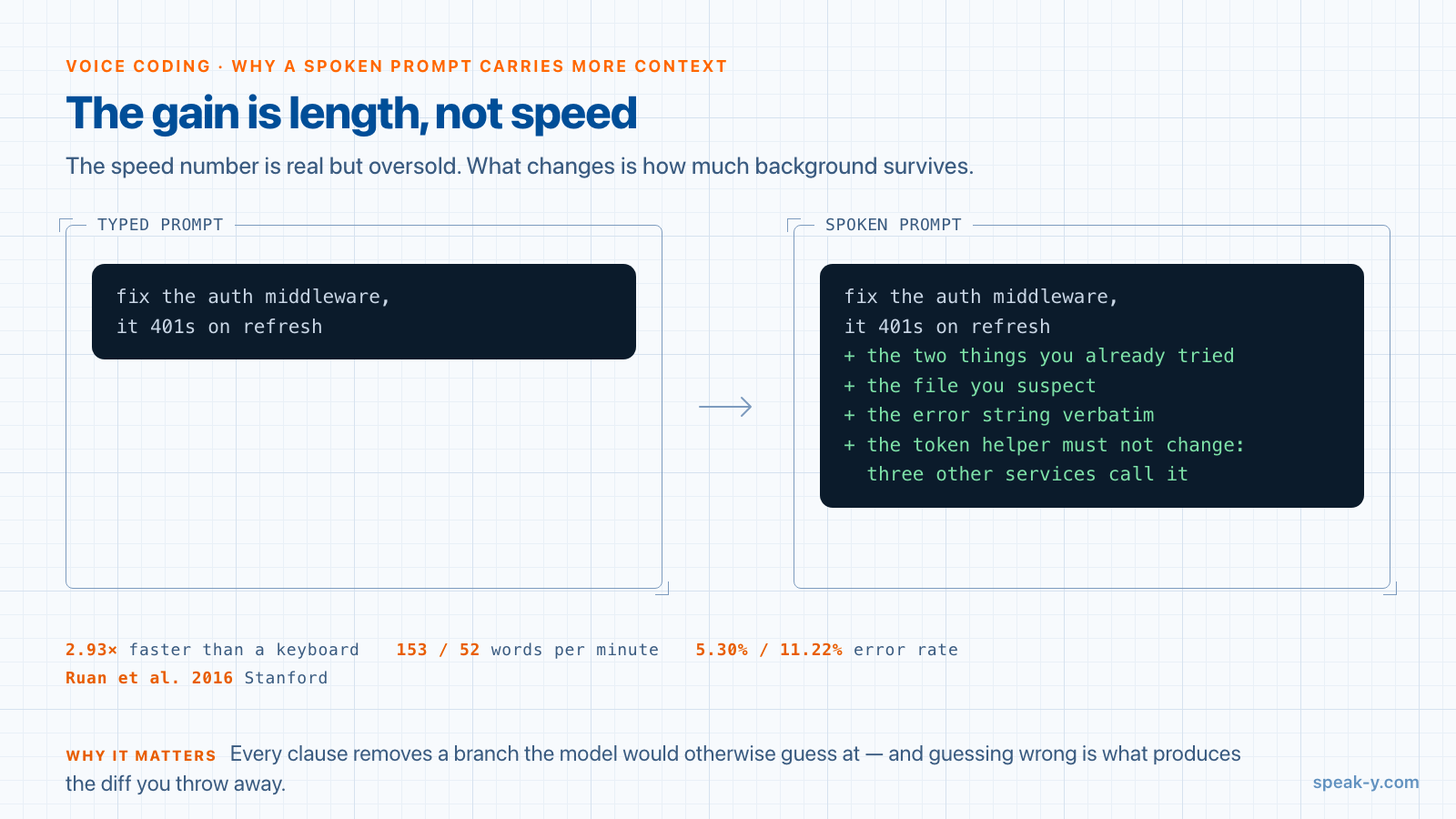
The speed number is real but oversold. The Stanford study people cite — Ruan et al., 2016 — measured English text entry on an iPhone 6 Plus and found speech 2.93 times faster than the on-screen keyboard, 153 words per minute against 52. A developer at a mechanical keyboard is not typing at 52 words per minute, so the honest multiplier for this audience is smaller.
The effect that actually matters is what happens to prompt length. Typing imposes a cost on every additional sentence, and the thing people cut first is background, because background feels optional while the request does not. So the typed prompt is "fix the auth middleware, it 401s on refresh" and the spoken one is that plus the two things you already tried, the file you suspect, the error string verbatim, and the constraint that the token helper must not change because three other services call it.
That difference is not politeness. Every one of those clauses removes a branch the model would otherwise have to guess at, and guessing wrong is what produces the diff you throw away. The same study found speech had roughly half the error rate during entry — 5.30% against 11.22% corrected — which is a way of saying the thinking-out-loud is not noisier than typing, it is just longer.
There is a second-order effect worth naming. Describing a bug out loud forces you to state it in full sentences, and about one time in five you solve it mid-sentence before the model gets a turn. That is rubber-duck debugging with a transcript.
Where the built-in voice input stops
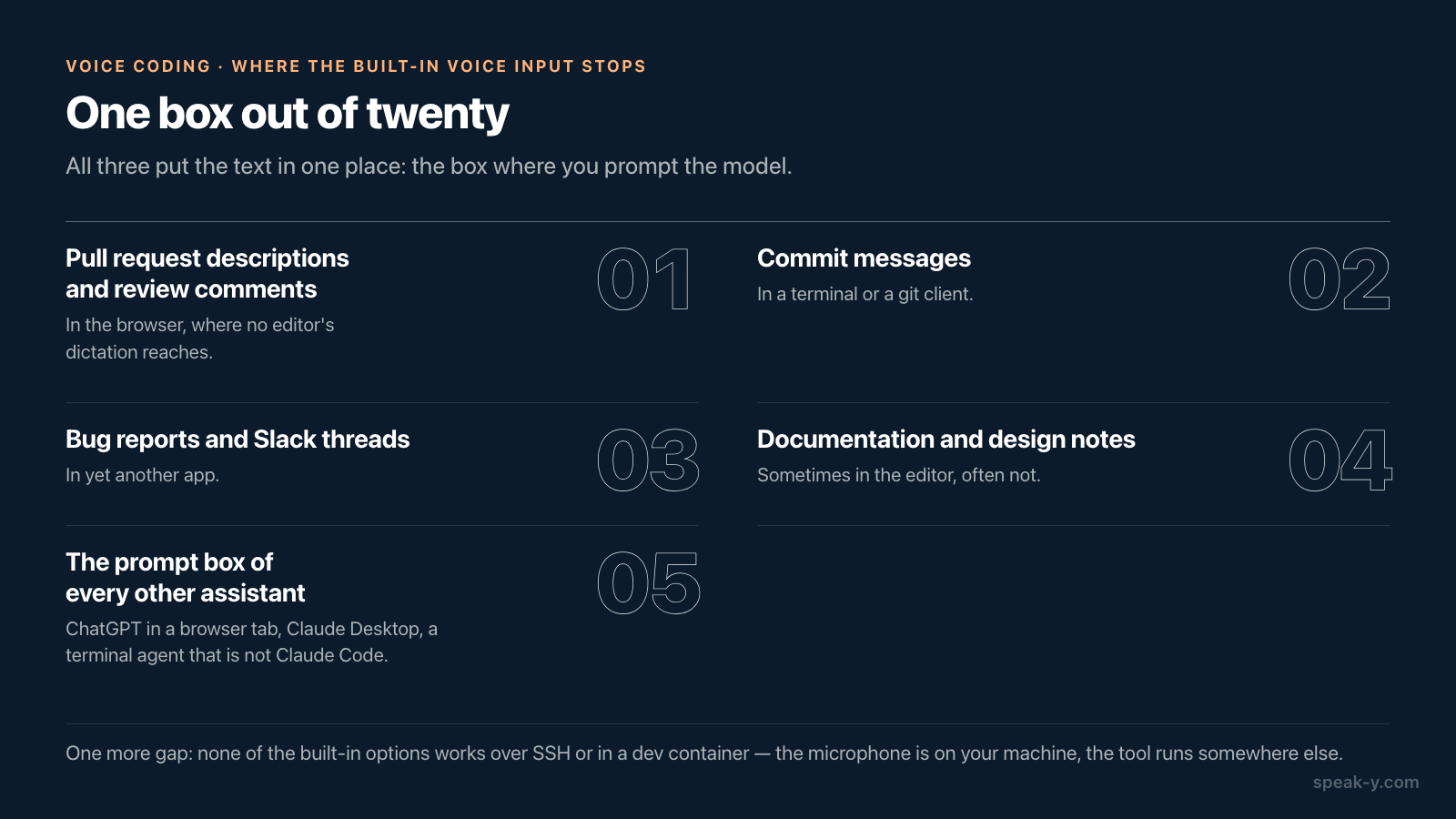
All three implementations put the text in one place: the box where you prompt the model. That box is a small fraction of the prose a developer writes.
- Pull request descriptions and review comments — in the browser, where no editor's dictation reaches.
- Commit messages — in a terminal or a git client.
- Bug reports and Slack threads — in yet another app.
- Documentation and design notes — sometimes in the editor, often not.
- The prompt boxes of every other assistant — ChatGPT in a browser tab, Claude Desktop, a terminal agent that is not Claude Code.
There is also a workflow constraint that catches people out: none of the built-in options works over SSH or in a dev container, because the microphone is on your machine and the tool is running somewhere else. If you develop on a remote host — increasingly common — the assistant's own voice input is unavailable exactly where you spend the day, while a dictation app running on your laptop keeps working, because it types into the terminal window like a keyboard does.
What a system-wide dictation tool adds, and what it costs
A system-wide tool is one hotkey that inserts text wherever the cursor is, so the same gesture works in Cursor's agent box, a browser textarea, a terminal and Slack. The trade-off is that it is another subscription and another thing to learn, and for someone who only ever dictates into one agent panel, the built-in option is genuinely enough. Checked on 17 August 2026:
| Tool | Free tier | Paid | Notable |
|---|---|---|---|
| Wispr Flow | 2,000 words/week on desktop, 1,000 on iPhone | $12/user/month annually, $15 monthly | Mac, Windows, iOS, Android |
| superwhisper | Free tier with 100+ languages and small models | Pro from $8/month annually | Local models, best on Apple Silicon |
| Aqua Voice | 1,000 words, one time | Pro $8/month; Max $24/month adds realtime mode and voice commands | Cloud only |
| Speak-Y | 2,000 words/week, no credit card | Pro and Pro+ | 67+ languages, bot-free meeting mode, free local MCP server |
The dimension to compare on is not price but where the audio goes. A tool that transcribes on your machine and a tool that posts every dictation to a vendor's API are the same product from the outside and very different ones if you dictate about clients, credentials or unreleased work.
What voice is genuinely bad at
An honest list, because pretending otherwise is how people bounce off this after a week.
- Identifiers and symbols.
handleAuthRefresh,--no-verify, a regex, a JSON blob, a file path. Dictating these and then fixing them takes longer than typing them. Type the symbols, speak the sentences. - Anything under 5 words. "yes", "run it", "try again" — the hotkey costs more than the keystrokes.
- Open-plan offices. This is a real blocker, not a footnote, and the reason many developers dictate at home and type at the office.
- Precise editing. Voice is an input method, not a cursor. Restructuring an existing paragraph is still a keyboard job.
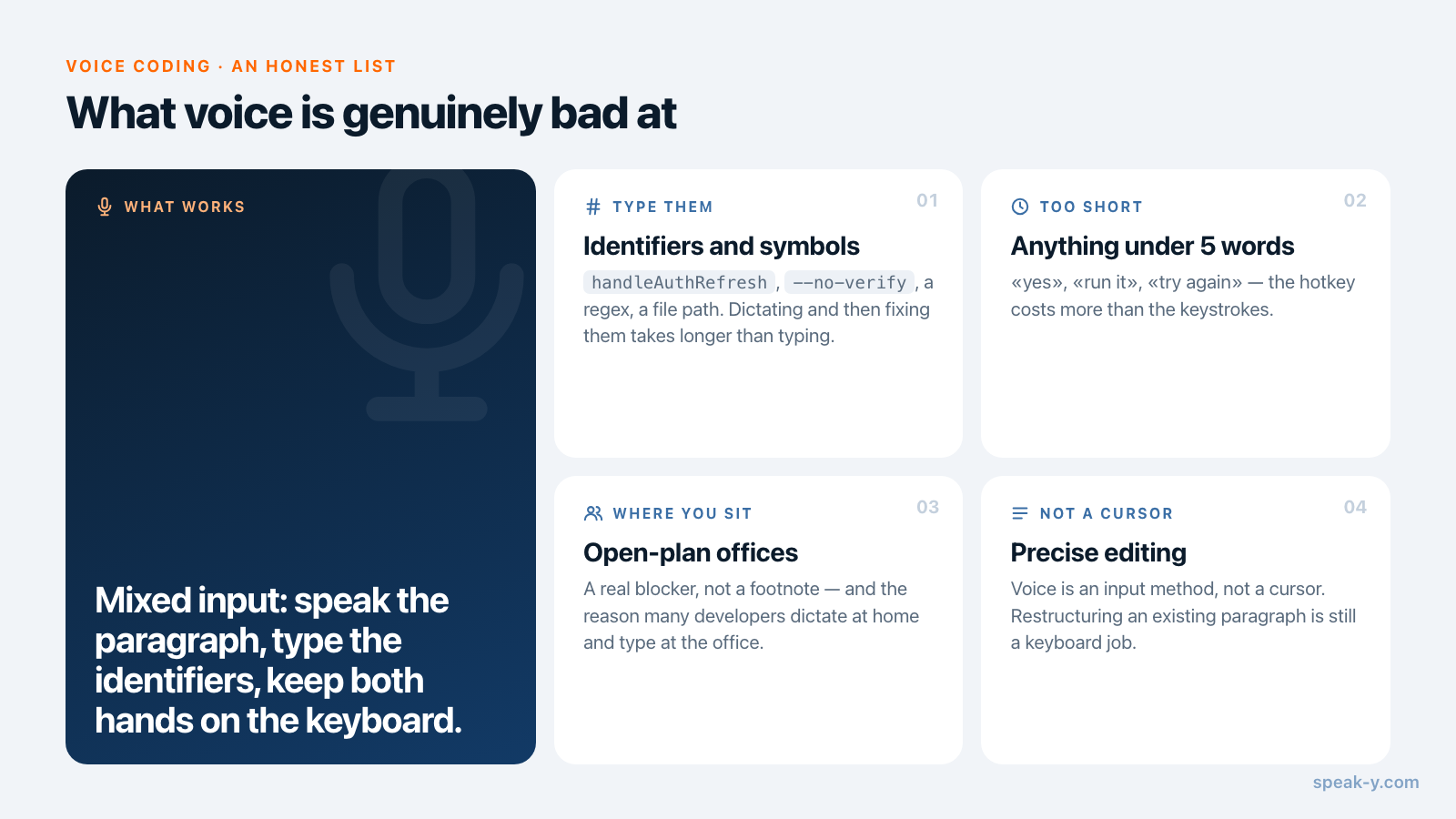
The pattern that survives contact with a working day is mixed input: speak the
paragraph, type the identifiers, and keep both hands on the keyboard the whole
time. Claude Code is explicitly built for this — the transcript is inserted at
your cursor position and the cursor stays at the end, so you can hold Space,
speak a clause, type a function name, and hold Space again.
How this works in Speak-Y
Speak-Y is the system-wide half of the setup: press a hotkey, speak, and the text
appears wherever the cursor already is — Cursor, VS Code, JetBrains, a terminal,
a browser, Slack. It does not replace /voice in Claude Code; it covers the PR
description and the bug report that /voice never sees. Punctuation is automatic
and 67+ languages work without switching anything, which matters if you think in
one language and your repository is in another.
The free plan is 2,000 words a week with no credit card, on macOS 14.0 and later and Windows 10 and later, plus an iOS keyboard on the same subscription. The installation guide covers permissions and picking a hotkey.
There is a second connection between dictation and AI assistants that is easy to miss. Speak-Y's built-in MCP server is free on every plan, and it lets Claude Code, Cursor or ChatGPT read your recordings and meeting transcripts locally — so the context you dictate is not the only context the agent has. The decision your team made about the auth flow is in a transcript the assistant can search, instead of in your memory of a call.
If your work is more meetings than prompts, linking meeting transcripts to code in Cursor is the next step, and twenty prompts that work over MCP covers what to actually ask once the connection exists.
FAQ
Does Claude Code support voice input?
Yes. Run /voice in the CLI to enable dictation, then hold Space while you speak, or tap once to start and again to send. It requires Claude Code v2.1.69 or later and a Claude.ai account — it is not available when Claude Code authenticates with an API key, Amazon Bedrock, Google Cloud or Microsoft Foundry. The audio is streamed to Anthropic's servers rather than transcribed on your machine, and it does not consume tokens or count toward your usage limits.
Can I dictate prompts in Cursor?
Yes. Cursor added built-in voice input in version 2.0 on 29 October 2025, and version 3.1 on 13 April 2026 upgraded it in the Agents window: hold Ctrl+M to speak, with a waveform, a timer and cancel or confirm buttons. It records the whole clip and transcribes it in one batch. It lands in the agent prompt box — for the editor, Cmd+K or the terminal you still need a system-wide dictation tool.
Why do spoken prompts work better than typed ones?
Because length is cheap. Speech runs about three times faster than typing, so the constraint that makes people write "fix the auth bug" instead of three sentences of background disappears. The extra sentences are exactly the context the model needs — which files you already ruled out, what the error actually said, what you do not want changed.
Is voice dictation processed locally or in the cloud?
It depends on the tool, and it is worth checking before dictating anything sensitive. VS Code's built-in dictation processes microphone audio on your device and needs no connection after the model downloads. Claude Code's /voice streams audio to Anthropic's servers. Cursor transcribes server-side. Among third-party apps, superwhisper runs local models on Apple Silicon, while Aqua Voice is cloud-based.
What is voice bad at when coding?
Anything where the exact characters matter. Identifiers, regular expressions, shell flags, JSON and file paths come out wrong often enough that fixing them costs more than typing them would have. Dictate the prose — the prompt, the review comment, the commit message, the bug report — and type the symbols.