Volunteer Shift Briefings: Record Them Into One Team Channel
A small nonprofit runs on its pre-shift briefing: which station is short of people today, what changed since last week, which safety rule is new. The briefing lasts ten minutes, half the volunteers hear it, and the next shift gets a retelling from whoever remembers. In Speak-Y you record the briefing on your Mac without a bot, mark assignments and changes with a key while you talk, and share the transcript to a Shift briefings channel that every volunteer reads. A new volunteer who joins the workspace gets the history of that channel instead of a summary from memory, and conversations about a specific volunteer go to a private channel for the coordinators.
This guide follows one organisation: Rosa Alvarez coordinates volunteers at a neighbourhood food pantry that runs two distribution shifts on Saturdays, with about thirty regular volunteers and a few new ones every month. The briefing happens at 8:30 in the warehouse, before the doors open. The pantry and its people are invented. Product details were checked against the Speak-Y macOS app, version 1.17.36, on 19 November 2026.
Why a shift briefing belongs in a channel
A briefing is short, but its content outlives the shift. "Distribution starts at 10 this week" matters to the people on next Saturday's shift too, and the rule about the pallet jack matters to everyone who ever enters the warehouse. When the recording sits on the coordinator's laptop, only the coordinator can search it. When it is shared to a channel of the organisation's workspace, every volunteer reads the same transcript with speaker names, the summary and the marked moments, and finds them again by tag.
The channel also does the onboarding. Everyone in a workspace sees every public channel and its history, so a volunteer who starts in March reads February's briefings at home instead of asking around on their first shift.
Before the briefing: consent, no client data, marks
Tell the room first. Speak-Y records on your computer and never joins a call, so nobody announces the recording for you. Some places require the consent of everyone recorded: in California, Penal Code § 632 requires the consent of all parties to record a confidential conversation. Say in the first minute that the briefing is recorded, that the transcript goes to the volunteers' channel, and that anyone can ask to pause it. Is it legal to record meetings covers the rules by country.
Keep the people you serve out of the recording. A briefing is about stations, times and safety, not about a particular client. Under the EU and UK GDPR, data about someone's health, religious beliefs or ethnic origin is special category data, which may be processed only under stricter conditions, and a pantry or a shelter learns exactly that kind of detail about the people it helps. A briefing needs none of it. Agree on a simple rule: no client names, addresses, health details or immigration status on the record. When a case needs discussing, stop the recording and talk to the coordinator in person.
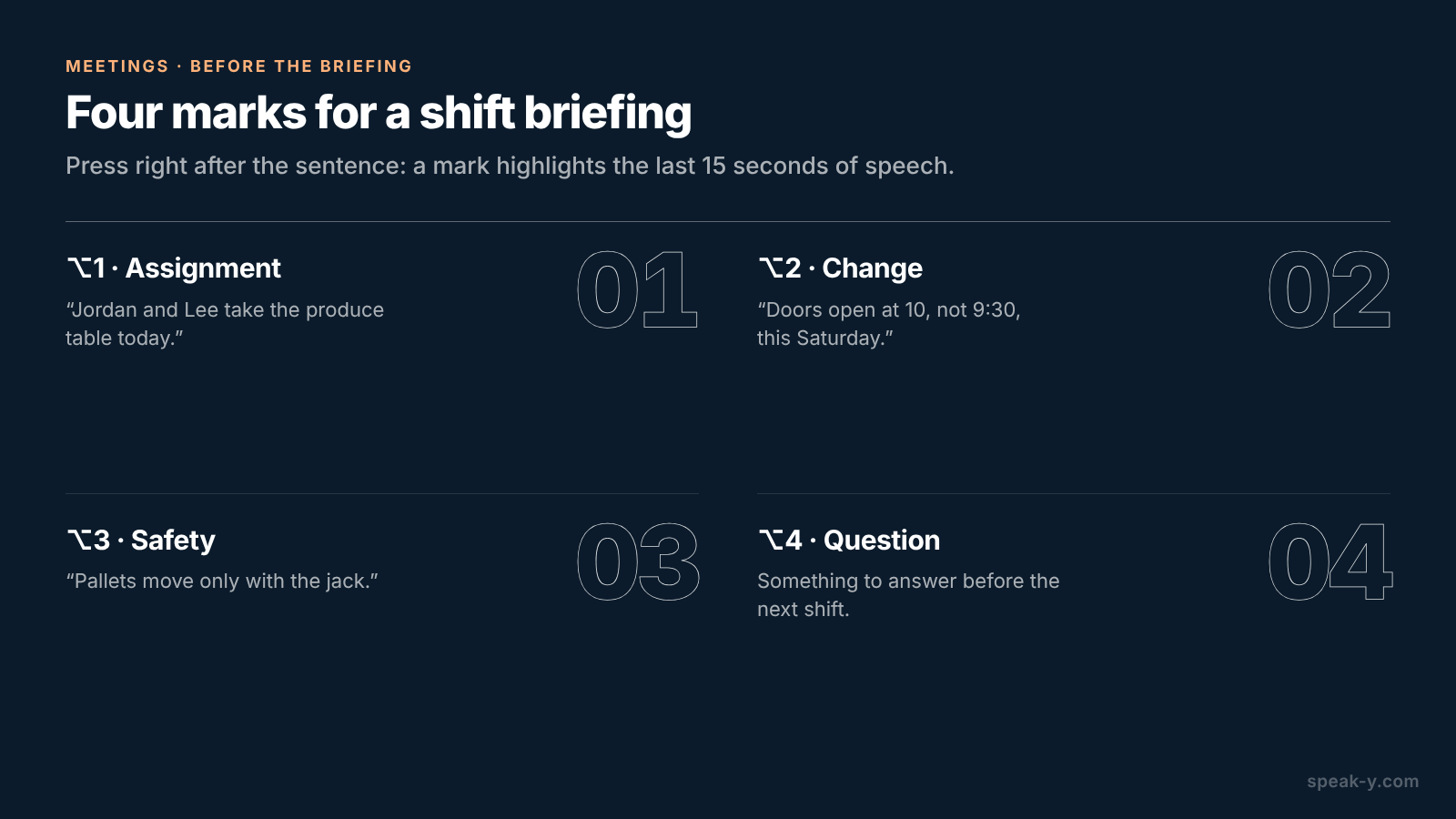
Name your marks. Open Settings → Notes. Under Note types, rename the default Mark the moment and click Add note type for the rest; Set hotkey gives each its own combination. Four types fit a shift briefing:
- ⌥1 Assignment — who takes which station: "Jordan and Lee take the produce table today."
- ⌥2 Change — what is different from last time: "Doors open at 10, not 9:30, this Saturday."
- ⌥3 Safety — a rule everyone must hear: "Pallets move only with the jack."
- ⌥4 Question — something to answer before the next shift.
Each press pins a mark of that type to the transcript and highlights the words
of the last 15 seconds, so you press right after the sentence, not before it.
Last, pick one tag — Rosa uses shift-briefing — and put it on every
briefing, so the recordings list filters them in one click.
In the warehouse: one click, two keys
A briefing in a warehouse has no call app for Speak-Y to recognise, so start it yourself: press your Speak-Y hotkey in hands-free mode, point at the recording button and click the check mark on Record as Meeting?. Voices reach the app through the Mac's microphone, so stand the laptop on a table in the middle of the group, away from the cooler fans and the loading door. If a shift lead joins from home, Zoom, Microsoft Teams, Webex and other call apps are recognised as soon as they are open, and Speak-Y asks Record as Meeting? by itself. For the question to appear, Settings → Interface & Behavior → Meeting mode must be Manual or Auto.
Then talk. When you hand out a station, press ⌥1; when something changed since last week, ⌥2. Speak-Y records voices, not the whiteboard with the station plan, so read the important lines aloud — "produce: Jordan and Lee; intake: Sam" — and they land in the transcript next to your mark.
After the briefing: names, the tag and the volunteers' channel
Open the recording from Meetings. Speakers are numbered in the order they spoke; you are usually Speaker 1. If Speak-Y has already put a name on a speaker, check that it is right.
- Click each speaker chip, type the person's name and press Enter. The channel feed, copied quotes and what an AI assistant reads later all use this label.
- Click Tags and add
shift-briefing. - Press To channel under the transcript and pick Shift briefings.
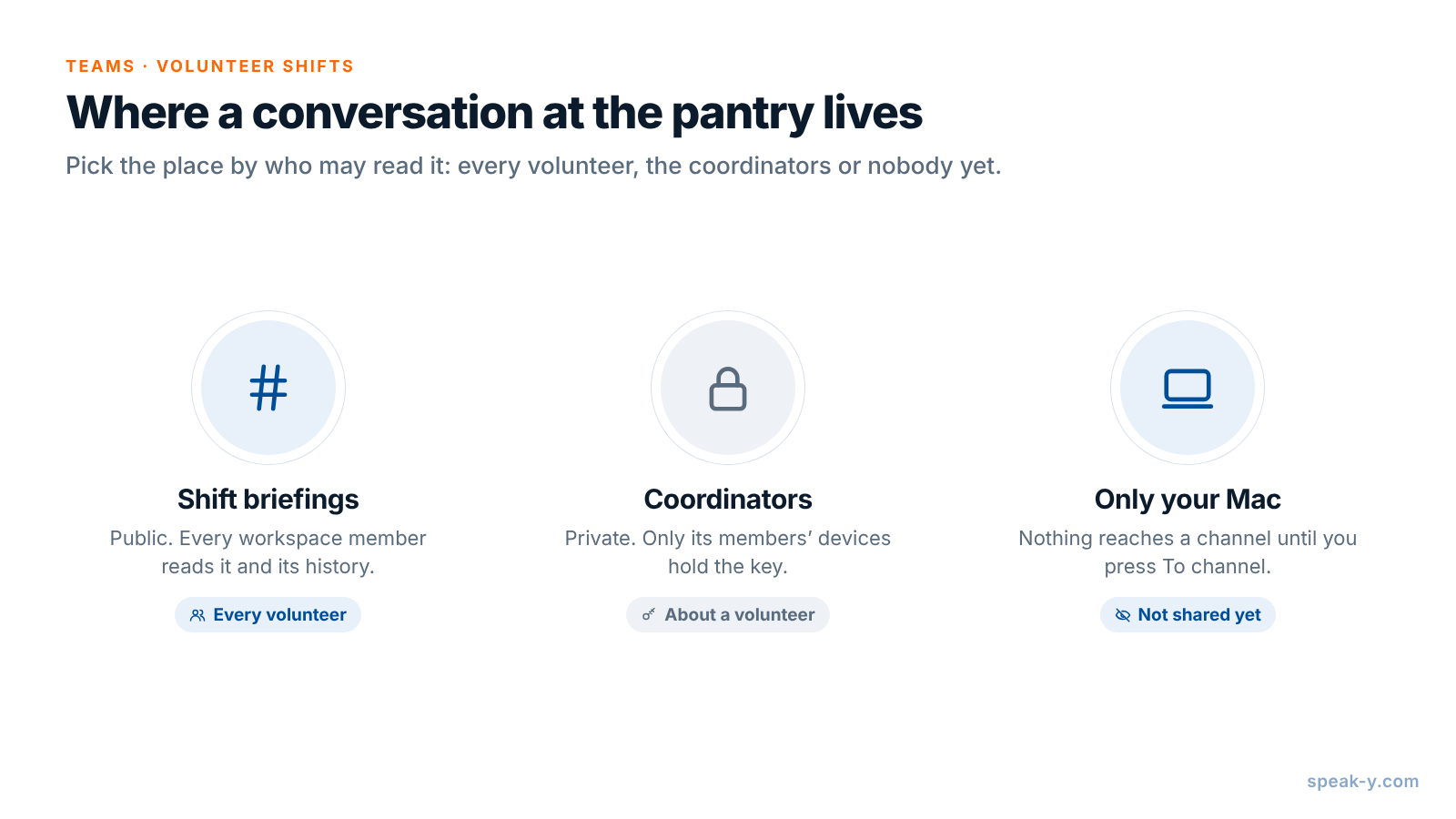
Channel members get the transcript with speaker names and the summary; the audio stays on your Mac. Your marks stay private on a shared recording until you switch them to show in that channel, which is worth doing for a briefing: every volunteer then sees each Assignment and Change in the feed.
Creating a workspace needs Pro or higher, and the people you invite join on any plan, including Free, so volunteers do not need a paid account to read the channel. Setting up a team workspace covers the first steps.
A new volunteer: the channel history instead of a retelling
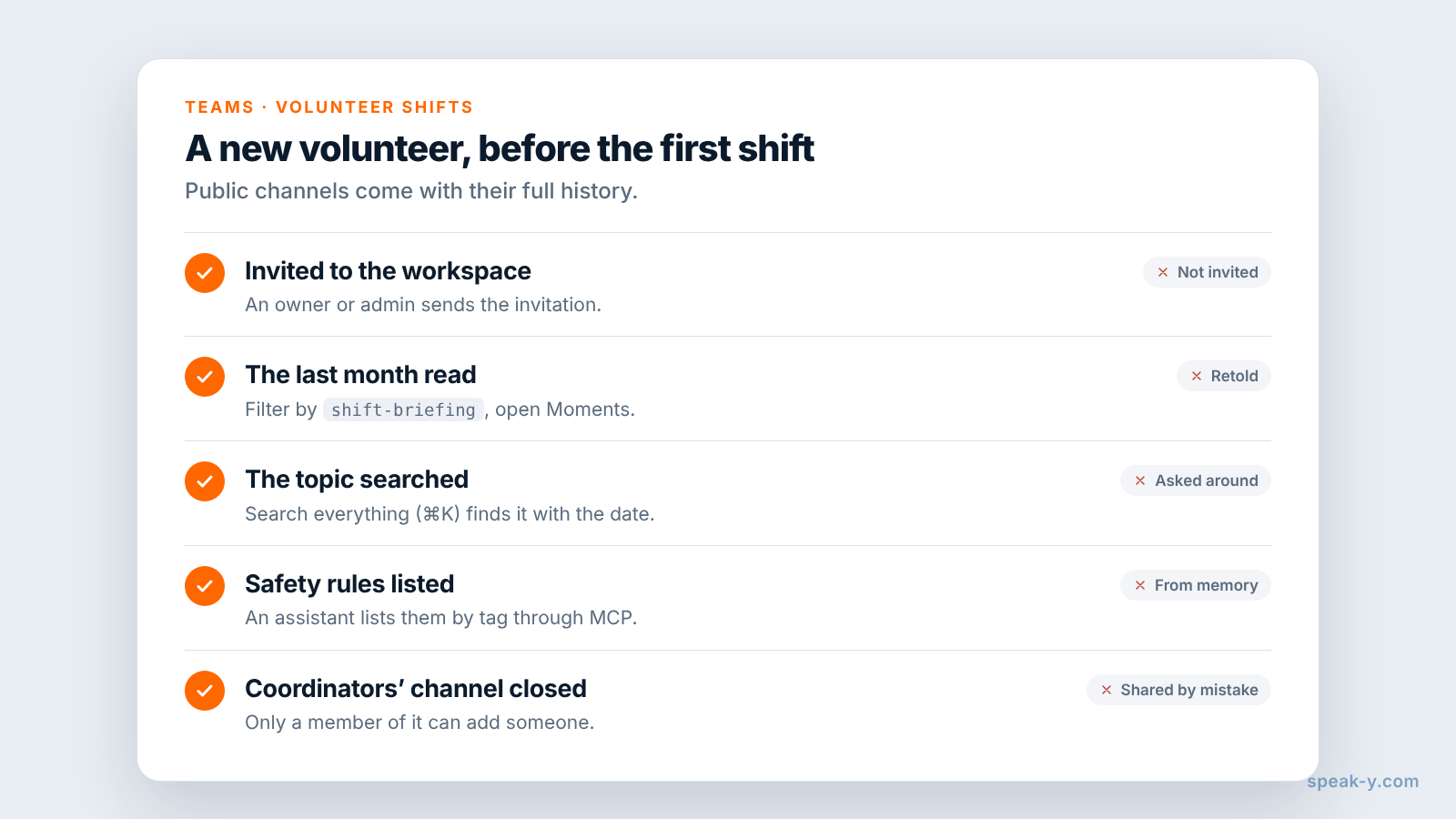
When someone starts volunteering, an owner or admin of the workspace invites them. A new member receives the current keys and sees the full history of the workspace's public channels: every briefing shared to Shift briefings since the channel was created, with names, summaries and the moments you made visible. Before the first shift, a new volunteer can:
- Read the last month. Filter the recordings by
shift-briefingand read four briefings in order; the Moments tab in each shows only the marked lines. - Search the topic. Search everything (⌘K) matches transcript text, so "pallet jack" finds every time the rule came up, with the date.
- Ask an assistant. With the Speak-Y MCP server connected, an AI assistant reads the recordings shared into your channels, filtered by tag and date: "List every Safety mark in recordings tagged shift-briefing since September, with dates" gives the newcomer the warehouse rules on one page. Play a moment before you rely on it.
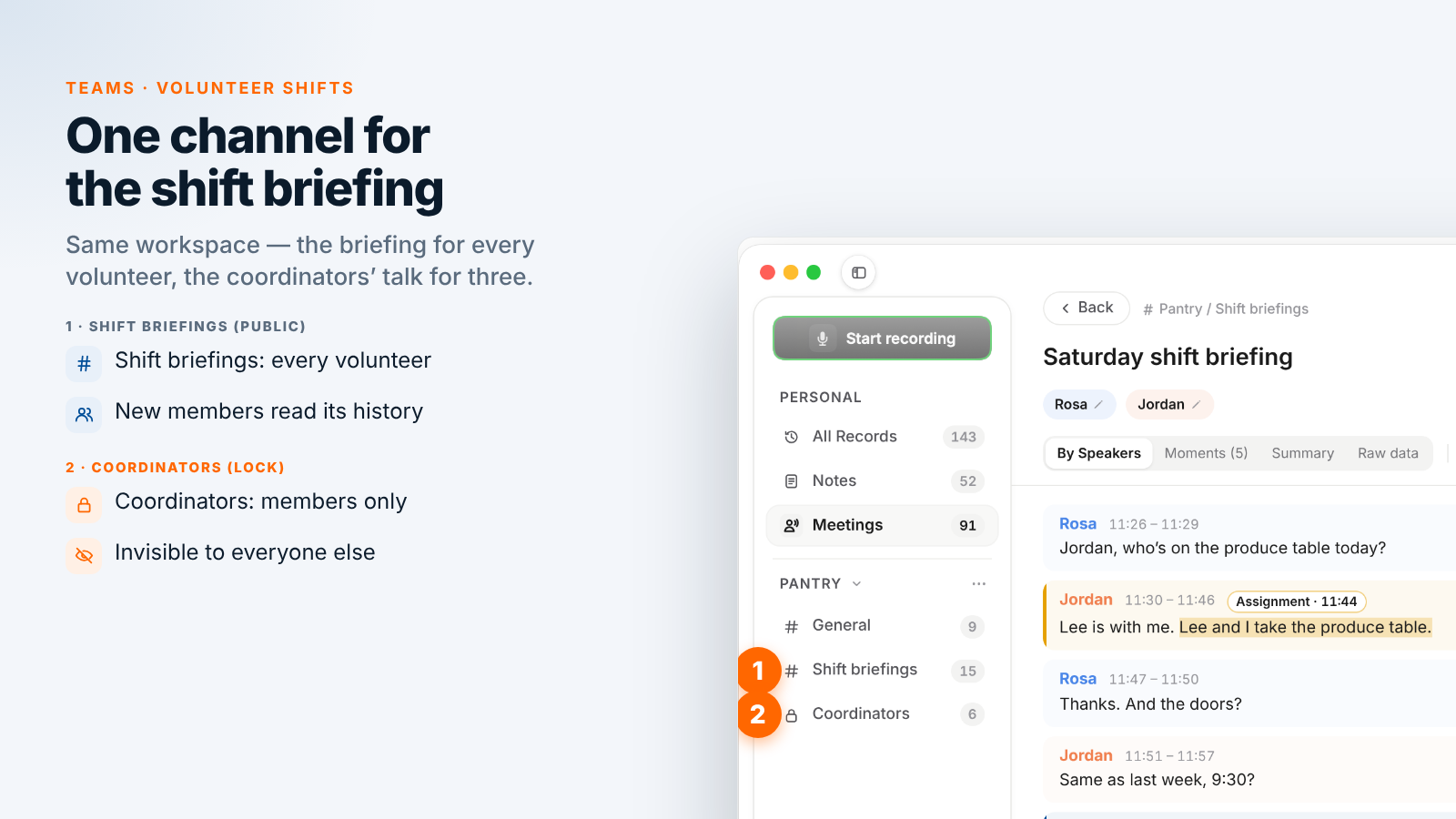
Private channels are different: a new volunteer does not see the coordinators' channel, and nobody is added to it unless a member adds them.
Talking about a volunteer: a private channel for coordinators
A volunteer who keeps missing shifts, a conflict between two people at the intake table, a reference someone asked for: none of this is for the whole team. Create a channel in the workspace's ⋯ menu: choose New channel, switch the type to Private, tick the other coordinators under Who can see this channel and click Create channel. Rosa has Coordinators with the two shift leads.
- Members only. A private channel does not appear for anyone else in the workspace, the owner included. It is encrypted with its own key, held only by its members' devices; the server cannot read its transcripts or its name.
- The creator controls membership. Any member can add someone, but only the creator can remove a member; removing one rotates the channel key.
- Private from the start. A public channel can never be made private, because everyone already has its history.
- The same rule on clients. A private channel limits who reads a recording; it does not make a conversation about a named client a good thing to record.
A recording reaches no channel until you press To channel, so a conversation that belongs to nobody yet can simply stay on your Mac.
What Speak-Y does not replace
Speak-Y keeps the conversation, not the organisation's records. Shift sign-ups, volunteer hours, background checks and client intake stay in the volunteer management tool, the spreadsheet or the client database you already use, under their rules on who may see them. Speak-Y does not sync with any of them and does not count anyone's hours.
When a volunteer leaves, remove them from the workspace: the app rotates the keys of the workspace, its public channels and the private channels you are in, so new recordings never reach them. What their app already downloaded stays on their Mac, as with any file someone has already opened.
One workspace, one public channel for the briefing, one private channel for the coordinators: every shift hears the same thing, and a new volunteer starts from the history. A school department can run the same setup, as recording department meetings into one channel shows; the Teams page explains workspaces, private channels and encryption in one place.
FAQ
Can Speak-Y record an in-person volunteer briefing without a bot?
Yes, on a Mac. Start a recording with your Speak-Y hotkey in hands-free mode, point at the recording button and click the check mark on Record as Meeting?. Voices in the room reach the app through the Mac's microphone. Nothing joins the briefing, so nobody announces the recording for you: say it yourself in the first minute.
How does a new volunteer catch up on past shift briefings?
Invite them to the organisation's Speak-Y workspace. A new member receives the current keys and sees the full history of the workspace's public channels, so every briefing shared to the Shift briefings channel since it was created is there to read, with speaker names, summaries and marked moments.
Should we talk about the people we serve in a recorded briefing?
No. Keep client names, addresses, health details and immigration status out of the recording. Under the EU and UK GDPR, data about health, religious beliefs or ethnic origin is special category data with stricter conditions, and a briefing does not need any of it. Pause the recording or discuss a case elsewhere.
Where should coordinators discuss a specific volunteer?
In a private channel for the coordinators. A private channel appears only for its members and is encrypted with its own key that only their devices hold. Create it as private from the start, because a public channel can never be made private.
Can Speak-Y replace our shift schedule or volunteer hours tracking?
No. Shift sign-ups, hours and background checks stay in the volunteer management tool or spreadsheet you already use. Speak-Y keeps what was said in the briefing, by speaker and with times, so a change or a safety rule can be traced back to the conversation.