Weekly Report From Meetings: Let Your AI Assistant Draft It
A team lead's weekly report can be drafted in about ten minutes from the meetings of the week. An AI assistant connected to Speak-Y over MCP lists the recordings between Monday and Friday that carry your project tag, reads the summary, the action items and your marks for each one, and sorts what it finds into three blocks — done, risks, next week — with the meeting named after every line.
You still read the draft, correct it and send it. What goes away is the Friday hour of scrolling through the calendar and reconstructing Monday from memory. This guide follows one team lead through one week; everything in it was checked against the macOS app and the vendors' documentation on October 13, 2026.
How does the assistant find the week's meetings?
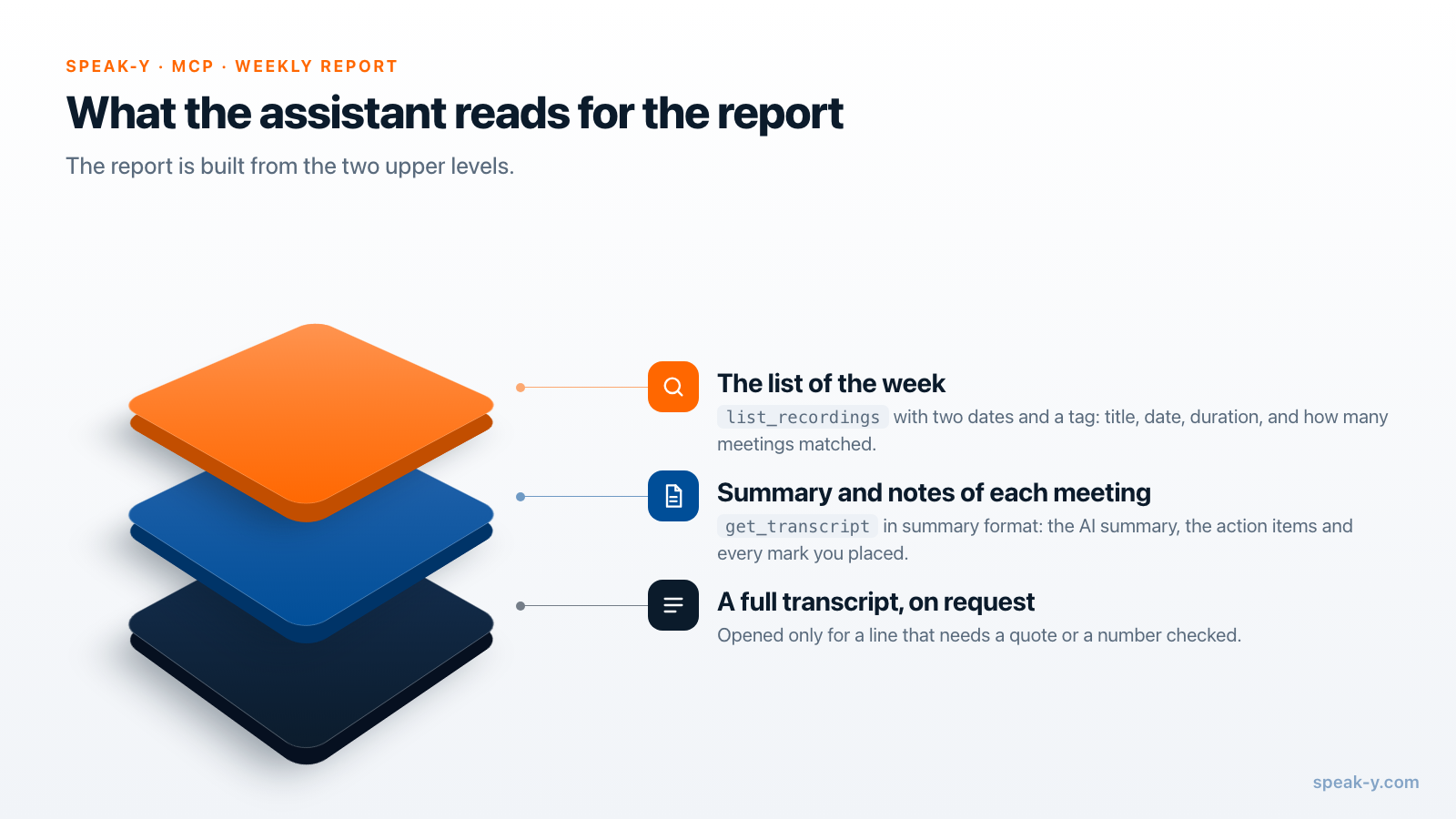
With one tool call. The Speak-Y MCP server has a list_recordings tool
with the filters a weekly report needs:
date_fromanddate_to— plain dates such as2026-10-05and2026-10-09; a date without a time covers that whole day.tag— only recordings carrying this tag, matched exactly but without regard to case.meetings_only— skips dictations, so a voice note you dictated on Wednesday does not show up as a meeting.
The answer is a list, newest first: title, date, duration, tags, whether the recording has a summary and how many marks it carries. It also says how many recordings matched in total. One call returns 20 recordings by default and up to 100, which covers a busy week.
For each recording in the list the assistant then calls get_transcript. Asked
for the summary format, the tool returns the AI summary, the action items and
a Notes section with every mark you placed — a few hundred words instead of a
whole transcript. That is the material a report is made of.
The list is not limited to meetings you recorded. It includes recordings that teammates shared to the team channels you belong to, marked as read-only. A design review you missed is in the report if a colleague put it in the channel; a meeting nobody shared is not.
What do you do during the week?
Two small things per meeting, both of which pay off on Friday.
- Tag it. After the meeting, click Tags in the recording and pick the
project tag —
platformin this guide. The tag is what separates the meetings that belong in the report from one-on-ones, interviews and everything else in your library. From the second meeting on it is one click. - Mark the risk when you hear it. When someone says "this may slip" or names a deadline, press ⌥1. The last 15 seconds are marked, and the mark appears in the Notes section the assistant reads. Two or three marks per meeting are enough.
Naming the speakers helps too: click the Speaker 2 chip and type the name, and the summary and the report say "Priya" instead of "Speaker 2".
What should the prompt ask for?
Three blocks, a source after every line, and an honest count. A template that works for a report to your own manager:
Write my weekly report from Speak-Y meetings.

Period: Monday to Friday of this week. Tag: platform. Meetings only.

For each meeting read the summary, the action items and the notes.
Do not read full transcripts unless a line needs a quote.

Report, plain text, under 200 words:
Done — what was reported as finished or decided
Risks — what may slip, is blocked or has no owner
Next week — what was agreed, with the owner

Rules:
- After every line put the meeting it comes from: (title, date).
- "Done" means someone said it is done. If it was only planned,
  it goes to "Next week".
- Use the moments I marked first; they are in the Notes section.
- End with: how many meetings matched, how many had a summary,
  and which were shared by teammates.
The last rule turns the report from a text into something you can audit: five meetings matched, five were read. Keep the template where your MCP client stores standing instructions — project instructions in Claude or ChatGPT, a rules file in Cursor — and the Friday request shrinks to one sentence. More wording for this kind of request is in prompts to ask AI about your meetings.
How does Friday go, step by step?
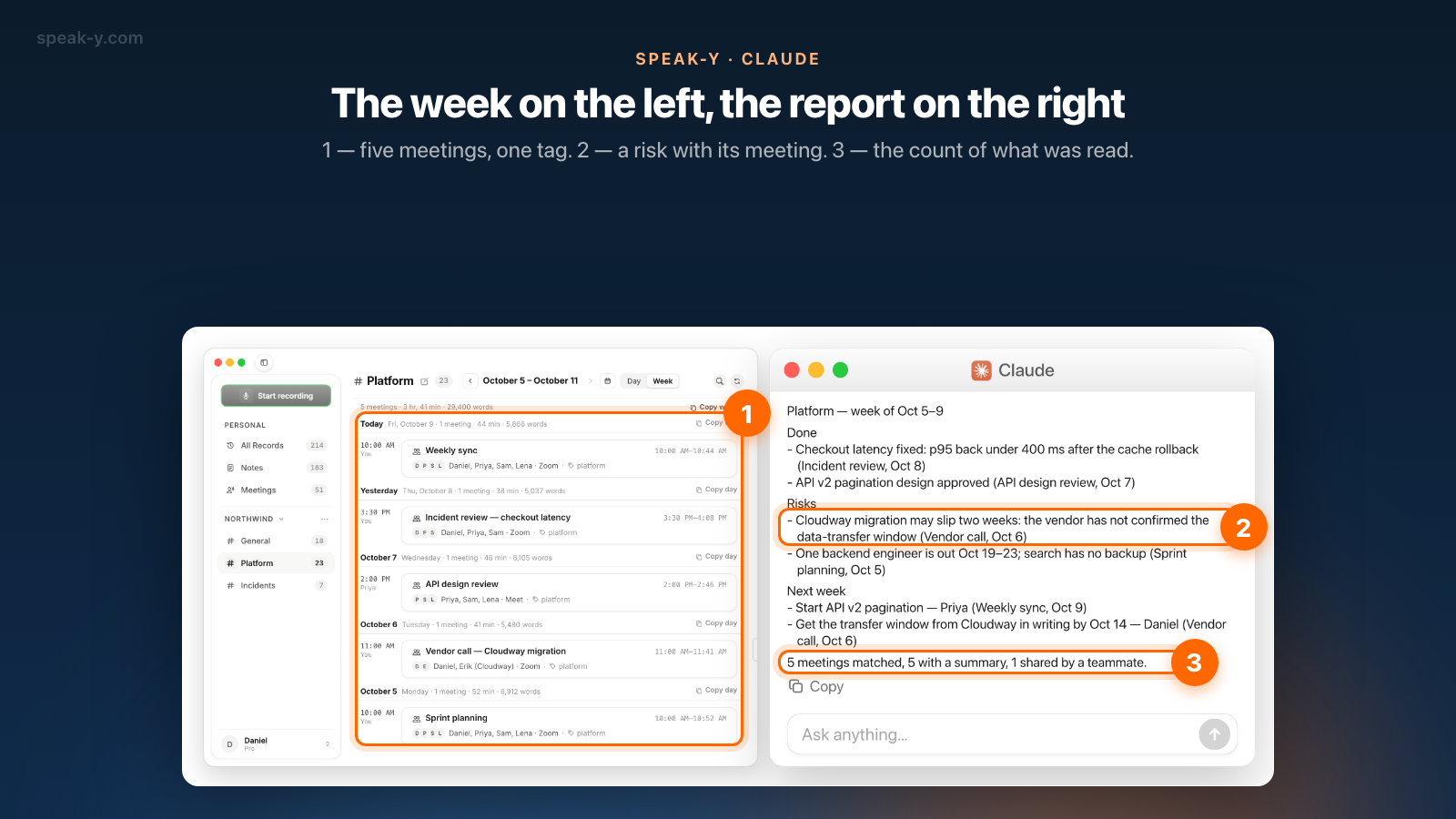
Take Daniel, who leads a platform team of eight. In the week of October 5–9,
2026, five recordings carry the tag platform: sprint planning on Monday, a
vendor call on Tuesday, an API design review on Wednesday that his colleague
Priya recorded and shared to the Platform channel, an incident review on
Thursday and the weekly sync on Friday.
- Ask. In the MCP client: "Weekly report, platform, Oct 5–9."
- The assistant lists. It calls
list_recordingswith the two dates and the tag and gets five meetings. - The assistant reads. Five calls to
get_transcript, summary format. - You get the draft — about two minutes after asking.
- You check it against the recordings (the section after the next one), fix what is wrong and send it.
The draft for this week:
Platform — week of Oct 5–9

Done
- Checkout latency fixed: p95 back under 400 ms after the cache
  rollback (Incident review, Oct 8)
- API v2 pagination design approved (API design review, Oct 7)

Risks
- Cloudway migration may slip two weeks: the vendor has not
  confirmed the data-transfer window (Vendor call, Oct 6)
- One backend engineer is out Oct 19–23; search has no backup
  (Sprint planning, Oct 5)

Next week
- Start API v2 pagination — Priya (Weekly sync, Oct 9)
- Get the transfer window from Cloudway in writing by Oct 14 —
  Daniel (Vendor call, Oct 6)

5 meetings matched, 5 with a summary, 1 shared by a teammate.
Why write it from Summary and Notes, not from memory?
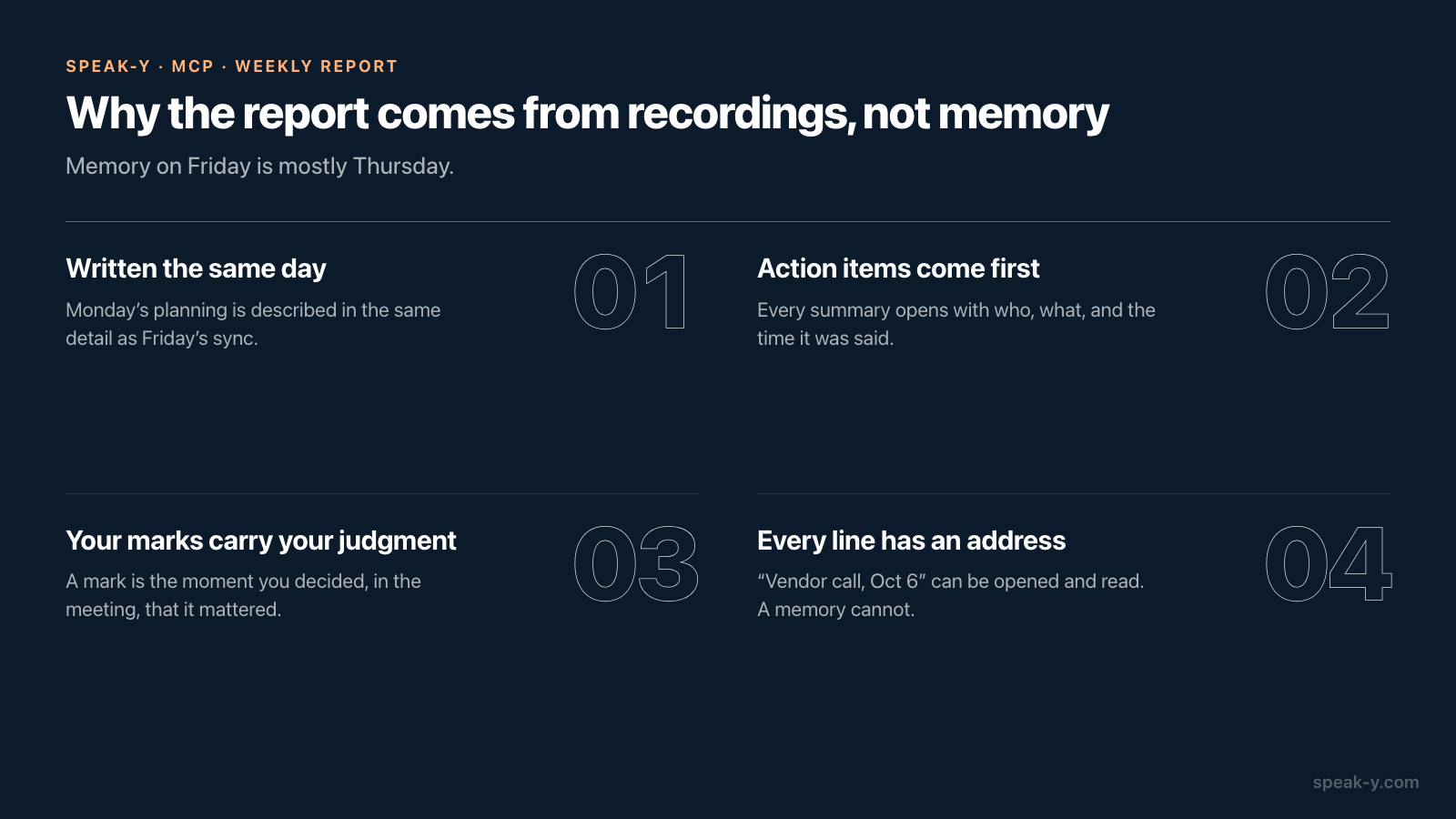
Because memory on Friday is mostly Thursday. Four things make the recorded version a better source:
- It was written when it happened. Each summary is produced right after its meeting. Monday's planning is described in the same detail as Friday's sync.
- Action items come first. Every Speak-Y summary opens with an Action Items section: who, what, and the time in the recording where it was said.
- Your marks carry your judgment. A mark is the moment you decided, during the meeting, that something mattered. The summary is the model's view; the Notes section is yours.
- Every line has an address. "Vendor call, Oct 6" can be opened and read. "I think they said two weeks" cannot.
Summaries are also what keeps the request small. Five full transcripts of forty-minute meetings come to roughly thirty thousand words; five summaries with notes come to about two thousand. The assistant reads faster, costs less, and has less room to lose a line in the middle.
What do you check by hand?
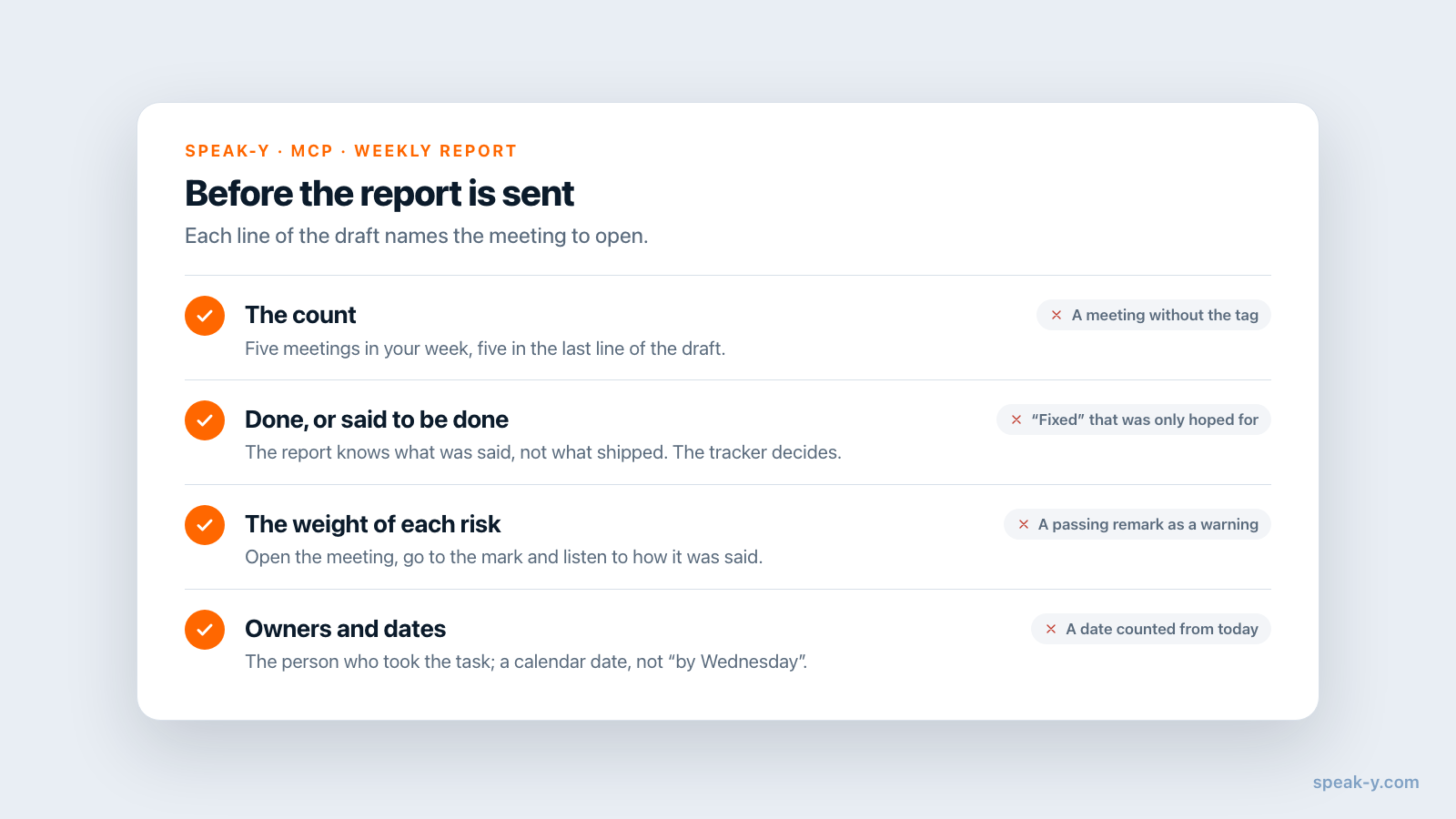
Seven of the ten minutes go here. The assistant sorts well and judges poorly, so the checks are about judgment:
- The count. Five meetings in your week, five in the last line. If a meeting is missing, it has no tag or was recorded as a dictation; if a channel meeting is missing, ask the assistant to sync and try again.
- "Done" against "said to be done". The report knows what was said in a meeting, not what shipped. Open the summary of the incident review and make sure "fixed" was reported, not hoped for. Your tracker is the final word.
- The weight of each risk. A summary flattens tone: a passing remark and a real warning look alike. Open the meeting, go to the mark, click the time of the reply and listen to how it was said.
- Owners and dates. A name next to a task must be the person who took it, and "by Wednesday" must be a calendar date counted from the day of the meeting.
- What may go upward. A report to management is not a channel post. Remove what was said in confidence before you send it.
What leaves your Mac?
The MCP server reads locally, from the library on your Mac, and uploads nothing to do so. What the assistant reads — the summaries, and any transcript it opens — then becomes part of your conversation with the model provider, as with every MCP server. Summaries of internal meetings contain names, figures and vendor terms; if your company has a rule about AI providers, it applies here. Local vs cloud MCP shows where the text travels.
When does another tool fit better?
When you want the digest to arrive without asking. Fireflies, for example, documents a Daily Digest: a personal summary of your recent meetings — action items, blockers, open questions, key decisions — refreshed every 24 hours and sent by email or Slack (checked October 13, 2026). It needs the Fireflies notetaker in your meetings and keeps the transcripts in the vendor's cloud.
And when the report is about delivery rather than discussion, the tracker is the better source: a list of closed tickets says what shipped, and no meeting can. The route in this guide covers the other half — what was decided, what worries people, what was promised aloud — in your own template, from meetings no bot joined. If the same Friday should also settle who owes what, the 15-minute action items review uses the same summaries.
FAQ
Can an AI assistant write my weekly report from meeting recordings?
Yes, a draft of it. With Speak-Y connected over MCP, an assistant such as Claude, ChatGPT or Cursor lists the meetings of the week by date and tag, reads the AI summary, action items and your marks for each one, and sorts them into done, risks and next week, naming the meeting behind every line. You check the draft and send it yourself.
How does the assistant know which meetings belong to the report?
By two filters of the list_recordings tool: a date range (date_from and date_to) and a tag. Put one tag, for example the project name, on every meeting that should count. Meetings without the tag, such as one-on-ones, are not listed and are not read.
Does the weekly report include meetings my teammates recorded?
Only those they shared to a Speak-Y team channel you are a member of. The MCP server reads your own recordings and the recordings in your channels from the copy on your Mac; teammates' recordings are read-only. A meeting that a colleague recorded and did not share is not visible to your assistant.
Why build the report from summaries instead of full transcripts?
A week of meetings is tens of thousands of words, and a summary is a few hundred. Each Speak-Y summary opens with action items and is written right after the meeting; the Notes section lists the moments you marked. The assistant reads those for every meeting and opens a full transcript only where a line needs a quote or a number checked.
Do I need a paid Speak-Y plan for this?
No. The MCP server is included in every Speak-Y plan, Free too, and every recorded meeting gets an AI summary with action items. You need the macOS app, an MCP client and one click on Connect in Settings → Integrations. Plans differ in meeting time, not in access to the MCP server.