Bug Report by Voice: From a QA Call to a Ticket in Cursor
A bug report loses its detail between the call and the ticket. The tester walks you through five steps, you nod, and an hour later the ticket says "export is broken on staging". With Speak-Y for Mac the route is shorter: record the call with QA as a meeting, press one hotkey after every reproduction step, and ask Cursor — connected to Speak-Y over MCP — to draft the report from the transcript and your marks, in the same session where it reads the code. When there is no call, dictate the report straight into the tracker: click into the description, hold right ⌘, talk, release.
Speak-Y does not file the ticket and does not record the screen; it gives you the words, with a time next to each one. This guide follows one example — a twenty-minute call with Dana from QA about a CSV export that ignores the date filter — and the labels of the Mac app as of 8 October 2026.
What does a bug report need that a call already contains?
Most tracker templates ask for the same four things: steps to reproduce, the expected result, the actual result and the environment. A tester says all four aloud on the call — in order, with the exact values. What reaches the ticket is usually a summary written from memory, and memory keeps the conclusion and drops the steps.
A transcript keeps the steps. Marks make them findable: a mark called Repro step on each of Dana's steps is already the numbered list of the report, and a mark called Actual is the sentence where she read the wrong number off the screen.
Before the call: three note types, a hotkey each
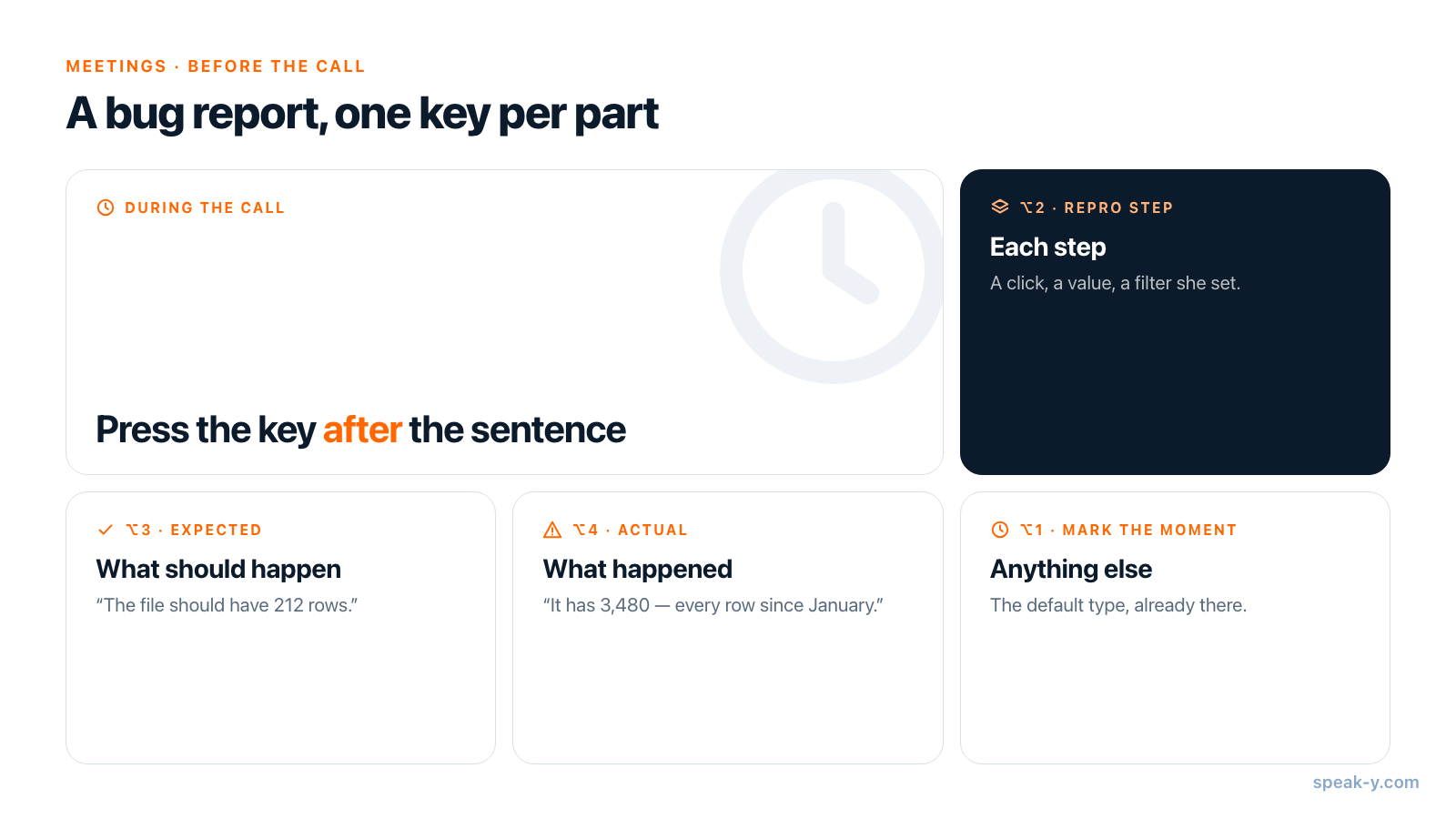
Speak-Y ships with one note type, Mark the moment, on ⌥1. Add the three a bug report needs in Settings → Notes:
- Click Add note type, type "Repro step" in Type name and press Save. The new type gets the next free colour.
- Click Set hotkey on its row, press ⌥2, then press the combination once more so Speak-Y can confirm that it reaches the app past the call window. Press Done.
- Repeat for "Expected" on ⌥3 and "Actual" on ⌥4.
Enable meeting notes at the top of the page has to be on. This is a one-time setup: the types stay for every later call.
During the call: one key after each step
When the call starts, Speak-Y asks Record as Meeting? above the recording button; click the check mark. It records your microphone and the audio your Mac plays, so Zoom, Google Meet and Microsoft Teams work the same way and no bot joins — tell Dana you are recording.
Then ask her to reproduce the bug and to say every click and every value aloud. Press the key right after the sentence:
- "I open Reports and set the date filter to September" — ⌥2, Repro step.
- "I click Export CSV" — ⌥2 again.
- "The file should have the 212 rows I see on screen" — ⌥3, Expected.
- "It has 3,480 — every row since January" — ⌥4, Actual.
Each press marks the last 15 seconds under that type; the button briefly reads Last 15s marked. The mark covers what was just said, which is why you press after the sentence, not before. Speak-Y hears the call and does not see it: a step Dana performs silently is not in the transcript, so repeat it aloud yourself — "so you picked CSV, not XLSX" — and mark that.
After the call: walk through the steps
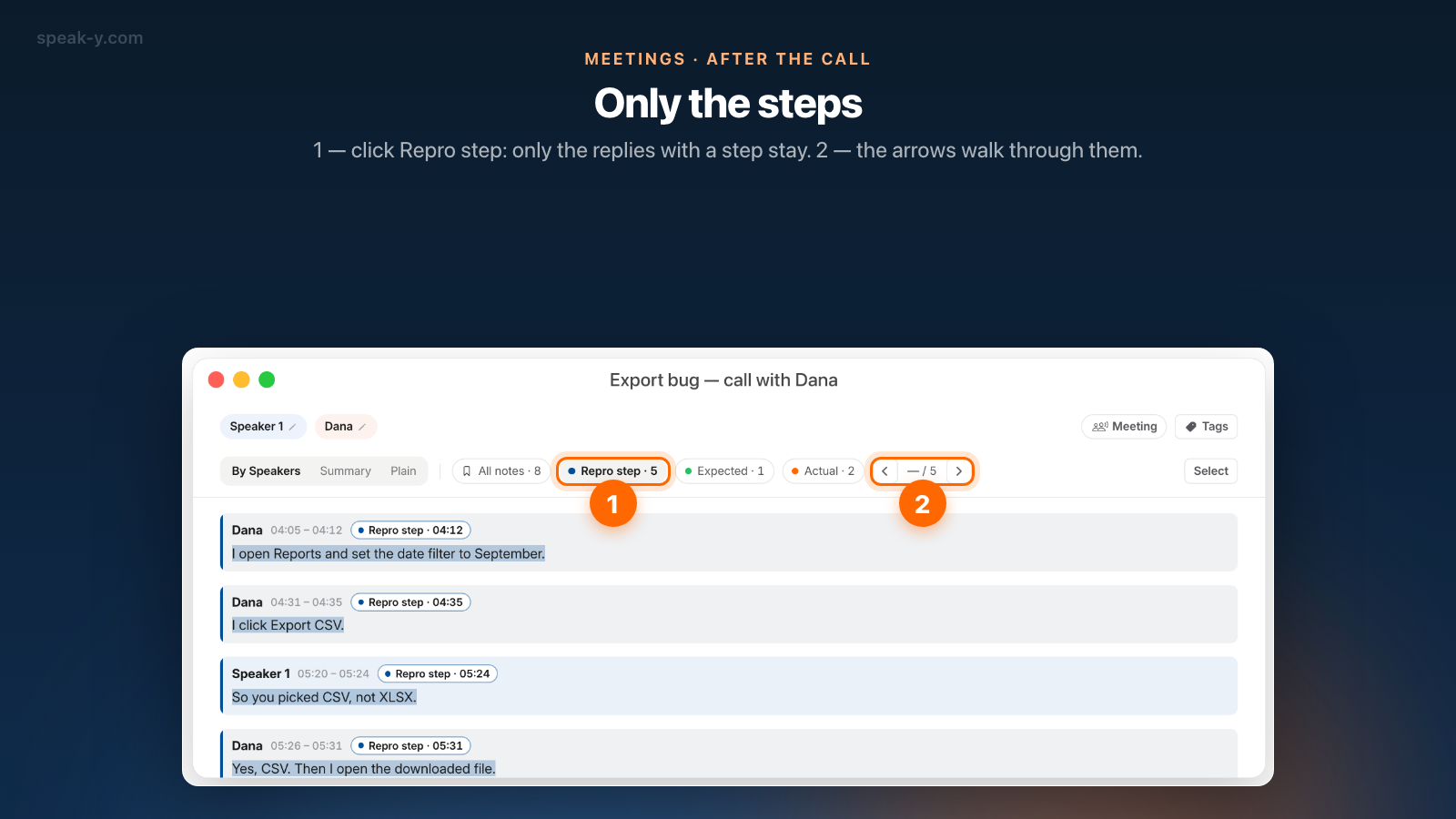
Open the recording from Meetings. Click Speaker 2 above the transcript and type "Dana", so the report says who saw what. Then, on the By Speakers tab, use the strip of chips: All notes with the total, and one chip per type — Repro step · 5, Expected · 1, Actual · 2. Click Repro step and only the replies with a step stay; the arrows next to the chips walk from one to the next.
This takes two minutes and answers one question: are the steps complete? If
one is missing, right-click the reply where Dana said it, choose Add note
and pick the type. Finally click Tags and create a tag such as
export-bug, so a follow-up call about the same bug lands next to this one.
The draft: ask Cursor over MCP
Speak-Y's MCP server is included on every plan and runs on your Mac. Connect Cursor once in Settings → Integrations — click Install next to Cursor and restart it; Cursor meeting context over MCP covers the details. On Cursor's side, the pricing page lists "MCPs, skills, and hooks" under the $20 Individual plan and not under the free Hobby plan (checked 8 October 2026). Then ask in the agent chat:
Using my recording "Export bug — call with Dana", write a bug report: Summary, Steps to reproduce, Expected result, Actual result, Environment. Build the steps only from the Repro step marks, in order, with the time of each. Do not add steps that were not said. Then find the code that builds the CSV export and tell me where the date filter could be lost.
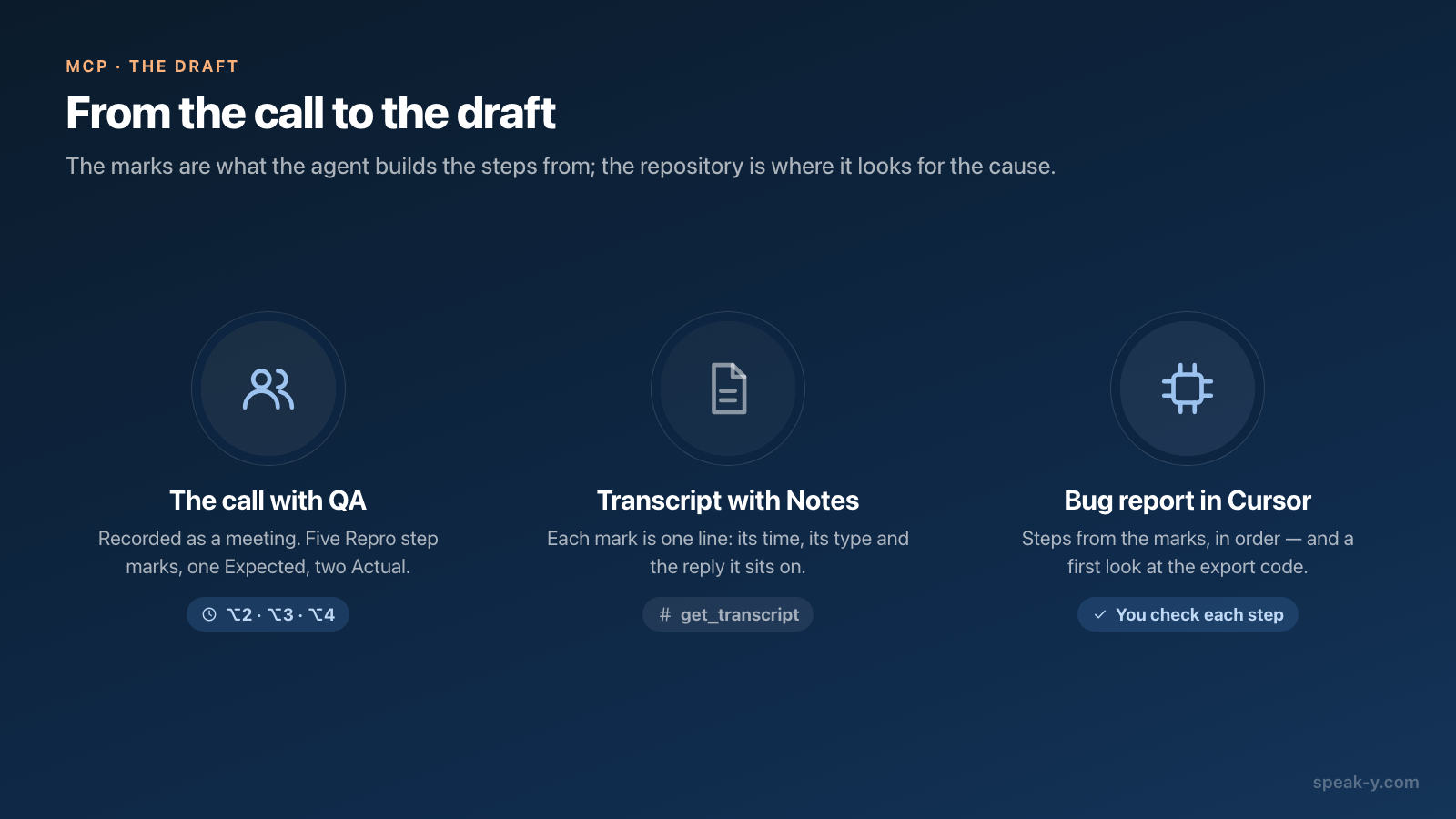
The agent calls search_recordings to find the recording and get_transcript
to read it. It gets back the transcript as speaker-labelled blocks with times,
the summary, and a Notes section where every mark is one line: its time,
its type, the speaker and the first words of the reply. A line looks like
- 04:12 · Repro step — [Dana — 04:05]: “I open Reports and set the date filter…”.
The numbered steps come from your ⌥2 presses, not from the model's reading of
a twenty-minute conversation — and because the same agent can open the
repository, the report and the first hypothesis arrive in one answer.
Reading is local, from the Speak-Y library on your Mac. What the agent reads becomes part of the chat and goes to the model, exactly like your code does.
No call? Dictate the report into the tracker
When you found the bug yourself, skip the meeting. Click into the description field of the new ticket — Jira, Linear, GitHub Issues — hold right ⌘, say the report, release. For anything longer than a few sentences press ⌥ Space once, talk, and press it again. Speak-Y pastes the text where the cursor is and does not submit the form. Punctuation is added automatically.
Say the template aloud and the structure survives: "Steps to reproduce. One, open Reports. Two, set the date filter to September. Three, click Export CSV. Expected: 212 rows. Actual: 3,480 rows." The same key works in the Cursor chat box, where a spoken description tends to include what a typed one leaves out — what you tried, what you ruled out, why you suspect the filter. Voice coding with AI assistants is about that habit.
Dictation into any app works on every plan; Free includes 2,000 words a week, which is a lot of bug reports.
Who files the ticket?
You do, or the agent does through the tracker's own server — not Speak-Y. Speak-Y has no Jira, Linear or GitHub integration, so the simple route is to copy the draft from Cursor into the ticket.
The other route is a second MCP server in the same Cursor. Linear documents one with tools for finding, creating and updating issues, and Atlassian's Rovo MCP server creates and updates Jira work items; both list Cursor among their clients (checked 8 October 2026). With one connected, "file this as a bug in the Reports project" is a tool call. Cursor's agent asks for approval before using an MCP tool by default — read the ticket text in that prompt, because that is the last moment it is a draft.
Before you file it
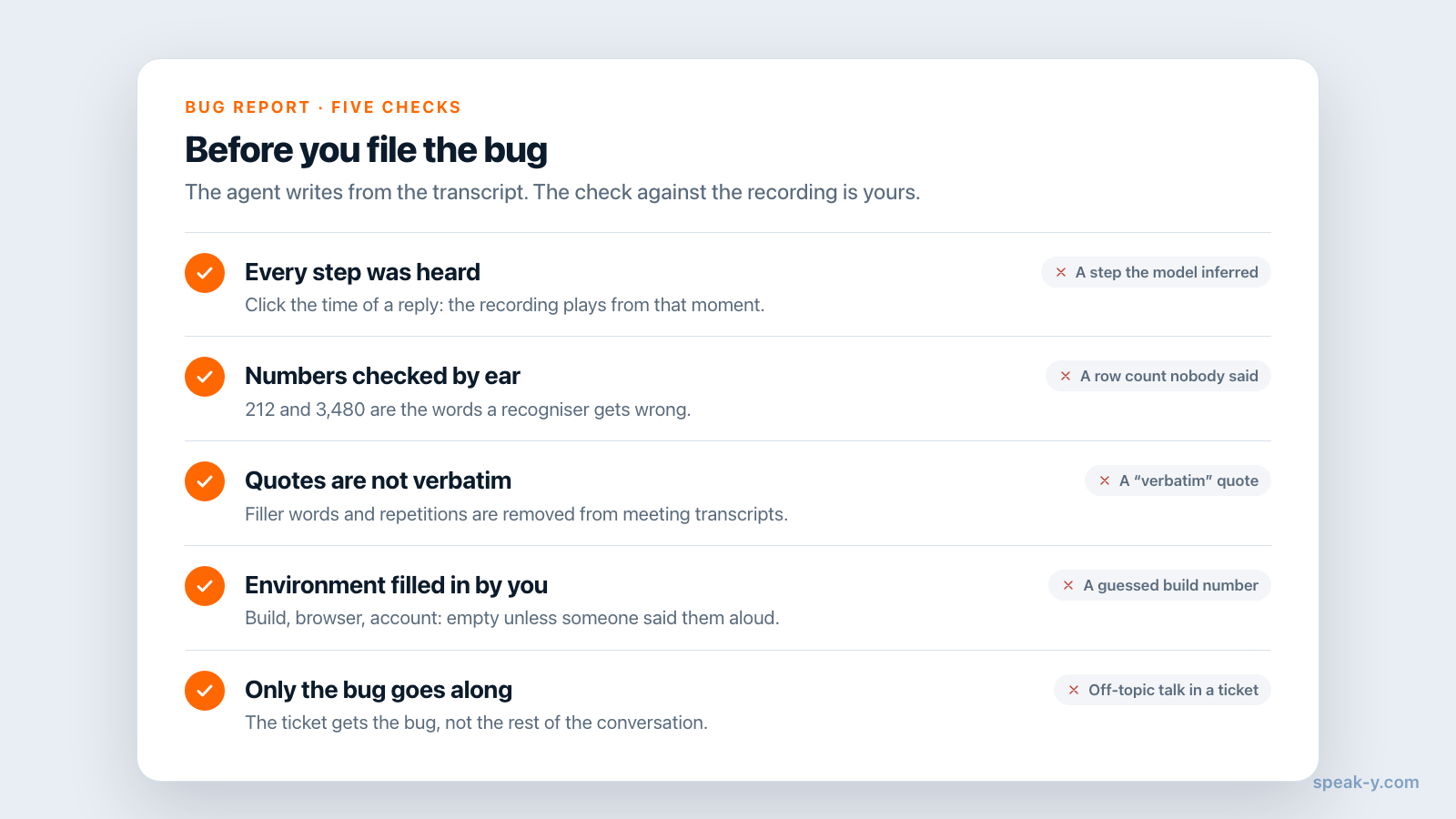
- Every step was heard, not only read. Click the time of a reply to play the recording from that moment. A step the model inferred is the one that makes the bug "not reproducible".
- Numbers are checked by ear. 212 and 3,480 are exactly the kind of words a recogniser can get wrong.
- Quotes are not verbatim. Speak-Y removes filler words and repetitions from meeting transcripts, so a quoted sentence is cleaner than what was said.
- The environment is filled in. Build number, browser, account — if nobody said them on the call, they are not in the transcript, and the agent should leave the line empty rather than guess.
- Nothing private goes along. A call with QA wanders; the ticket gets the bug, not the rest of the conversation.
Which plans and platforms does this work on?
As of 8 October 2026 (pricing), a meeting recording stops at the plan's per-meeting limit: 30 minutes on Free, 60 on Pro, 240 on Pro+ and Max. A twenty-minute bug call fits Free, within its 2 hours of meetings a month. Note types, marks, the summary and the MCP server are available on every plan.
This guide describes the Mac app (macOS 14.2 and later). The Windows app dictates into any field and records meetings with speaker names and tags, but has no marks. If the fix turns into a design discussion, the same marks build a different document — see from feature discussion to PRD draft — and a team channel keeps the call next to every later one about the same bug.
FAQ
How do I write a bug report by voice?
Click into the description field of the ticket, hold the right ⌘ key (Speak-Y's default hold-to-talk hotkey on Mac), say the steps, what you expected and what happened, and release. Speak-Y pastes the text where the cursor is and does not submit anything. For a long report press ⌥ Space once, talk, and press it again. The same key works in Jira, Linear, GitHub and the Cursor chat box.
Can Cursor write a bug report from a call with QA?
Yes, if the call is recorded in Speak-Y and Cursor is connected to Speak-Y's MCP server. The agent finds the recording and reads it with get_transcript: speaker-labelled replies with times, the summary, and a Notes section that lists every mark with its time and type. Ask it to build Steps to reproduce only from the marks of that type, then check each step against the recording.
How do I mark reproduction steps during a call?
Create a note type called Repro step in Settings → Notes → Add note type and give it a hotkey such as ⌥2. While Speak-Y records the call as a meeting, press the key right after the tester finishes describing a step: Speak-Y marks the last 15 seconds under that type. A step you missed can be marked later — right-click the reply and choose Add note.
Does Speak-Y create the ticket in Jira or Linear?
No. Speak-Y has no tracker integration: it gives you the text, by dictation or through the transcript your assistant reads. You paste the report yourself, or let the agent file it through the tracker's own MCP server — Linear and Atlassian both publish one (checked 8 October 2026) — which you connect and approve separately.
Does Speak-Y record the tester's screen?
No. Speak-Y records sound only: your microphone and the audio your Mac plays, so the tester's voice from Zoom, Google Meet or Microsoft Teams. What happens on the shared screen is not captured. Ask the tester to say each click and each value aloud, and attach a screenshot or the platform's own video to the ticket if the bug is visual.