MCP Tool Descriptions vs Agent Skills: What Each One Does
An MCP tool description is a sentence attached to a single callable function:
what it does, what it takes, whether it changes anything. It travels with every
request the client sends to the model, alongside every other tool's description.
A skill is a folder with a SKILL.md file inside it, holding a procedure — do
this, then check that, ask before this other thing — and its body is loaded only
once the model decides your request matches it.
That is the whole distinction, and it is a distinction about when the text is in context, not about what the text says. Descriptions are the price of admission: you pay for all of them, on every turn, forever. A skill's instructions are free until they are relevant. Which is why a paragraph that would be indefensible in a tool description — three hundred words about how to triage a backlog of meeting recordings — is perfectly reasonable in a skill.
This article is about deciding which of your instructions goes where. If the protocol itself is new to you, what an MCP server is covers the vocabulary first, and MCP versus plugins and integrations covers where MCP sits relative to the older ways of connecting things.
What a tool description can say, and what it can't
In the MCP specification a tool definition is a small, fixed shape. It carries a
name, an optional human-readable title, a description, an inputSchema
describing the arguments, an optional outputSchema, and annotations —
optional properties describing the tool's behaviour, such as whether it only
reads. The client fetches the whole list with a tools/list call and puts it in
front of the model, which is what makes MCP tools model-controlled: the model
picks one based on the conversation.
This shape is good at exactly one thing: telling a model what a single call does so it picks the right one. It is structurally bad at three others.
It cannot describe order. Nothing in a tool definition can say "call
list_channels before share_to_channel, because the channel has to exist and
the user has to pick it." Each description is an island.
It cannot hold much. Every description is in context for every request in every conversation, including all the conversations that will never touch that tool. A server with fifteen tools and a paragraph on each has spent a meaningful part of the context window before the user has typed anything.
It cannot encode your judgement. "Tag the recording rather than sharing it when you are not sure who should see it" is a policy, not a description of a function. Two different teams would want two different policies from the same tool.
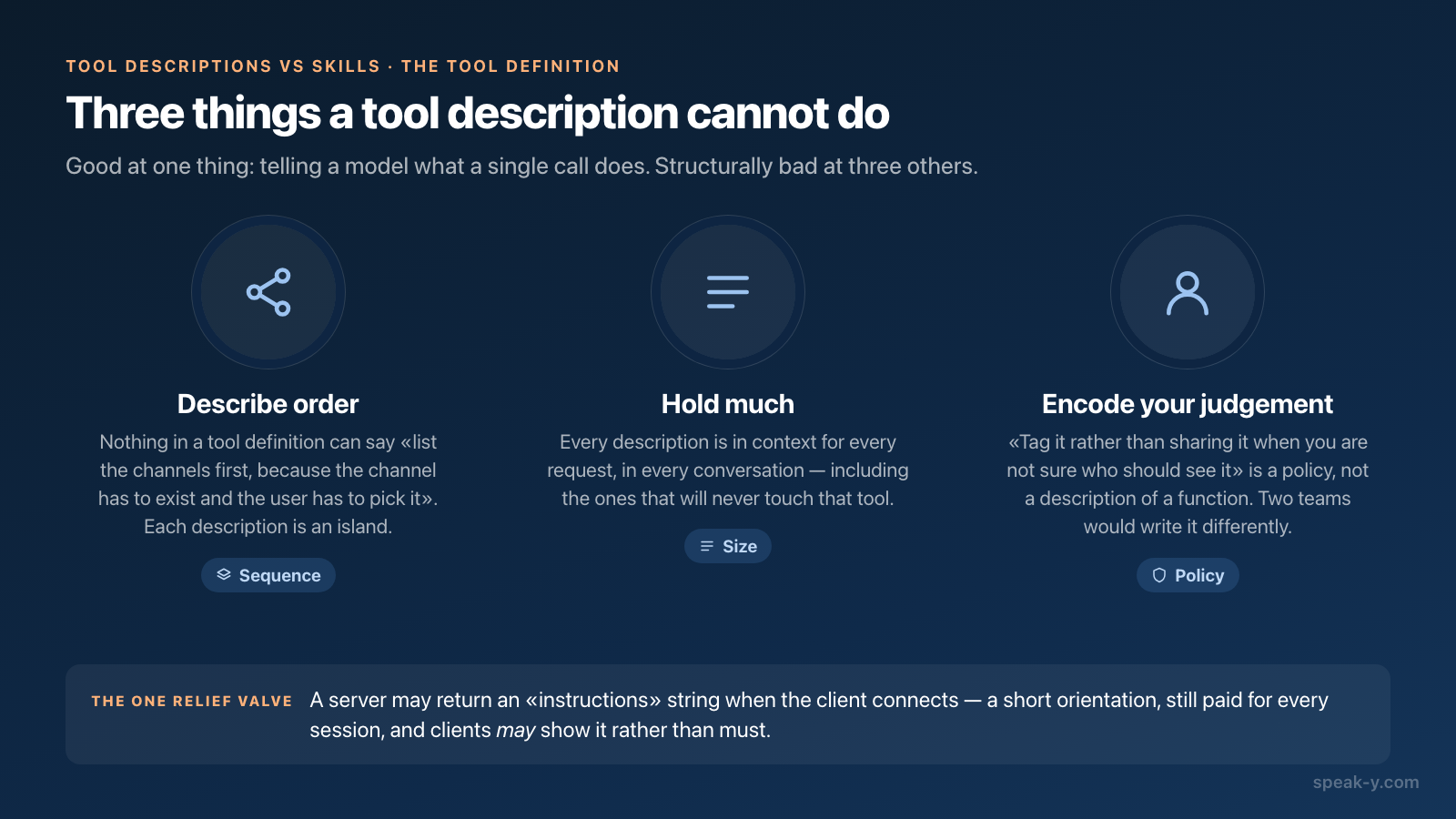
There is one relief valve in the protocol: a server may return an instructions
string when the client connects, which the client may add to the system prompt —
ahead of the tool list. That is the right place for a short orientation: what
this server is, what it is attached to, what to be careful with. Two caveats. It
is still per-session text, so it stays short. And the specification says clients
may use it rather than must, so support for actually showing it to the model
varies between clients.
What a skill adds
A skill is a directory containing a SKILL.md file: YAML frontmatter with a
name and a description, then markdown instructions. It may bundle other
things beside it — scripts/ for executable code, references/ for detailed
documentation, assets/ for templates — and the agent pulls those in only when
the instructions send it there.
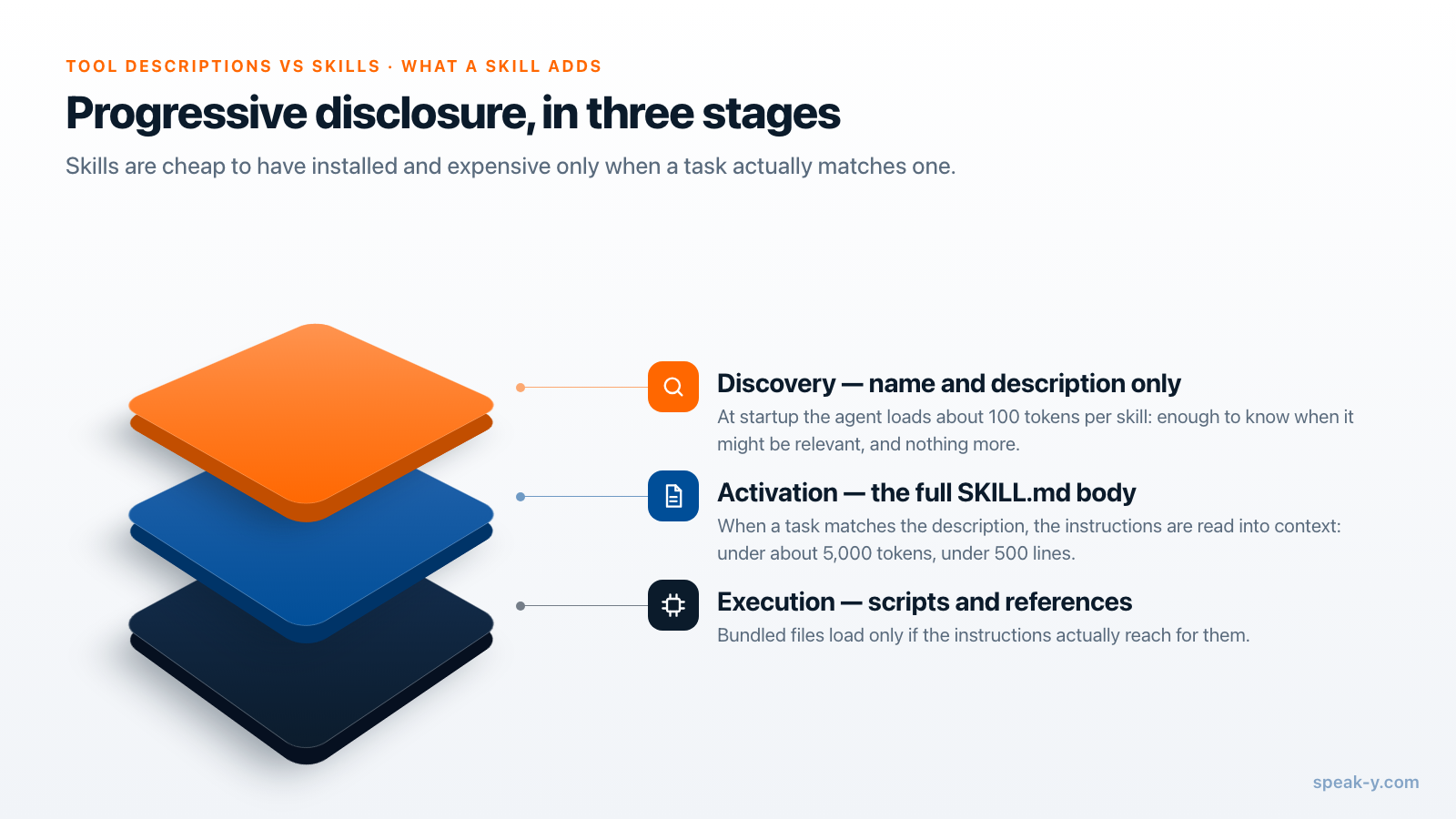
The loading model is called progressive disclosure, and the specification lays it out in three stages:
- Discovery. At startup the agent loads only the
nameanddescriptionof each available skill — budgeted at roughly 100 tokens per skill. Enough to know when it might be relevant, and nothing more. - Activation. When a task matches the description, the agent reads the full
SKILL.mdbody into context. The recommendation is to keep this under about 5,000 tokens, and the main file under 500 lines. - Execution. Bundled scripts and reference files load only if the instructions actually reach for them.
So the cost of having twenty skills installed is twenty short descriptions. The cost of having twenty long tool descriptions is twenty long tool descriptions, every turn. That asymmetry is the reason the layer exists.
The format is not client-specific. Agent Skills was developed by Anthropic and
released as an open standard, published at agentskills.io; the client showcase
there lists dozens of products that read the same folder, including Claude Code,
Claude, ChatGPT and Codex, Cursor, VS Code, GitHub Copilot, Gemini CLI, Goose,
Roo Code, Kiro, Junie, Amp, Factory, Tabnine, Snowflake Cortex Code and
Databricks Genie Code. Checked 14 August 2026.
The required frontmatter is deliberately thin. name is up to 64 characters,
lowercase letters, digits and hyphens, and must match the parent directory name.
description is up to 1,024 characters and should say both what the skill does
and when to use it — because that string is the entire basis on which an agent
decides whether to open the file. Optional fields are license, compatibility,
metadata and the experimental allowed-tools.
That description field deserves more care than people give it. "Helps with meeting notes" will never match anything reliably; "reviews and files recent recordings — tags them, names the speakers, shares the ones that belong to a team channel; use when the user asks to tidy up, triage or catch up" will.
The third layer: files that load every session
Between per-call descriptions and on-demand skills sits a layer that is neither: files an agent reads at the start of a session regardless of what you asked.
AGENTS.md is the plainest version — standard markdown, no required fields, read from the nearest file up the directory tree. Its own site reports use by over 60,000 open-source projects, and lists support across OpenAI Codex, Google Jules and Gemini CLI, Claude agents, GitHub Copilot's coding agent, Aider, VS Code, Cursor, Zed, Warp, Factory, goose, Roo Code, Devin and Junie. Checked 14 August 2026.
Cursor rules are the same idea with a switch on it. They live in
.cursor/rules as .mdc files, and three frontmatter fields decide when each
one is included: alwaysApply: true puts it in every chat session; a
description lets the agent judge relevance; globs attach it when a matching
file is open; and with none of those set, the rule only arrives when you
@-mention it. Cursor also supports AGENTS.md, and now supports Agent Skills
directly — skills live in .cursor/skills/ or .agents/skills/ — with a
migration tool that converts eligible dynamic rules and slash commands into
skills. Checked 14 August 2026.
Read those two paragraphs again and the pattern is clear: the formats have
converged, the loading models have not. Everyone reads SKILL.md now. But an
alwaysApply rule and an AGENTS.md block are session-scoped, and a skill is
task-scoped, and no amount of format compatibility changes that.
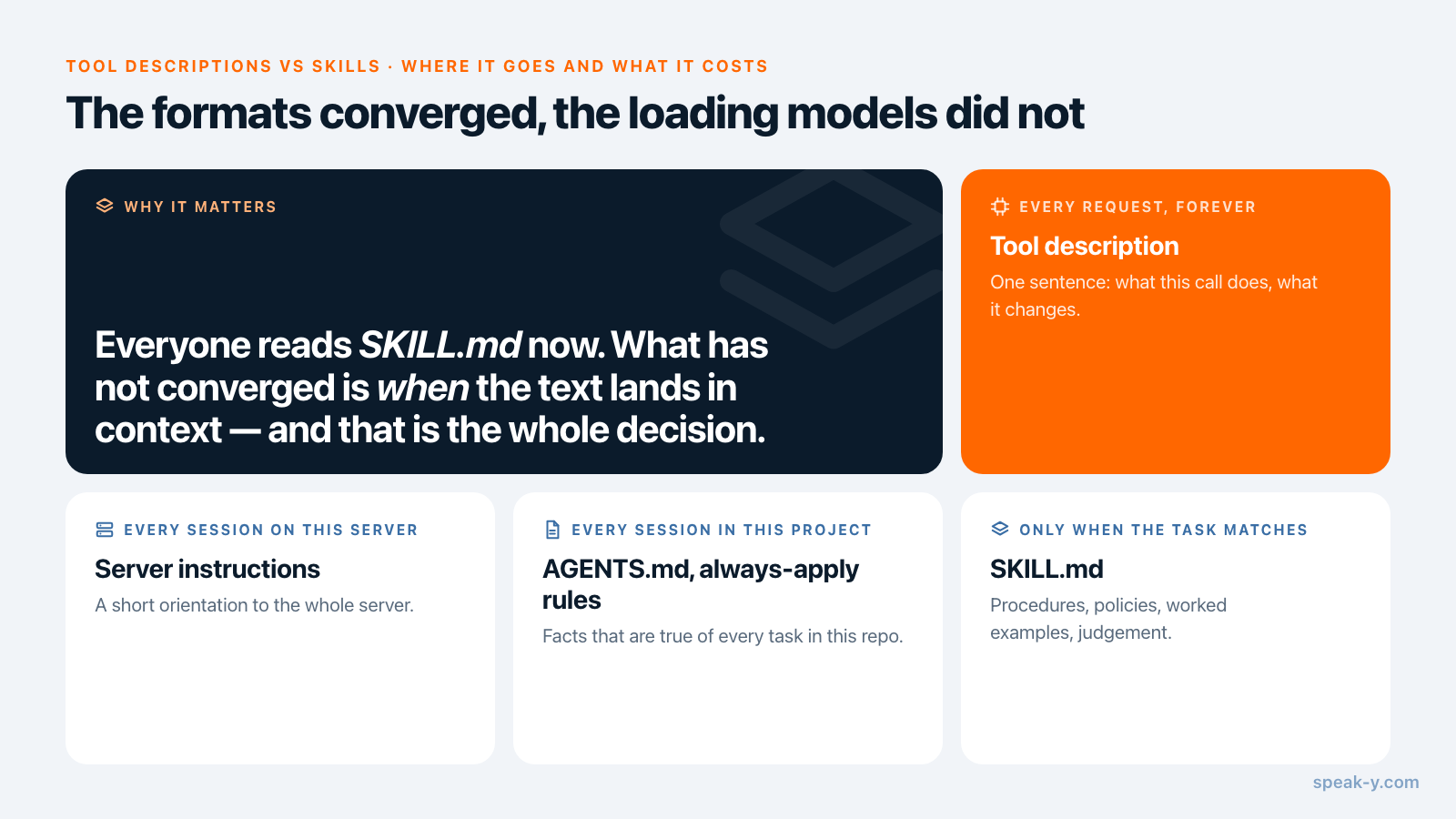
The practical consequence is a rule of thumb worth more than the format details:
| Where it goes | What belongs there | What it costs |
|---|---|---|
Tool description |
One sentence: what this call does, what it changes | Every request, forever |
Server instructions |
A short orientation to the whole server | Every session on this server |
AGENTS.md, always-apply rules |
Facts that are true of every task in this repo | Every session in this project |
SKILL.md |
Procedures, policies, worked examples, judgement | Only when the task matches |
Anything long, anything conditional, anything that is only true some of the time:
skill. The failure mode people hit is putting a hundred and fifty lines of
product-specific procedure in a global AGENTS.md, where it sits in context
while they work on an unrelated backend all afternoon.
What this looks like for meeting notes
Speak-Y ships an MCP server, and it is a decent illustration because both layers are visibly doing different jobs.
The tool descriptions cover the calls: search recordings, read a transcript, a
summary or the action items, list channels and tags — and, with the app running,
tag a recording, rename a speaker, retitle it, re-transcribe it, or file it into
a team channel. Each carries an annotation saying whether it reads or changes,
which is what lets a client ask before running the changing ones, and what makes
--read-only a single switch rather than a list of tool names to remember.
Reading happens locally against the library on your machine; the changing
commands go through the running app and are logged there, as
what makes MCP write access safe
covers in more detail.
The skill covers the job. When you install the integration from
Settings → Integrations, Speak-Y writes an organiser skill next to the server
configuration: where to start when triaging a pile of recordings, when a tag is
the right answer and when a channel is, which actions to confirm before running.
Descriptions could not hold that, and the server instructions string should not
try to.
It is also written the way the loading model rewards. One detailed file lives in
one place, and each client gets a short pointer to it in whatever format that
client reads — a SKILL.md for Claude Code, an .mdc rule for Cursor, a marked
block inside AGENTS.md for Codex, a marked block in GEMINI.md for Gemini CLI.
The session-scoped clients get a pointer precisely because they are
session-scoped: a hundred and fifty lines about meeting notes should not be
resident while you debug someone else's backend. The blocks sit between markers,
so reinstalling replaces only that section and leaves the rest of the file alone.
The MCP server itself is free on every plan, including Free. One-click install and the manual configuration for each client are documented under AI assistants (MCP).
How to decide, in practice
Three questions, in order.
Does the instruction describe one call? Then it is a tool description, and it should be one or two sentences. If you find yourself writing a third, you have found a skill.
Is it true of every session, regardless of the task? Then it can go in
AGENTS.md or an always-apply rule — but check the "regardless of the task"
part honestly. "This repo uses pnpm" qualifies. "Here is our meeting triage
process" does not.
Does it describe a procedure with steps, choices, or exceptions? Skill. Put
the name and description under real scrutiny, because those two strings are doing
all the routing, and put anything long into a references/ file beside the
SKILL.md rather than inside it.
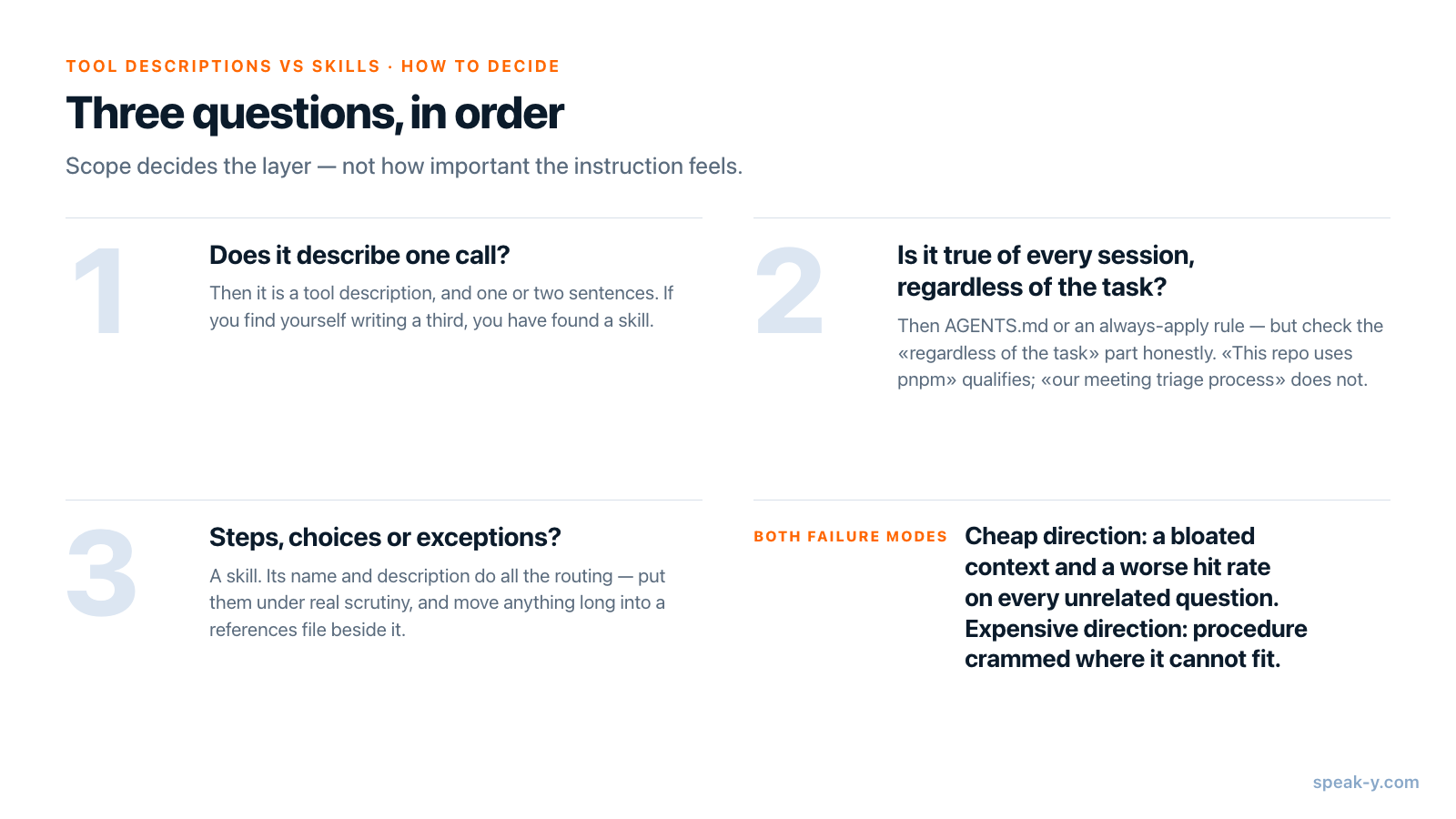
Get this wrong in the cheap direction and your agent has a bloated context and a worse hit rate on every unrelated question. Get it wrong in the expensive direction — procedure crammed into tool descriptions — and the model reads your policy on every turn and still may not follow it, because a description is read as documentation of a function, not as an instruction to obey.
If you want to see the difference concretely, the fastest test is to write one skill for a job you actually repeat, and compare it with the prompts you were pasting before. Prompts to ask an AI about your meetings is a reasonable source of candidates: the ones you run more than twice are the ones that belong in a file.
FAQ
What is the difference between an MCP tool description and a skill?
A tool description is one sentence attached to one callable function, written by the server author and sent to the model with every request as part of the tool list. A skill is a folder with a SKILL.md file containing a procedure — several steps, several tools, judgement calls — and only its name and description are in context until the model decides the task matches. Descriptions answer "what does this call do"; skills answer "how do I do this job".
Do I need a skill if my MCP server already has good tool descriptions?
Not for single-call tasks. You need one when a job takes several tools in a particular order, when the right choice between two tools depends on context the descriptions cannot carry, or when you want the same procedure repeated identically across sessions. Good descriptions make each call correct; a skill makes a sequence of calls consistent.
Is SKILL.md a Claude-only format?
No. Agent Skills was developed by Anthropic and released as an open standard published at agentskills.io, and the client showcase there lists dozens of adopters — among them Claude Code, ChatGPT and Codex, Cursor, VS Code, GitHub Copilot, Gemini CLI, Goose, Roo Code, Kiro, Junie and Factory. Checked 14 August 2026.
How is AGENTS.md different from a skill?
AGENTS.md is plain markdown with no required fields that an agent reads from the nearest directory in the tree, and it is loaded for the session regardless of what you asked for. A skill's body is loaded only after the agent matches your request against its description. Both are useful, but anything long belongs in a skill, because AGENTS.md content occupies context in every session including the ones that have nothing to do with it.
How large should a SKILL.md file be?
The Agent Skills specification recommends keeping the main SKILL.md under 500 lines and under roughly 5,000 tokens, and moving detailed reference material into separate files that the agent loads only when it needs them. The name and description are budgeted at about 100 tokens, because those are what every session pays for.