Restaurant Pre-Shift Meetings: Record Them Into One Team Channel
A restaurant runs on its pre-shift meeting: what is sold out tonight, what the new special is, which allergens are in it, who works which section. The meeting lasts ten minutes before doors open, half the staff is still on the way in, and the late shift gets a retelling from whoever was there. In Speak-Y you record the pre-shift on your Mac without a bot, mark sold-out items and new dishes with a key while you talk, and share the transcript to a Pre-shift channel that every server and cook reads. A new server who joins the workspace gets the history of that channel instead of a summary from memory, and conversations about a specific employee go to a private channel for the managers.
This guide follows one restaurant: Priya Nair is the general manager of Larkspur, a 70-seat neighbourhood bistro with about twenty-five staff across lunch and dinner. Dinner pre-shift happens at 4:30 in the dining room, with the chef, Theo, walking through the menu. The restaurant and its people are invented. Product details were checked against the Speak-Y macOS app, version 1.17.36, on 21 November 2026.
Why a pre-shift meeting belongs in a channel
A pre-shift is short, but parts of it last for weeks. "The halibut is sold out after twenty covers" matters for one night; "the beet risotto has a walnut crumb" matters every night the dish is on the menu. On the manager's laptop, only the manager can search the recording. Shared to a channel of the restaurant's workspace, it gives every member of staff the same transcript with speaker names, the summary and the marked moments.
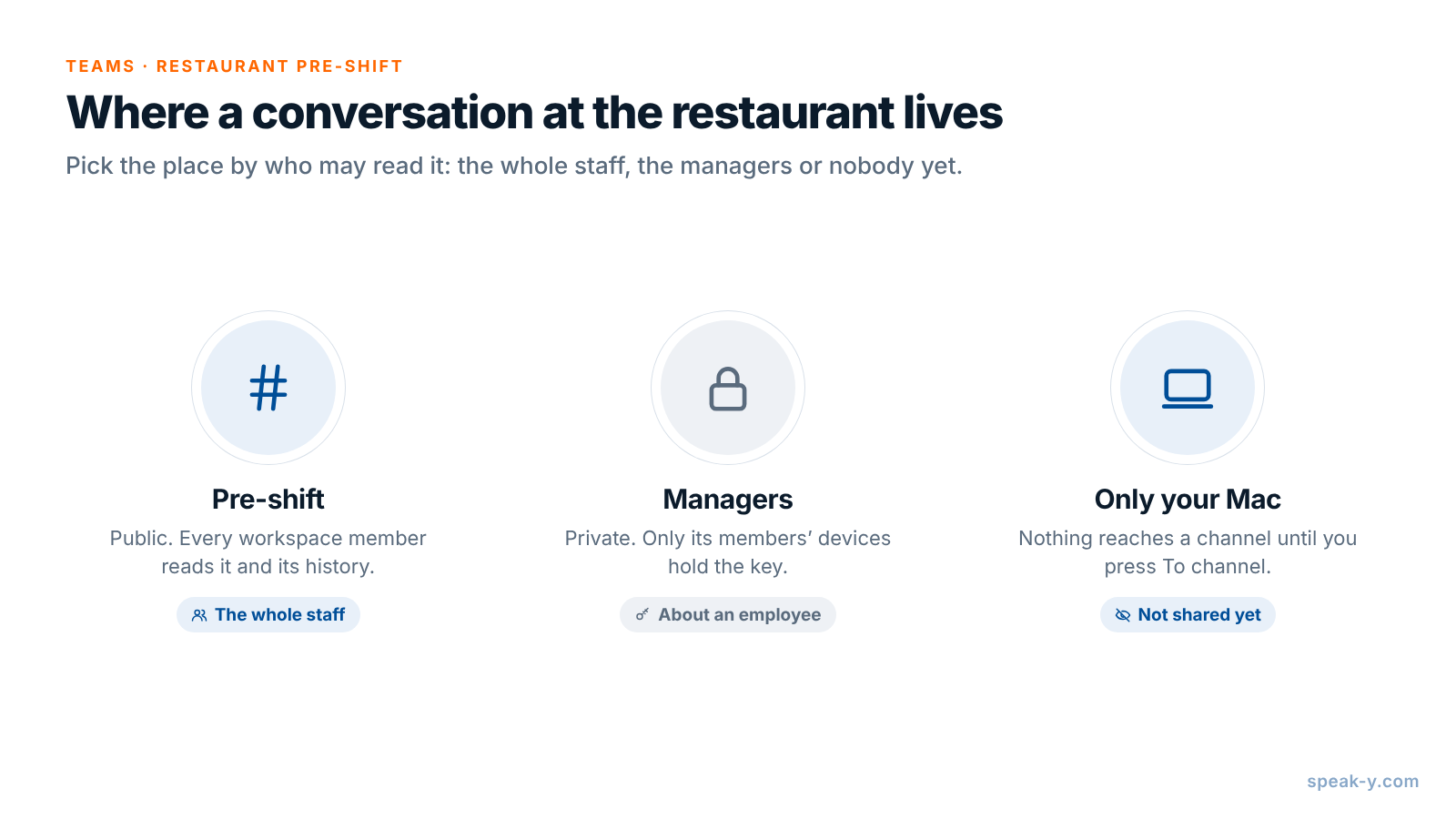
The channel also does part of the onboarding. Everyone in a workspace sees every public channel and its history, so a server who starts in March reads how February's specials were described at home.
Before the meeting: consent, no guest data, four marks
Tell the room first. Speak-Y records on your computer and never joins a call, so nobody announces the recording for you. Some places require the consent of everyone recorded: in California, Penal Code § 632 requires the consent of all parties to record a confidential conversation. Say in the first minute that the pre-shift is recorded, that the transcript goes to the staff channel, and that anyone can ask to pause it. Is it legal to record meetings covers the rules by country.
Keep guests out of the recording. A pre-shift is about dishes, sections and timing, not about a particular guest. "Table 12 has a nut allergy" is what the kitchen needs; the guest's name is not. Under the EU and UK GDPR, data about someone's health is special category data with stricter conditions, and a named guest's allergy is exactly that. Reservation notes stay in the reservation system.
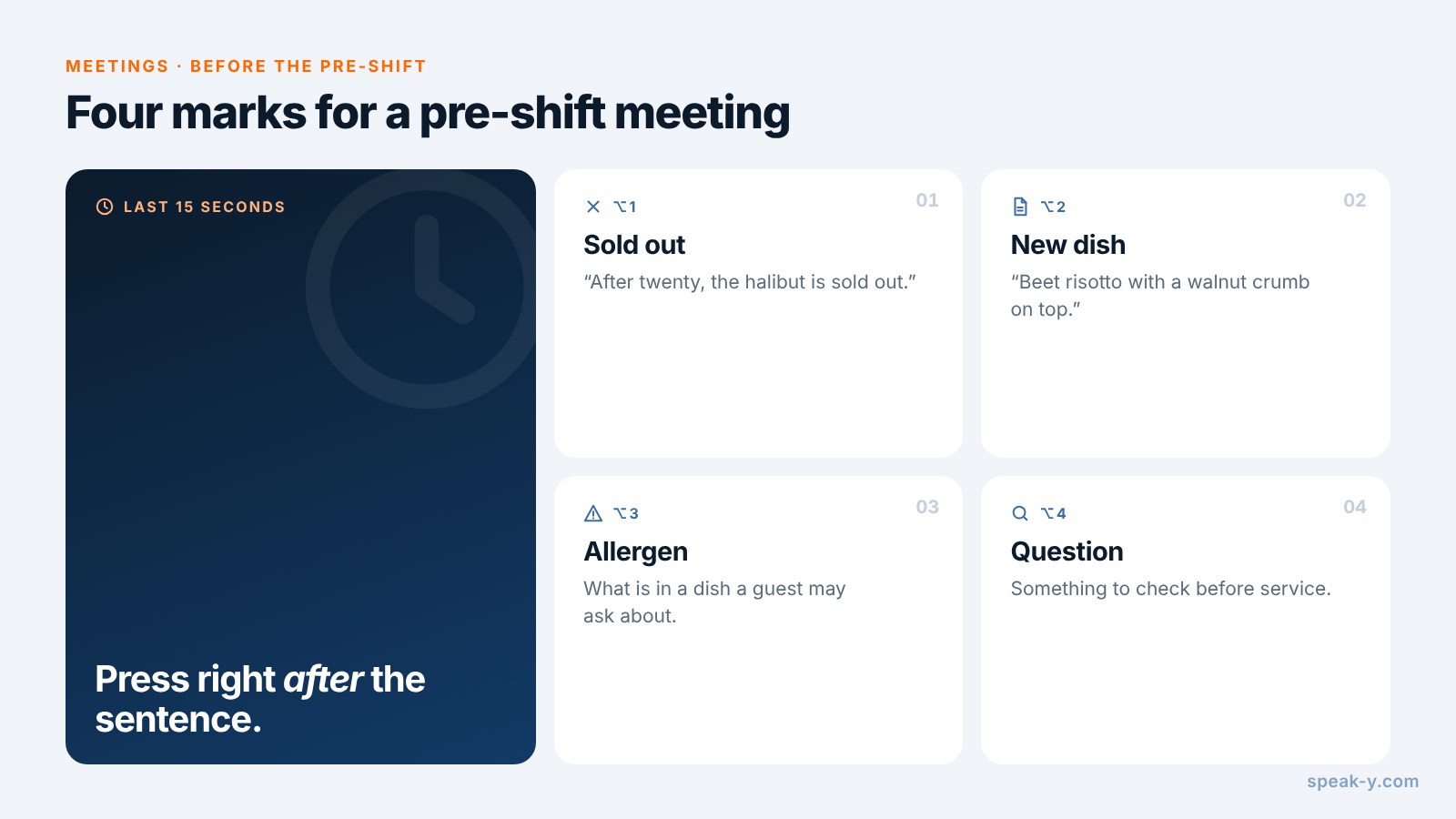
Name your marks. Open Settings → Notes. Under Note types, rename the default Mark the moment and click Add note type for the rest; Set hotkey gives each its own combination. Four types fit a pre-shift:
- ⌥1 Sold out — what the kitchen will run out of, the item a kitchen calls "86'd": "After twenty, the halibut is sold out."
- ⌥2 New dish — a special or a menu change: "New tonight: beet risotto with a walnut crumb on top."
- ⌥3 Allergen — what is in a dish that a guest may ask about.
- ⌥4 Question — something to check before service.
Each press pins a mark of that type to the transcript and highlights the words
of the last 15 seconds, so you press right after the sentence, not before it.
Last, pick one tag — Priya uses pre-shift — and put it on every meeting, so
the recordings list filters them in one click.
In the dining room: one click, two keys
A pre-shift in the dining room has no call app for Speak-Y to recognise, so start it yourself: press your Speak-Y hotkey in hands-free mode, point at the recording button and click the check mark on Record as Meeting?. Voices reach the app through the Mac's microphone, so put the laptop in the middle of the group, away from the ice machine. If the owner joins by Zoom or Microsoft Teams, Speak-Y recognises the call app and asks Record as Meeting? by itself, as long as Settings → Interface & Behavior → Meeting mode is Manual or Auto.
Then talk. When the chef says what will run out, press ⌥1; when a new dish is described, ⌥2. Speak-Y records voices, not the printed specials sheet or the section map on the wall, so read the important lines aloud — "section one: Ana; section two: Malik; bar: Jess" — and they land in the transcript next to your mark.
Allergens: say them aloud, keep the chart as the reference
The allergen line is the one sentence in a pre-shift that must not be lost. In the United States, the FDA lists nine major food allergens — milk, eggs, fish, crustacean shellfish, tree nuts, peanuts, wheat, soybeans and, since 1 January 2023, sesame — and the FDA Food Code asks the person in charge to make sure employees are trained in food allergy awareness for their duties. In the EU, Regulation 1169/2011 names 14 allergens, and its allergen rules apply to non-prepacked food, including restaurant meals.
A recorded pre-shift helps with the spoken part: when the chef says "walnut in the crumb", you press ⌥3, and a server who missed the meeting reads the same words. It does not replace the written allergen information for each dish: a transcript can mishear a word, a recipe can change between lunch and dinner, and a guest's question deserves the chart. Use the mark to catch what changed, then update the chart.
After the meeting: names, the tag and the Pre-shift channel
Open the recording from Meetings. Speakers are numbered in the order they spoke; you are usually Speaker 1. If Speak-Y has already put a name on a speaker, check that it is right.
- Click each speaker chip, type the person's name and press Enter. The channel feed, copied quotes and what an AI assistant reads later all use this label.
- Click Tags and add
pre-shift. - Press To channel under the transcript and pick Pre-shift.
Channel members get the transcript and the summary; the audio stays on your Mac. Your marks stay private until you switch them to show in that channel, which is worth doing here: every server then sees each Sold out and New dish line in the feed.
Creating a workspace needs Pro or higher; the people you invite join on any plan, including Free. Setting up a team workspace covers the first steps.
A new server: the channel history instead of a retelling
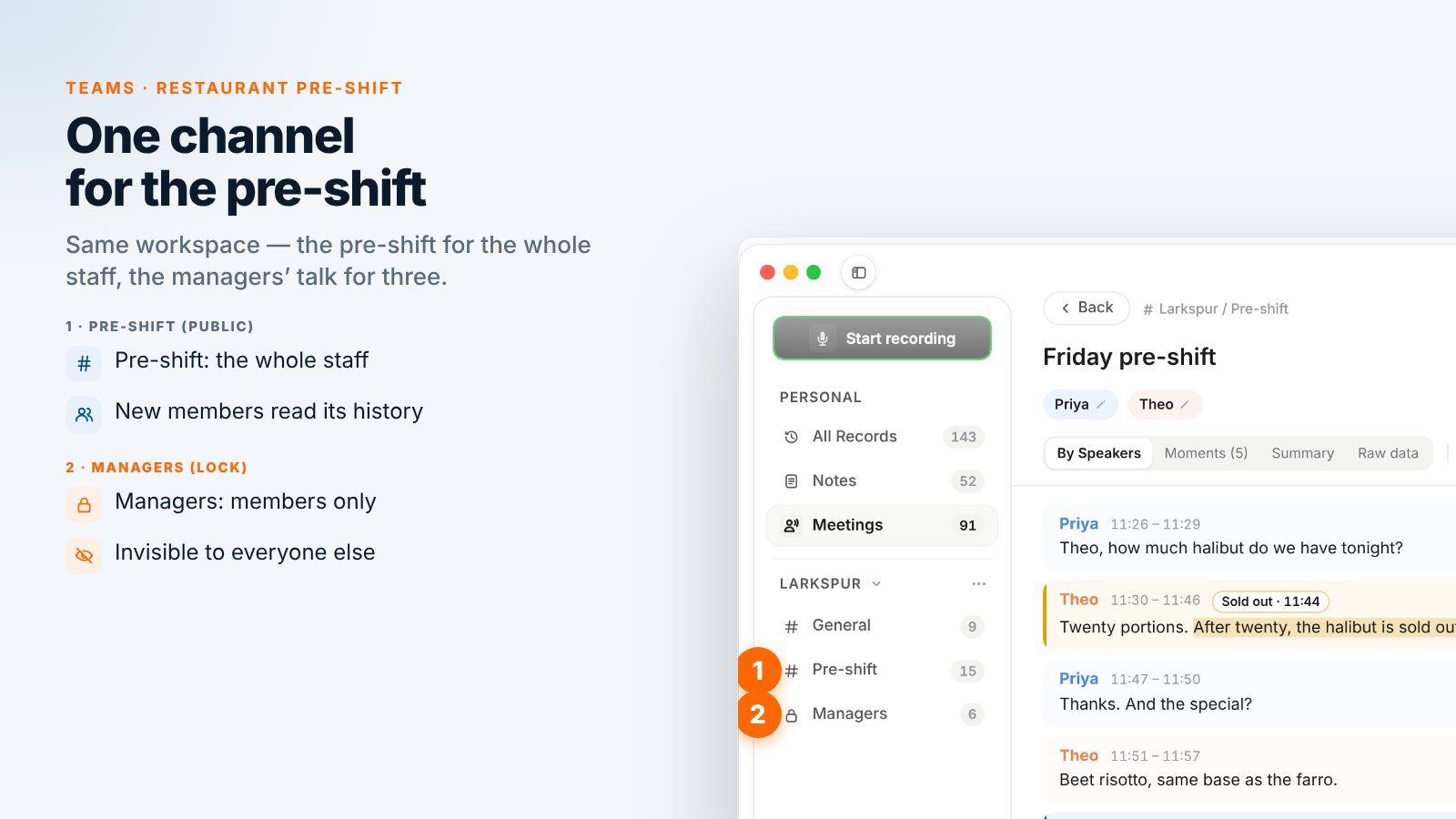
When someone joins the staff, an owner or admin invites them to the workspace. A new member receives the current keys and sees the full history of its public channels, including every pre-shift shared to Pre-shift. Before the first shift, a new server can:
- Read the last two weeks. Filter the recordings by
pre-shiftand read them in order; the Moments tab in each shows only the marked lines. - Search a dish. Search everything (⌘K) matches transcript text, so "risotto" finds every time the dish came up, with the date.
- Ask an assistant. With the Speak-Y MCP server connected, an AI assistant reads the recordings shared into your channels, filtered by tag and date: "List every New dish mark in recordings tagged pre-shift this month, with dates" gives the newcomer the current specials on one page. Check each dish against the menu and the allergen chart before relying on it.
Private channels are different: a new server does not see the managers' channel, and nobody is added to it unless a member adds them.
Talking about an employee: a private channel for managers
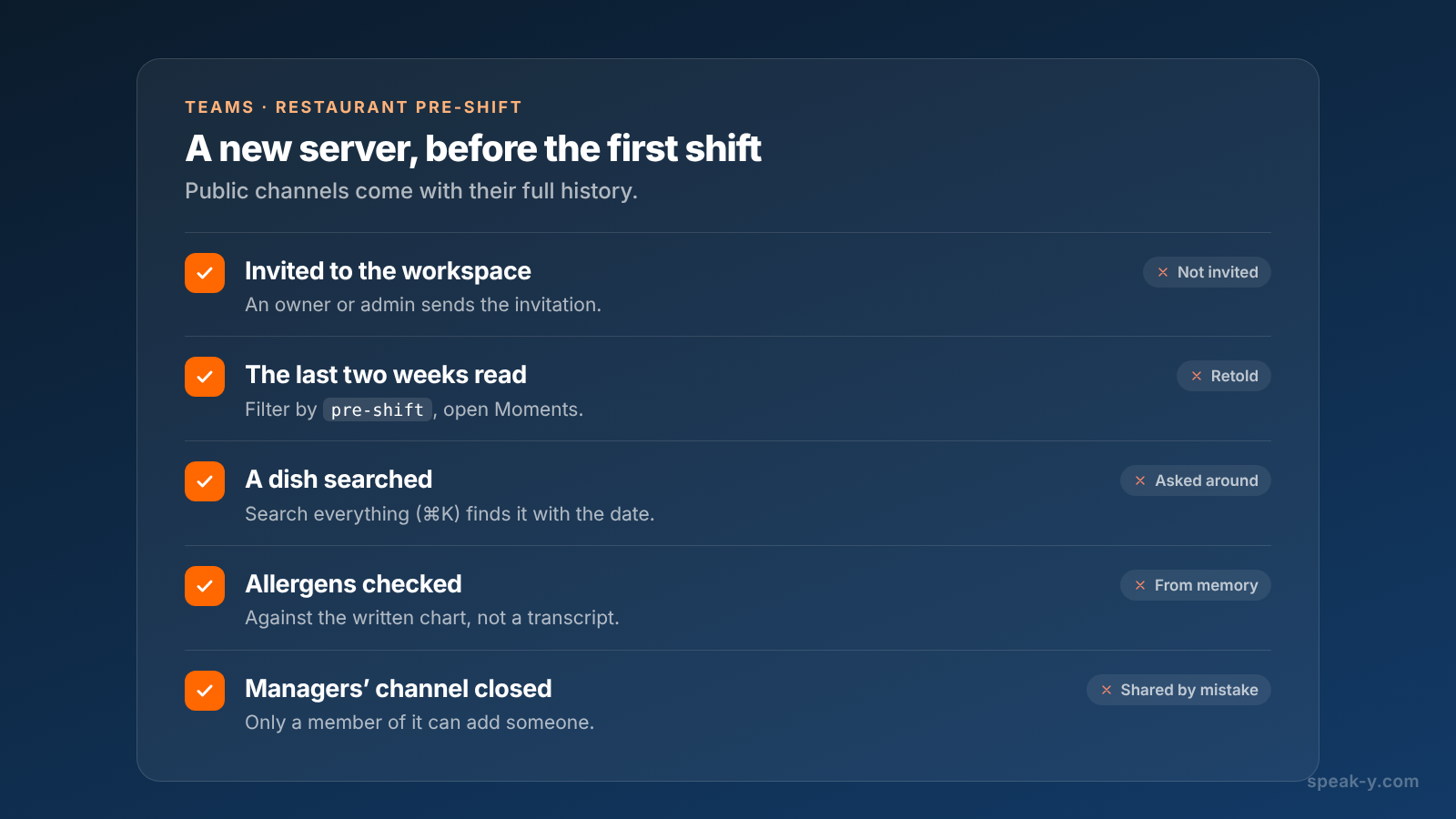
A cook who keeps arriving late, a complaint about a server, a schedule request someone made in confidence: none of this is for the whole staff. Create a channel in the workspace's ⋯ menu: choose New channel, switch the type to Private, tick the other managers under Who can see this channel and click Create channel. Priya has Managers with the chef and the assistant manager.
- Members only. A private channel does not appear for anyone else in the workspace, the owner included. It is encrypted with its own key, held only by its members' devices.
- The creator controls membership. Any member can add someone, but only the creator can remove a member; removing one rotates the channel key.
- Private from the start. A public channel can never be made private, because everyone already has its history.
A recording reaches no channel until you press To channel, so a conversation that belongs to nobody yet can simply stay on your Mac.
What Speak-Y does not replace
Speak-Y keeps the conversation, not the restaurant's records. The staff schedule, time clock, tip records, the allergen chart, the point-of-sale menu and the reservation system stay where they are, under their rules on who may see them. Speak-Y does not sync with any of them, does not mark an item as sold out in the point of sale and does not count anyone's hours.
When someone leaves the restaurant, remove them from the workspace: the app rotates the keys, so new recordings never reach them. What their app already downloaded stays on their device.
One workspace, one public channel for the pre-shift, one private channel for the managers: every shift hears the same specials, and a new server starts from the history. A volunteer organisation can run the same setup, as recording shift briefings into one channel shows; the Teams page explains workspaces, private channels and encryption in one place.
FAQ
Can Speak-Y record a restaurant pre-shift meeting without a bot?
Yes, on a Mac. Start a recording with your Speak-Y hotkey in hands-free mode, point at the recording button and click the check mark on Record as Meeting?. Voices in the dining room reach the app through the Mac's microphone. Nothing joins the meeting, so nobody announces the recording for you: say it yourself in the first minute.
Can a recorded pre-shift replace our allergen chart?
No. The recording shows what the chef said about a dish on a given day, with the time. The written allergen information you keep for each dish stays the reference: in the EU, allergen information is required for non-prepacked food too, and servers should check the chart, not a transcript, when a guest asks.
How does a new server catch up on past pre-shift meetings?
Invite them to the restaurant's Speak-Y workspace. A new member receives the current keys and sees the full history of the workspace's public channels, so every pre-shift shared to the Pre-shift channel since it was created is there to read, with speaker names, summaries and marked moments.
Should we mention guests by name in a recorded pre-shift?
No. Keep guest names, phone numbers and a named guest's allergies or health details out of the recording. Under the EU and UK GDPR, data about someone's health is special category data with stricter conditions. Say what the kitchen needs to know without the name, and keep reservation notes in the reservation system.
Where should managers discuss a specific employee?
In a private channel for the managers. A private channel appears only for its members and is encrypted with its own key that only their devices hold. Create it as private from the start, because a public channel can never be made private.