Case Chronology From Client Calls, With Quotes and Times
A deposition is in two weeks, and the chronology is still in your head: the client said on the first call when the oven was installed, in April she mentioned what the technician told her, and in June she explained when it first shut down. The facts are on recorded calls. The dates are scattered across three of them, and the chronology has to be sorted by when things happened, not by when the client told you.
A shorter route: record client calls in Speak-Y, press a hotkey when the client states a fact or gives you an instruction, and before the deposition ask your AI assistant to collect the marks over MCP for the matter tag and sort the facts by the date of the event. Each line comes back with who said it, in their words, the call date and the time in the recording, and the document that should confirm it. Checking the dates, drawing conclusions and choosing the strategy stay with the lawyer.
This guide follows the Speak-Y macOS app and its MCP server as checked on 16 November 2026, with one invented example: Owen Hart, a solo commercial litigator, represents Carla Ruiz, owner of Ruiz Bakery, in a dispute with Brightline Ovens over a commercial oven that kept shutting down. He deposes Brightline's service manager on 2 December. Nothing here is legal advice.
What does a case chronology need from client calls?
Litigation guides agree on the shape. Greg Krehel's chronology best-practice articles recommend a source for every fact, keeping disputed facts in the chronology instead of leaving them out, and flagging each fact as disputed or undisputed. EDRM's trial preparation checklist (April 2026) treats the chronology as a living document that grows with each deposition and production (both searched on 16 November 2026).
Client calls feed the first version, and four things get lost between the call and the chronology:
- The date of the event. "It shut down on February 10th" was said in June. Sorted by call, it sits four months away from where it belongs.
- The client's exact words. "The technician said it was a known problem" and "I think it was a known problem" are different facts.
- Which date is a guess. "I think it was the second week of March" needs a document before it goes in.
- What the client told you to do. An instruction about settlement or about a witness is as easy to forget as a date.
Before the first call: two note types and a matter tag
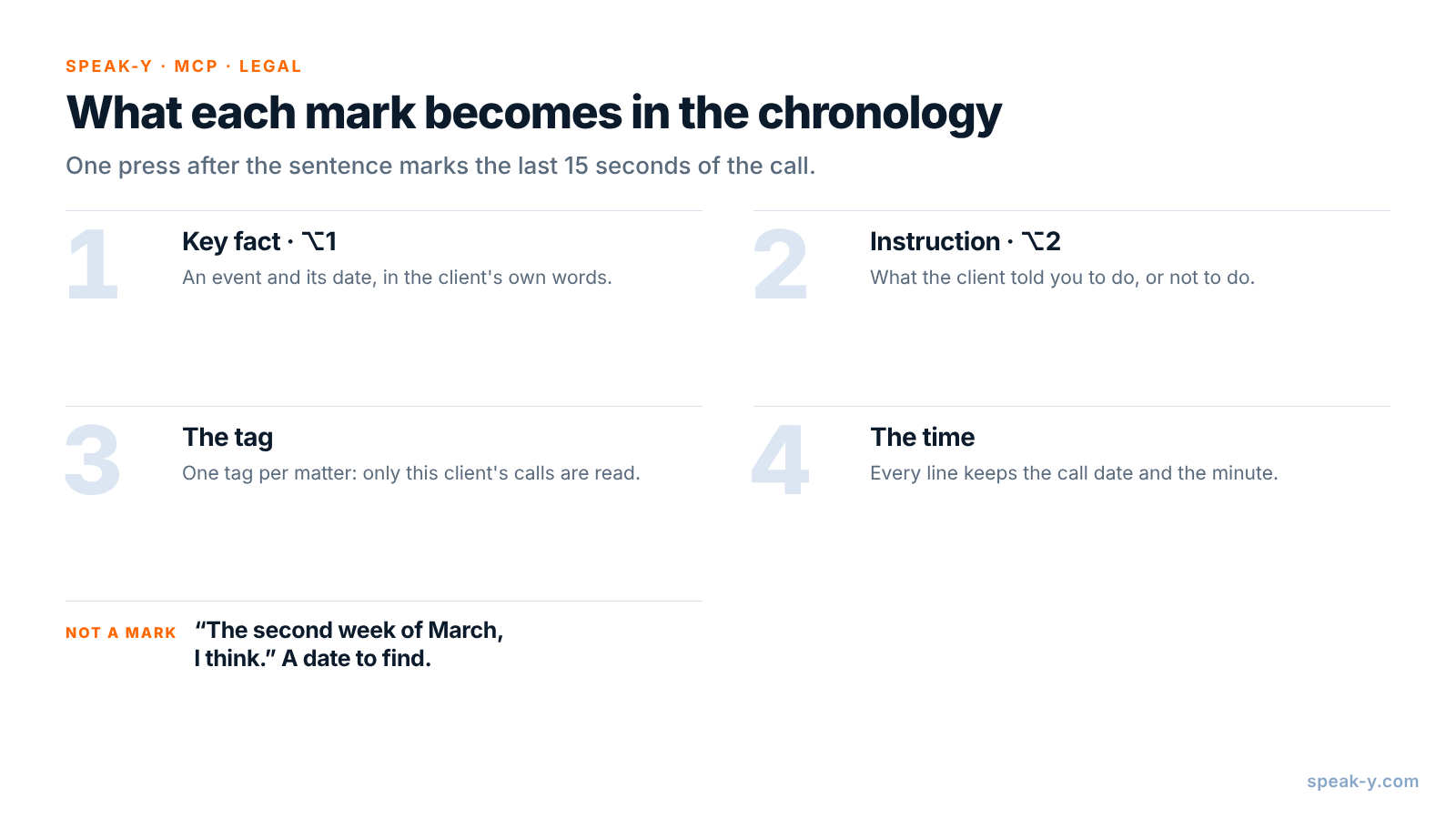
Open Settings → Notes. Under Note types, rename the default Mark the
moment to Key fact and keep it on ⌥1. Click Add note type, type
Instruction into Type name, click Save, then Set hotkey and
press ⌥2.
Pick one tag for the matter, such as ruiz-brightline, and put it on every
call in the matter from the intake call on. Before the deposition the
assistant then reads exactly the calls for this matter, and nothing from
another client's file.
During the call: let the client tell it, press the key
Record the call as a meeting. No bot joins: Speak-Y records your microphone and the call's sound on your Mac, so it works the same in Zoom, Google Meet or Microsoft Teams. Ask at the start whether you may record, and say who will read the transcript — see is it legal to record meetings for how consent rules differ.
Three habits make the marks useful:
- Press after the sentence. A mark covers the last 15 seconds of the call, so the fact just said lands inside it.
- Ask for the date in the same breath. "When did it first shut down?" gets a sentence with the event and its date together. Mark it on ⌥1.
- Repeat instructions back. "So I don't raise settlement at the deposition?" turns a nod into a sentence worth marking on ⌥2.
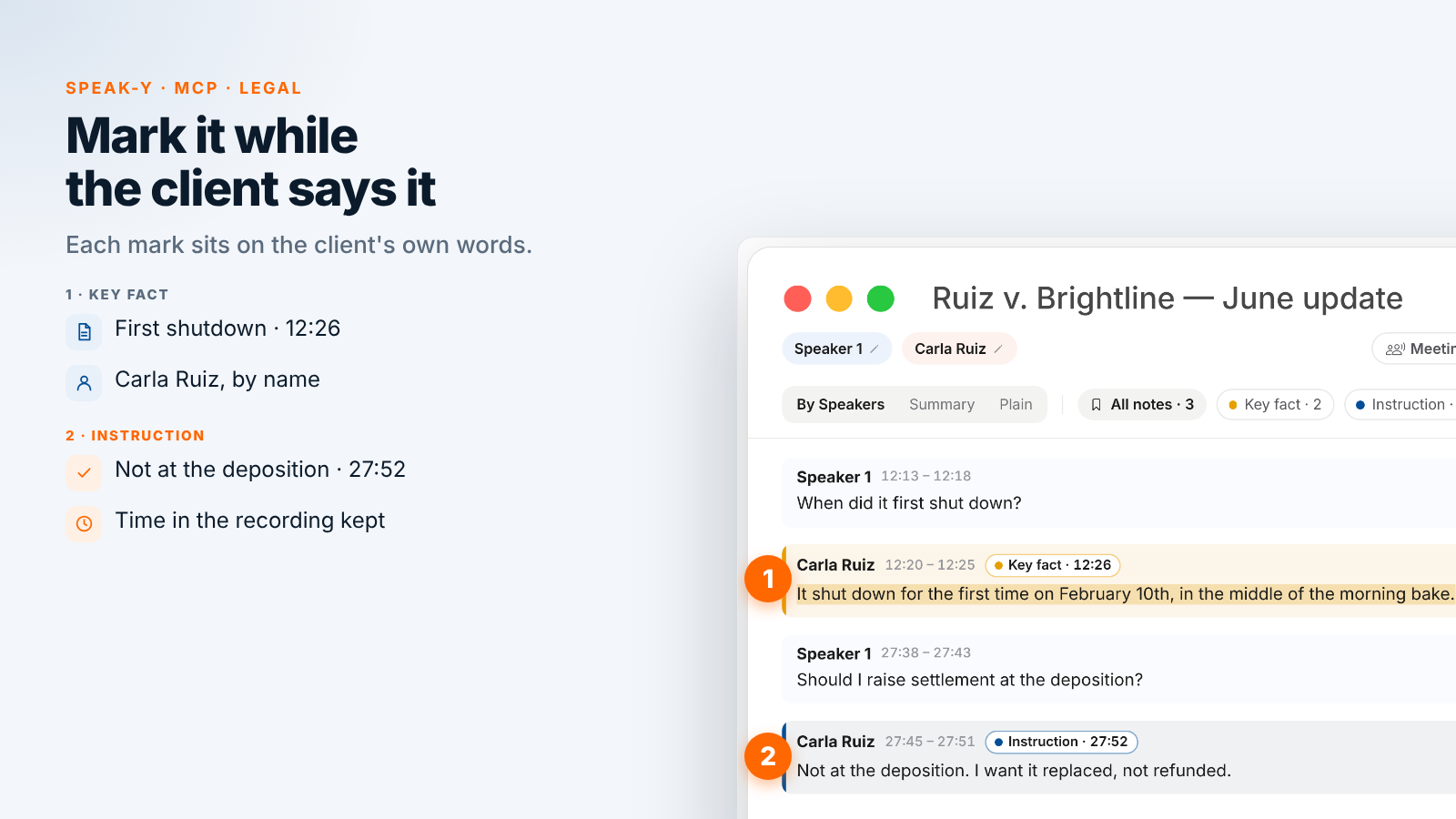
On the June update call, Owen marks two key facts and one instruction. At 12:20 Carla says, "It shut down for the first time on February 10th, in the middle of the morning bake." At 27:45, asked whether to raise settlement at the deposition, she answers, "Not at the deposition. I want it replaced, not refunded." Owen marks it as an instruction. When her kitchen manager Ben Torres says the second technician came "the second week of March, I think", Owen does not mark it: it is a date to find, not a fact to rely on.
After the call: name the speakers, add the tag
On By Speakers, click each speaker chip and type the name and role —
"Carla Ruiz, client" — so the chronology quotes people, not numbers. Add the
ruiz-brightline tag. The chips above the transcript count the marks by type,
and a click on a chip shows only those replies.
If the matter team shares calls in a private channel, as in client call notes for law firms, the same tag works there: the associate preparing the outline reads the calls, and the lawyer asks the assistant.
Ask your assistant for the chronology
Connect your assistant to the Speak-Y MCP server once: Connect AI assistant in the account menu at the bottom of the sidebar, or Settings → Integrations, then Connect next to Claude, ChatGPT or Cursor. The steps are in how to connect meeting notes to AI assistants. The server is free on every plan and reads the library on your Mac.
Save standing instructions in a project in Claude or ChatGPT, so before each deposition the request is one line:
Build the chronology for the Ruiz Bakery v.
Brightline Ovens deposition: calls tagged
"ruiz-brightline", all dates.

Rules:
- Use only my Key fact and Instruction marks.
- Sort facts by the date of the event, not the call.
- For each: event date, who said it, their words,
  the call date and the time, like (Jun 10, 12:20).
- Add "Check:" with the document that should confirm
  the date. Never fill in a date nobody said.
- List dates said with "I think" or "around" as
  unconfirmed.
- List client instructions separately.
- No conclusions and no strategy.
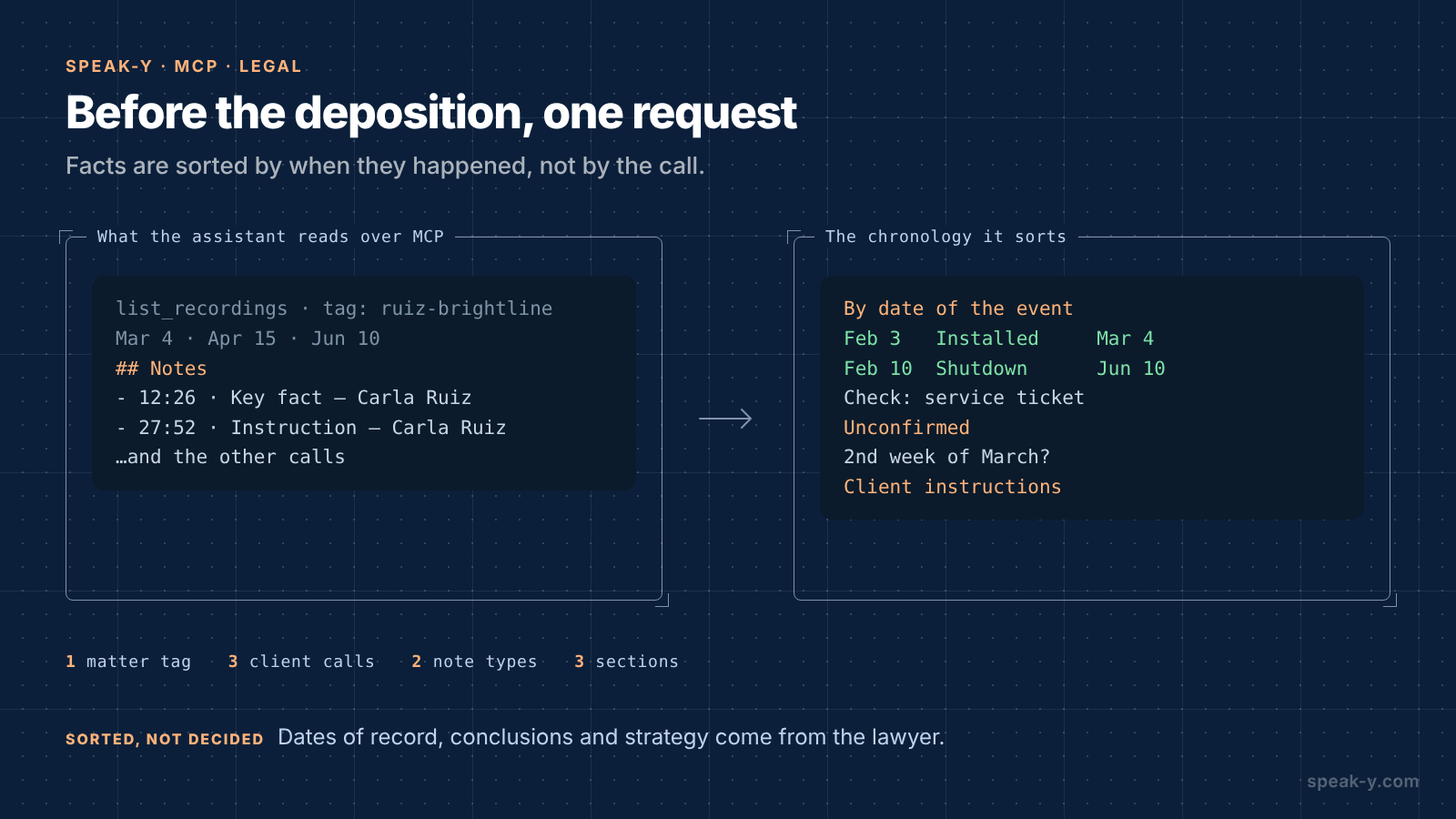
The assistant calls list_recordings with the tag and reads each call.
Alongside the transcript, Speak-Y hands it a Notes list — each mark with
its time, type, speaker and first words. A mark's time is the moment you
pressed the key, a few seconds after the reply began; the chronology cites the
start of the reply:
Chronology (from client calls)
- Feb 3 — Oven installed. Carla Ruiz: "They
  installed it on February 3rd." (Mar 4, 08:40)
  Check: delivery receipt
- Feb 10 — First shutdown. Carla Ruiz: "It shut
  down for the first time on February 10th, in
  the middle of the morning bake." (Jun 10, 12:20)
  Check: service ticket
- Mar 18 — Technician's remark. Carla Ruiz: "Their
  technician told me the control board was a known
  problem." (Apr 15, 16:05)
  Check: technician's name, any email

Unconfirmed dates
- Second technician visit. Ben Torres: "The second
  week of March, I think." (Jun 10, 21:30)

Client instructions
- Carla Ruiz: "Not at the deposition. I want it
  replaced, not refunded." (Jun 10, 27:45)
What stays with the lawyer
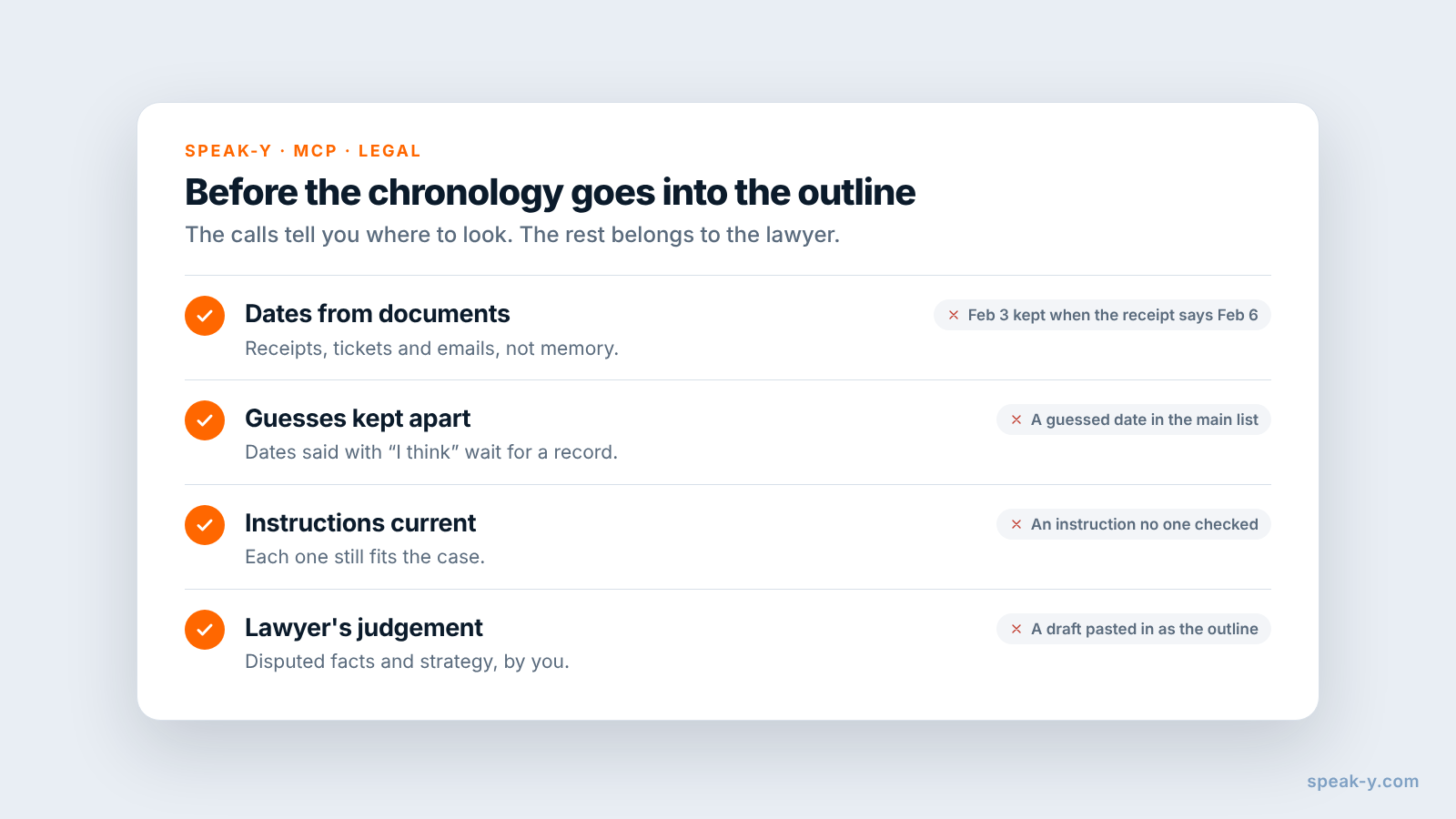
The chronology knows what the client said. Four things it cannot do:
- The dates of record. The delivery receipt may say February 6, not February 3. The document wins, and the difference itself goes into the chronology: a deposition question may start from it.
- Disputed or undisputed. Whether Brightline will contest the technician's remark is a judgement about the case, not something a call can tell you.
- Conclusions and strategy. What the shutdowns prove, which questions to ask the service manager and in what order are decided by the lawyer, not drafted by a model.
- Following the instructions. The list shows what the client told you. If an instruction no longer fits the case, call the client before the deposition, not after it.
Confidentiality and the assistant you choose
Speak-Y's MCP server reads the library on your Mac. The assistant you connect is a different matter: Claude or ChatGPT receive the transcripts they read, and what happens to them next depends on that service's terms and your account settings.
ABA Formal Opinion 512 (29 July 2024) applies the existing rules to generative AI: a lawyer needs the client's informed consent before entering information relating to the representation into a self-learning tool, and relying on the output without independent checking can fall short of the duty of competence. ABA opinions are guidance, and state bars publish their own, so check yours. In practice: get the client's consent for the assistant you use, check whether that service trains on your inputs, and treat the chronology as a draft you verify line by line.
Limits and costs
- Length. Checked on speak-y.com on 16 November 2026: Free stops a meeting recording at 30 minutes, Pro ($10 a month) at one hour, Pro+ ($15) and Max ($30) at four hours. A 40-minute client call needs Pro or higher. The MCP server is free on every plan.
- Audio only. A photo of the service ticket shown on camera is not in the recording. Ask the client to read the date out loud, then send the document.
- Mac for marks. Note types, marks and the MCP server are in the macOS app; the recordings stay in the library on your Mac.
- Not a document system. Pleadings, productions, exhibits and deadlines stay in your practice management and document tools. Speak-Y keeps what was said on the calls.
The short version
Key fact on ⌥1, Instruction on ⌥2, one tag per matter. Ask for the date with the event, repeat instructions back, press the key; then speaker names and the tag. Before the deposition one request gives the client's facts sorted by the date they happened, with quotes, times and the document to check; the dates of record, the judgement and the strategy are yours. To prepare for any call from what was said on the earlier ones, see a meeting prep brief from past calls.
FAQ
Can an AI assistant build a case chronology from recorded client calls?
It can build the first draft from what the client said. Connected to the Speak-Y MCP server, Claude, ChatGPT or Cursor reads the calls with your matter tag — the transcript by speaker and a Notes list of your marks with their times — and sorts the marked facts by the date of the event, with the client's words, the call date and the time in the recording. Every date is then checked against documents by the lawyer.
How do I mark key facts during a client call?
Create note types in Speak-Y under Settings → Notes: rename the default Mark the moment to Key fact on ⌥1 and add Instruction on ⌥2. A press marks the last 15 seconds of the call with that type, so the sentence the client just said lands in the assistant's list sorted, with the speaker and the time.
Should the chronology use the date the client remembers?
Only as a lead. A client's date is what they remember; the delivery receipt, the service ticket or the email is what you rely on. Ask the assistant to add a column naming the document that should confirm each date, to list dates said with 'I think' as unconfirmed, and never to fill in a date nobody said.
Is it safe to give a cloud AI assistant transcripts of privileged client calls?
Decide before you ask. ABA Formal Opinion 512 (July 2024) says a lawyer needs the client's informed consent before entering information relating to the representation into a self-learning AI tool, and must check the tool's output. Speak-Y's MCP server reads the library on your Mac; the assistant you connect receives the transcripts it reads, so its terms decide what happens next.
Which Speak-Y plan do I need for 40-minute client calls?
Pro or higher. Checked on speak-y.com on 16 November 2026: Free stops a meeting recording at 30 minutes, Pro ($10 a month) at one hour, and Pro+ ($15) and Max ($30) at four hours. The MCP server is free on every plan.