Toolbox Talks on Site: Record Them Into One Crew Channel
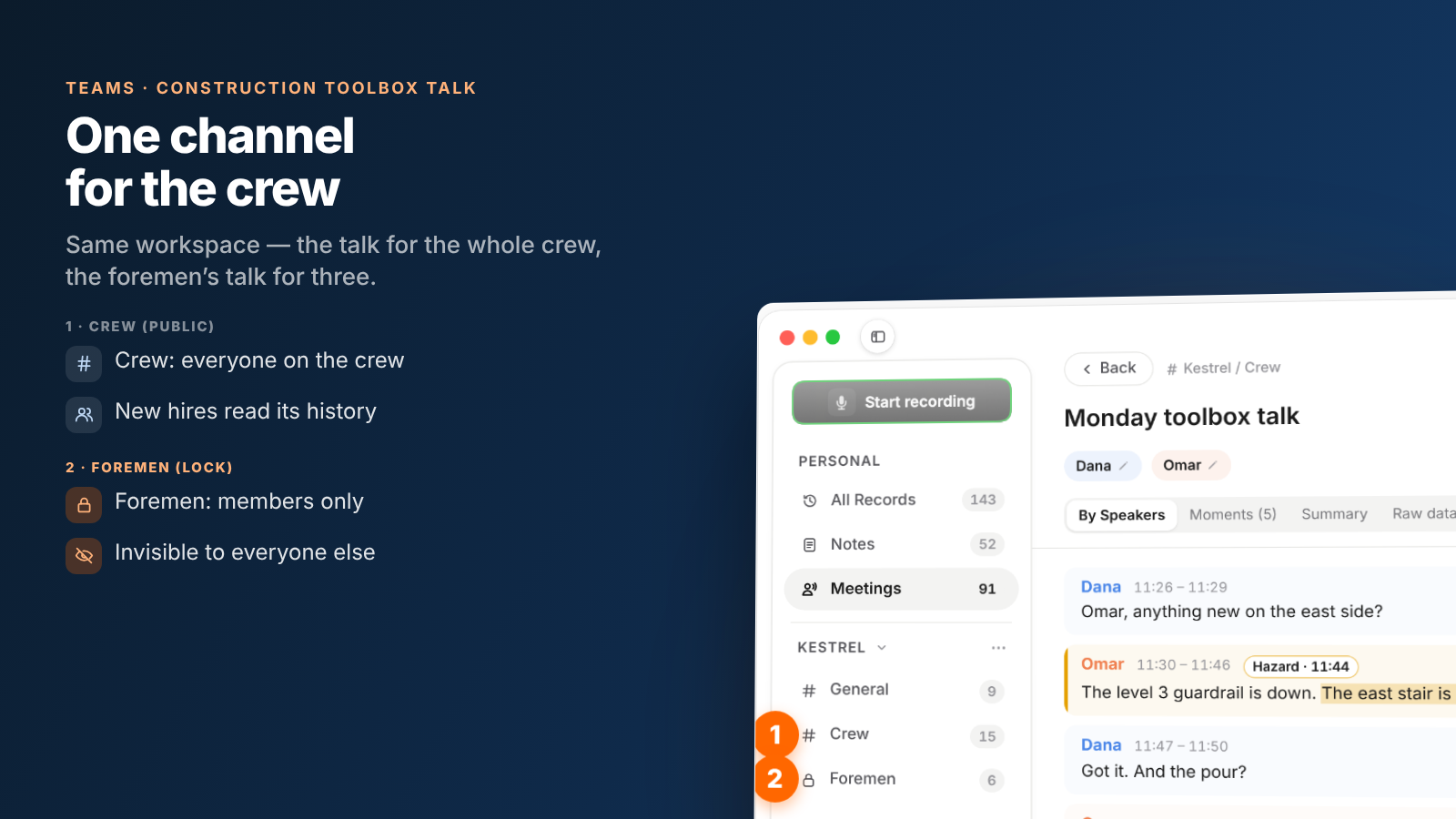
A construction crew starts the day with a toolbox talk: what gets built today, which areas are off limits, what moved in the schedule. The talk lasts ten minutes at the site trailer, two people are still parking, and the laborer who starts on Wednesday hears about it from whoever remembers. In Speak-Y you record the toolbox talk on your Mac without a bot, mark hazards and schedule changes with a key while you talk, and share the transcript to a Crew channel that everyone on the crew reads. A new hire who joins the workspace gets the history of that channel instead of a retelling, and conversations about a specific worker go to a private channel for the foremen.
This guide follows one crew: Dana Kowalski is the foreman of a fourteen-person framing crew at Kestrel Framing, building a four-storey residential block on Birch Street. The toolbox talk happens at 6:45 every morning at the site trailer, with the site superintendent, Omar, covering what changed overnight. The company and its people are invented. Product details were checked against the Speak-Y macOS app, version 1.17.36, on 23 November 2026.
Why a toolbox talk belongs in a channel
The UK Health and Safety Executive describes a toolbox talk as a short presentation to the workforce on a single aspect of health and safety. Most crews also use it for the day: what is poured, what is lifted, which stair is closed. Some of it matters for one morning; some of it, like a guardrail that is down until further notice, matters all week.
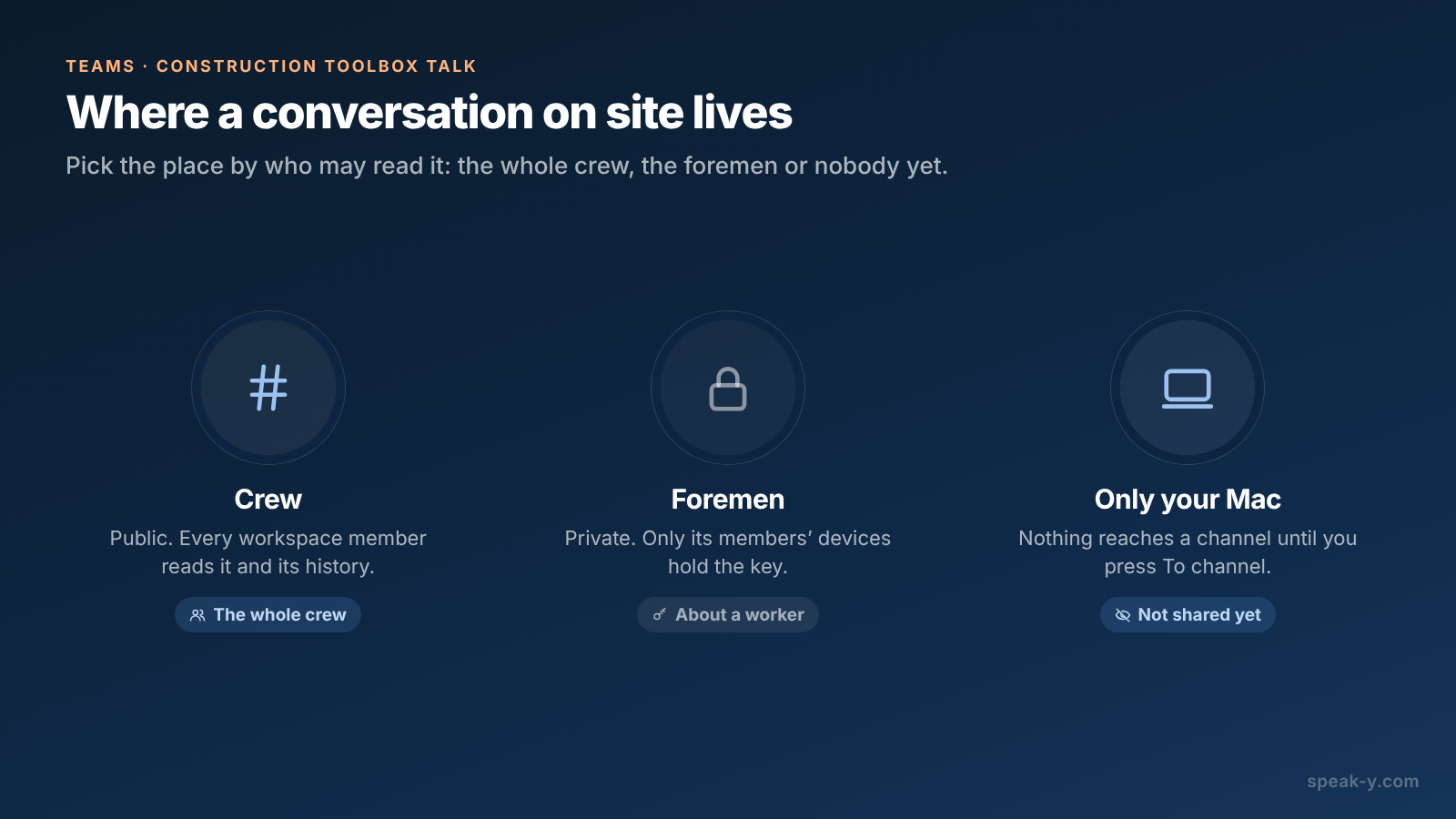
On the foreman's laptop, only the foreman can search the recording. Shared to a channel of the crew's workspace, it gives everyone the same transcript with speaker names, the summary and the marked moments. Everyone in a workspace sees every public channel and its history, so the person who missed Monday reads what Omar said about the east stair.
Before the talk: consent, no personal details, four marks
Tell the crew first. Speak-Y records on your computer and never joins a call, so nobody announces the recording for you. Some places require the consent of everyone recorded: in California, Penal Code § 632 requires the consent of all parties to record a confidential conversation. Say at the start that the talk is recorded, that the transcript goes to the crew channel, and that anyone can ask to pause it. Is it legal to record meetings covers the rules by country.
Keep individuals out of it. A toolbox talk is about the work and the site, not about one worker's injury, a medical note or a warning. "The east stair is closed" belongs in the crew channel; who got hurt on it and how does not.
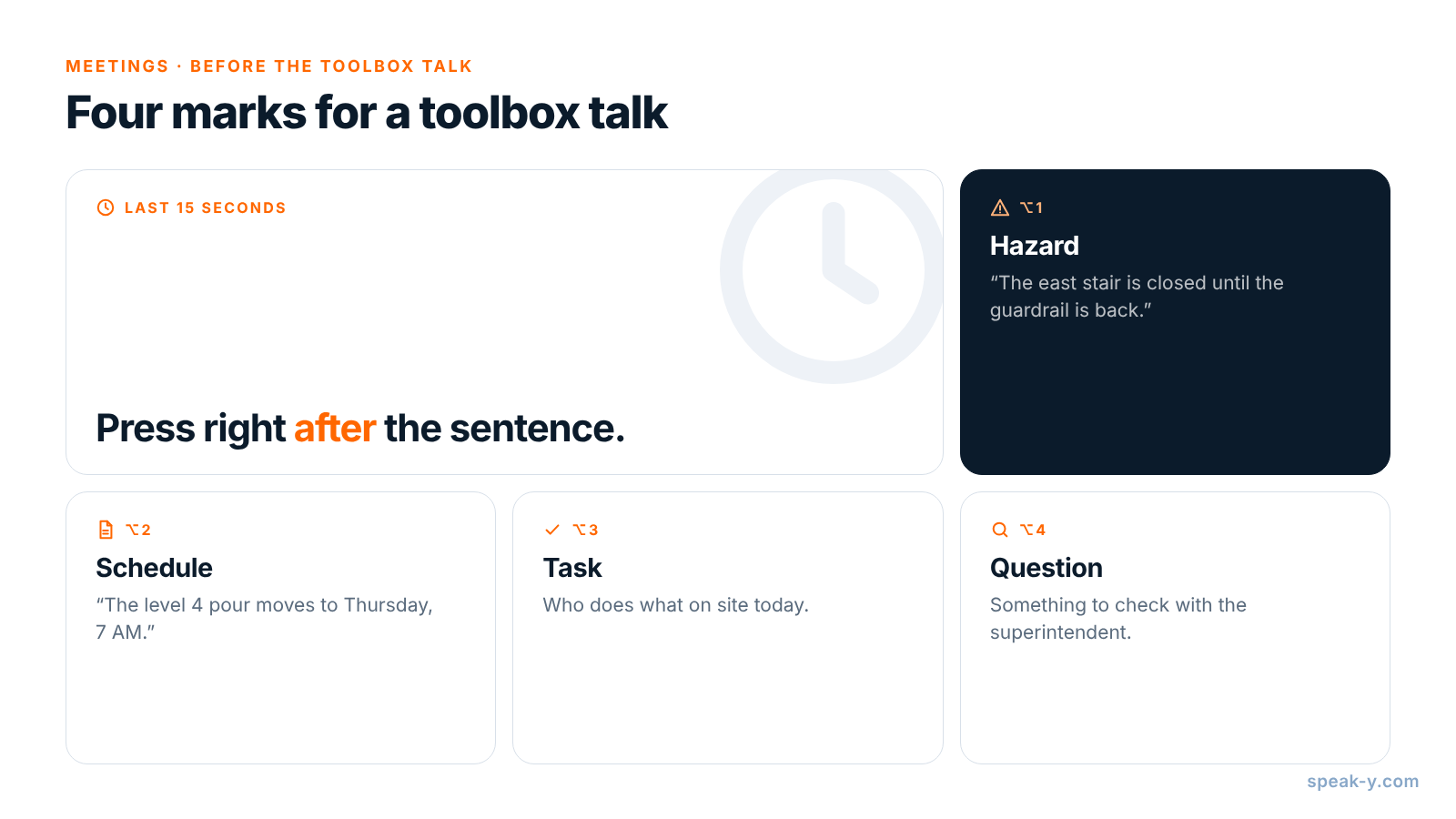
Name your marks. Open Settings → Notes. Under Note types, rename the default Mark the moment and click Add note type for the rest; Set hotkey gives each its own combination. Four types fit a toolbox talk:
- ⌥1 Hazard — an area or condition to avoid: "The east stair is closed until the guardrail is back."
- ⌥2 Schedule — what moved: "The level 4 pour moves to Thursday, 7 AM."
- ⌥3 Task — who does what today.
- ⌥4 Question — something to check with the superintendent.
Each press pins a mark of that type to the transcript and highlights the words
of the last 15 seconds, so you press right after the sentence, not before it.
Last, pick one tag — Dana uses toolbox — and put it on every talk, so the
recordings list filters them in one click.
At the trailer: one click, two keys
A toolbox talk at the trailer has no call app for Speak-Y to recognise, so start it yourself: press your Speak-Y hotkey in hands-free mode, point at the recording button and click the check mark on Record as Meeting?. Voices reach the app through the Mac's microphone, so keep the laptop close to the group and away from the generator. If the project manager joins by Zoom or Microsoft Teams, Speak-Y recognises the call app and asks Record as Meeting? by itself, as long as Settings → Interface & Behavior → Meeting mode is Manual or Auto.
Then talk. When Omar says which area is closed, press ⌥1; when a date moves, ⌥2. Speak-Y records voices, not the drawings on the trailer wall or the marked-up site plan, so say the important lines aloud — "level 3, east side: no access until the rail is back" — and they land in the transcript next to your mark.
Safety instruction: say it aloud, keep the records where they are
In the United States, OSHA's construction standard 29 CFR 1926.21(b)(2) requires the employer to instruct each employee in the recognition and avoidance of unsafe conditions. OSHA's 2010 policy on training adds that required training must be presented in a language and vocabulary workers can understand. In Great Britain, CDM 2015 makes the principal contractor ensure that a suitable site induction is provided.
A recorded toolbox talk helps with the spoken part: a worker who was on another floor reads the same words about the closed stair, with the time they were said. It does not replace the instruction itself, the induction or the records your company keeps of who attended. Speak-Y transcribes more than 67 languages, so a talk given in Spanish comes out in Spanish; it is still the talk, in the language the crew understands, that counts.
After the talk: names, the tag and the Crew channel
Open the recording from Meetings. Speakers are numbered in the order they spoke; you are usually Speaker 1. If Speak-Y has already put a name on a speaker, check that it is right.
- Click each speaker chip, type the person's name and press Enter. The channel feed, copied quotes and what an AI assistant reads later all use this label.
- Click Tags and add
toolbox. - Press To channel under the transcript and pick Crew.
Channel members get the transcript and the summary; the audio stays on your Mac. Your marks stay private until you switch them to show in that channel, which is worth doing here: everyone then sees each Hazard and Schedule line in the feed.
Creating a workspace needs Pro or higher; the people you invite join on any plan, including Free. Setting up a team workspace covers the first steps.
A new worker: the channel history instead of a retelling
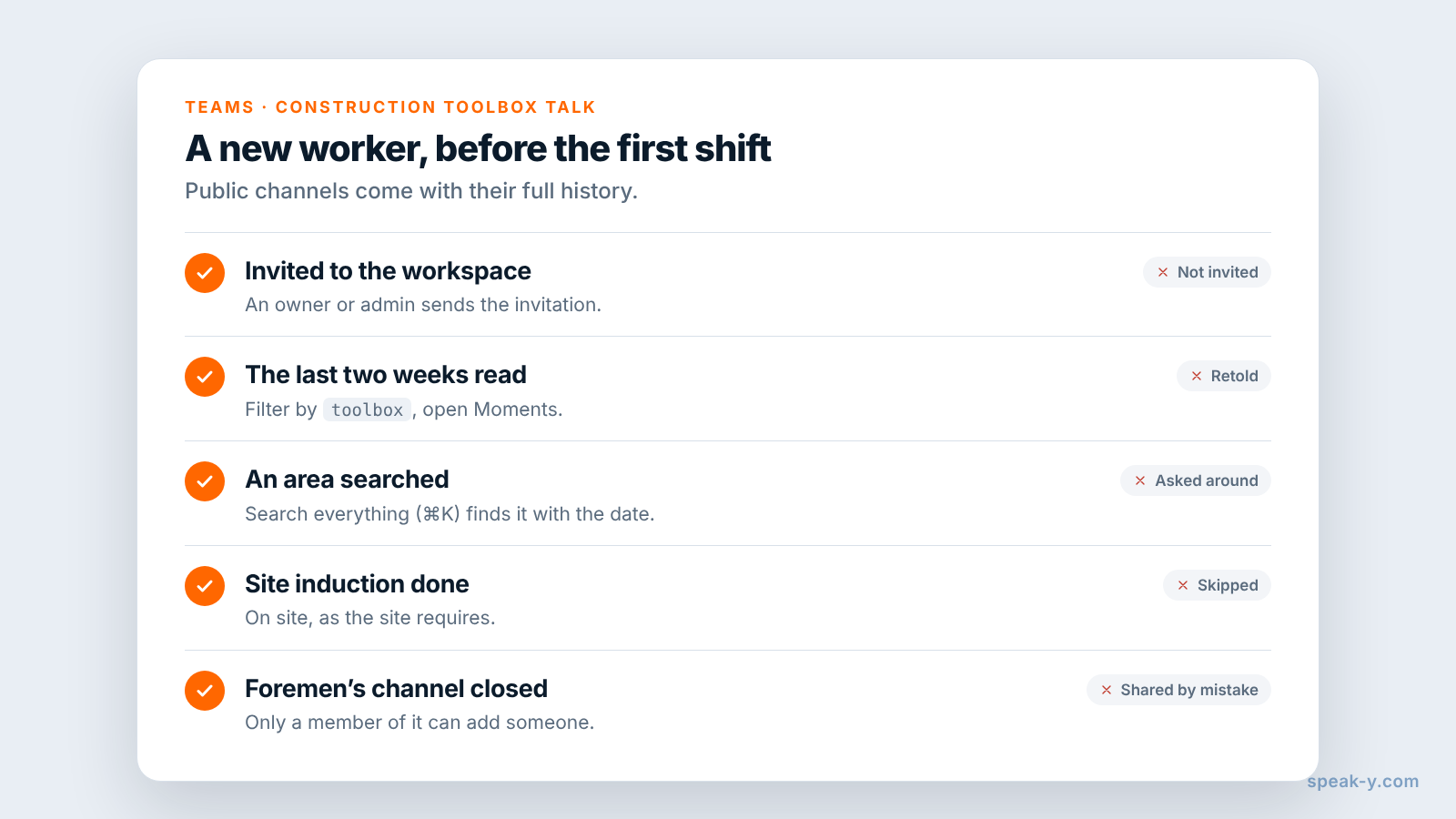
When someone joins the crew, an owner or admin invites them to the workspace. A new member receives the current keys and sees the full history of its public channels, including every talk shared to Crew. Before the first shift, a new worker can:
- Read the last two weeks. Filter the recordings by
toolboxand read them in order; the Moments tab in each shows only the marked lines. - Search an area. Search everything (⌘K) matches transcript text, so "east stair" finds every time it came up, with the date.
- Ask an assistant. With the Speak-Y MCP server connected, an AI assistant reads the recordings shared into your channels, filtered by tag and date: "List every Hazard mark in recordings tagged toolbox this week, with dates" puts the open hazards on one page. Check each one on site before relying on it: a closed stair may have reopened yesterday.
Reading the channel is preparation, not the site induction: the new worker still gets the induction the site requires. Private channels are different too: a new worker does not see the foremen's channel, and nobody is added to it unless a member adds them.
Talking about a worker: a private channel for foremen
A worker who keeps skipping the harness check, a near miss someone reported in confidence, a request for lighter duties: none of this is for the whole crew. Create a channel in the workspace's ⋯ menu: choose New channel, switch the type to Private, tick the other foremen under Who can see this channel and click Create channel. Dana has Foremen with Omar and the concrete foreman.
- Members only. A private channel does not appear for anyone else in the workspace, the owner included. It is encrypted with its own key, held only by its members' devices.
- The creator controls membership. Any member can add someone, but only the creator can remove a member; removing one rotates the channel key.
- Private from the start. A public channel can never be made private, because everyone already has its history.
A recording reaches no channel until you press To channel, so a conversation that belongs to nobody yet can simply stay on your Mac.
What Speak-Y does not replace
Speak-Y keeps the conversation, not the company's records. The toolbox talk sign-in sheet, the site safety plan, risk assessments, incident reports, the project schedule and timesheets stay where they are, under their rules on who may see them. Speak-Y does not sync with any of them, does not mark an area as closed on the plan and does not count anyone's hours.
When someone leaves the crew, remove them from the workspace: the app rotates the keys, so new recordings never reach them. What their app already downloaded stays on their device.
One workspace, one public channel for the toolbox talk, one private channel for the foremen: everyone hears about the closed stair, and a new hire starts from the history. A restaurant runs the same setup, as recording pre-shift meetings into one channel shows; when a site call with a client changes the scope, a change order draft is the next step. The Teams page explains workspaces, private channels and encryption in one place.
FAQ
Can Speak-Y record a toolbox talk without a bot?
Yes, on a Mac. Start a recording with your Speak-Y hotkey in hands-free mode, point at the recording button and click the check mark on Record as Meeting?. Voices reach the app through the Mac's microphone. Nothing joins a call, so nobody announces the recording for you: say it yourself at the start of the talk.
Does a recorded toolbox talk replace the sign-in sheet?
No. The recording shows what was said and when. The attendance record your company keeps for toolbox talks, with who attended and their signatures, stays where it is. Speak-Y does not record who was present, only who spoke.
How does a new worker catch up on past toolbox talks?
Invite them to the crew's Speak-Y workspace. A new member receives the current keys and sees the full history of the workspace's public channels, so every talk shared to the Crew channel since it was created is there to read, with speaker names, summaries and marked moments. It does not replace their site induction.
Where should foremen discuss a specific worker?
In a private channel for the foremen. A private channel appears only for its members and is encrypted with its own key that only their devices hold. Create it as private from the start, because a public channel can never be made private.
What if the crew speaks Spanish?
Give the talk in the language the crew understands; Speak-Y transcribes more than 67 languages, so the transcript is in the language that was spoken. OSHA's position is that required training must be given in a language and vocabulary workers understand, and a transcript does not change that.