Meeting Notes for a Contractor: A 7-Day Link, Not a Workspace Invite
A call with an outside contractor — a freelance designer, an agency, an auditor — ends with the same request as any other: "can you send me the notes?" The reflex is to treat the contractor like a colleague and invite them into the team workspace. For a single call that is the wrong tool. It hands over far more than one meeting, and it does not end when the project does.
In Speak-Y the proportionate answer is a public link: one click on the recording, a URL on your clipboard, and the contractor reads the summary and the transcript in a browser. No account, no app, no seat in your workspace. The link shows that one recording and stops working after 7 days.
This guide walks through the scenario in the Speak-Y macOS app, as checked against version 1.17.18 on 5 October 2026: what an invite would expose, the steps from call to link, how a link and a channel differ in privacy, and the point at which a contractor should become a member after all.
What does a workspace invite give a contractor?
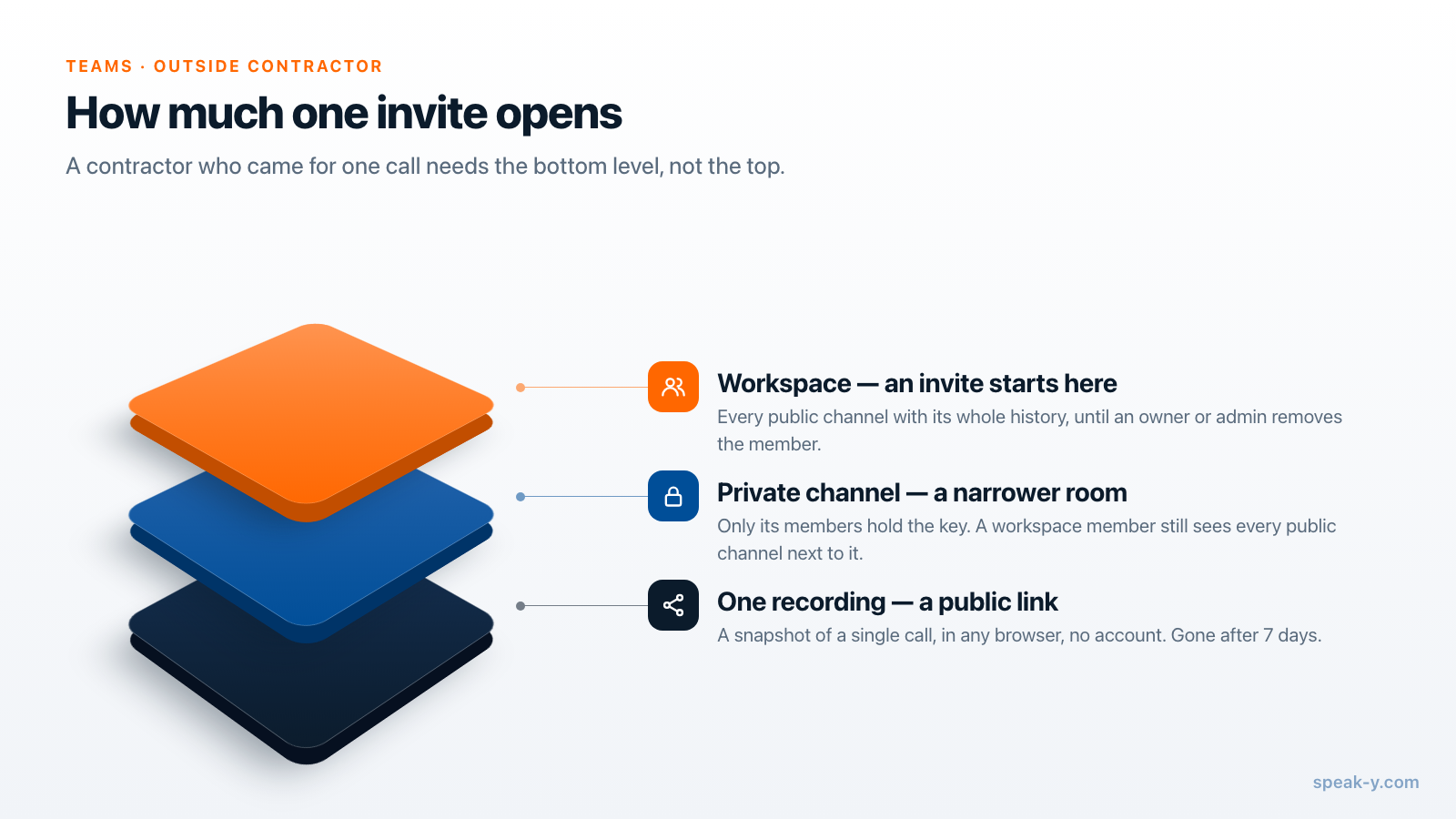
More than people expect. In Speak-Y a workspace invite is not access to a meeting; it is membership.
- Every public channel, with history. A public channel is public inside the workspace: each member's device receives its key, including people who join the workspace later. The contractor who joined on Tuesday can read the planning calls from March.
- No end date. Membership lasts until an owner or an admin removes the person. Projects end quietly; nobody schedules the removal.
- Setup on their side. They need a Speak-Y account with an email, their own encryption password and the macOS app. Workspaces and channels are not in the Windows or iOS apps yet, so a contractor on Windows cannot read a channel at all.
You can narrow this with a private channel that holds only the contractor's meetings, but they still see every public channel next to it. If your public channels are client names and planning sessions, that is a lot to show someone who came for one call.
From the call to the link, step by step
- Record the call. Start a meeting recording in Speak-Y before you join Zoom, Teams or Meet. Nothing joins the call as a participant, so say out loud that you are recording and will send the notes. Consent rules differ by country; whether it is legal to record meetings covers them.
- Name the speakers. Click a chip such as Speaker 2 and type the name — "Dana (Studio North)". The link is a snapshot, so names fixed after you send it will not appear in it.
- Read the summary once. It is the first thing the contractor sees. If a deadline or a price is wrong, fix it now.
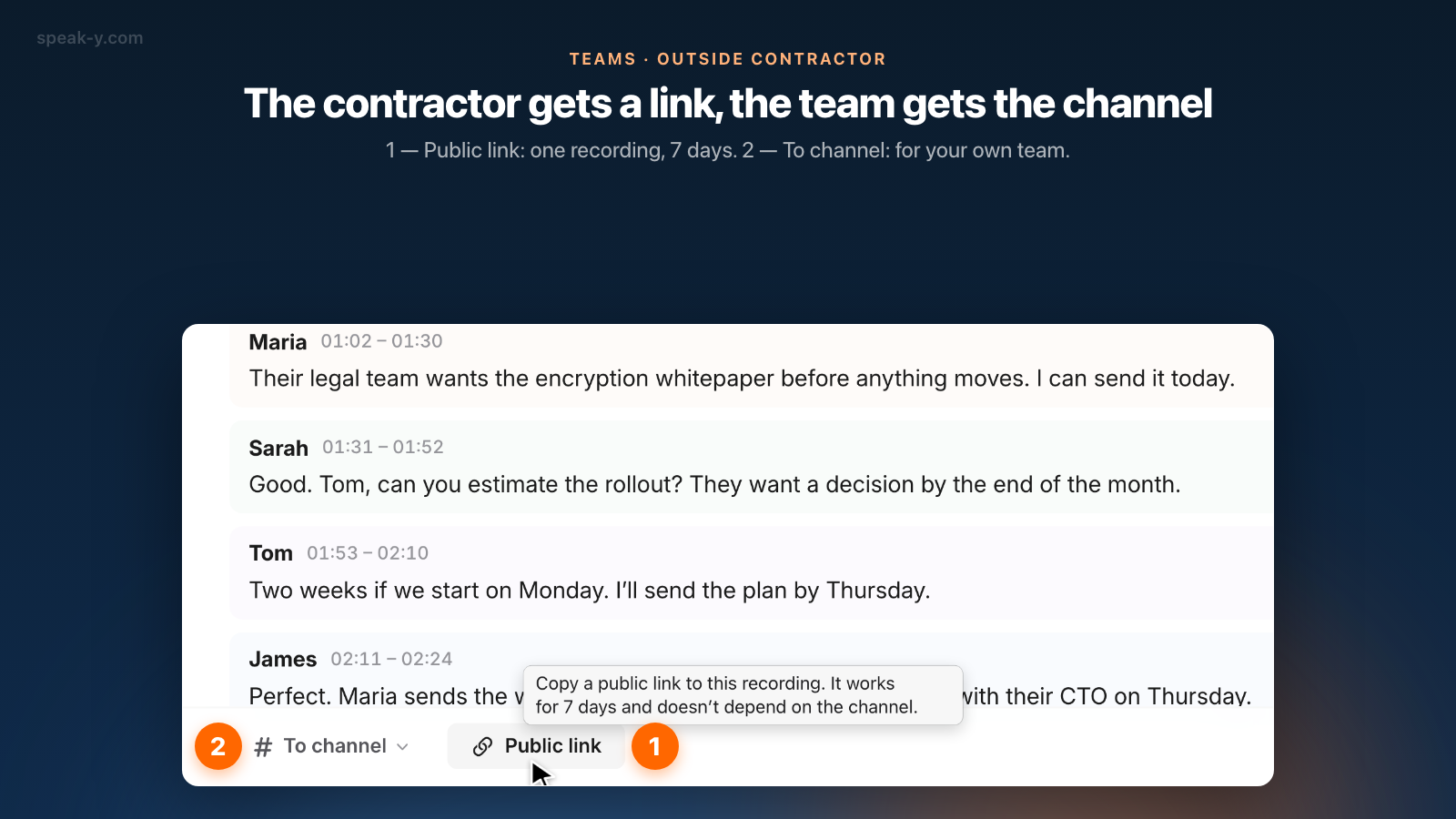
- Click Public link. It sits in the action bar under the transcript. The button changes to Link created and copied and the link is on your clipboard. There is no dialog and nothing to configure.
- Paste it into an email or a direct message to the contractor, with one line saying it expires in a week.
You do not need a workspace for any of this. A public link works for any of your own transcribed recordings while you are signed in, and it does not depend on a channel. If you also want your team to have the call, press To channel separately; the two do not affect each other.
What does the contractor see?
A plain read-only page: the summary, the transcript split by speaker with timestamps and the names you set, a line saying when the link expires, and buttons to copy or download the text. The audio is not part of the link.
Your marks and notes on the meeting are private by default, and they can be shown to others only on a recording you have sent to a team channel. A contractor call that never went to a channel therefore carries no notes in its link. If you did share it to a channel and switched the notes to visible, they travel in the link too — switch them back to Private first if they were written for your team.
The page is marked noindex, and a link preview in a messenger shows a
generic product card, not the meeting title or the names.
How is a link different from a channel in privacy?
Neither can be read by the server. A channel's recordings and a link's copy
are both stored as ciphertext; for a link, the key travels in the part of the
URL after the #, which a browser never sends to a server, and the page is
decrypted in the contractor's browser.
The public link guide shows the anatomy of
the address.
What differs is who can open it and for how long:
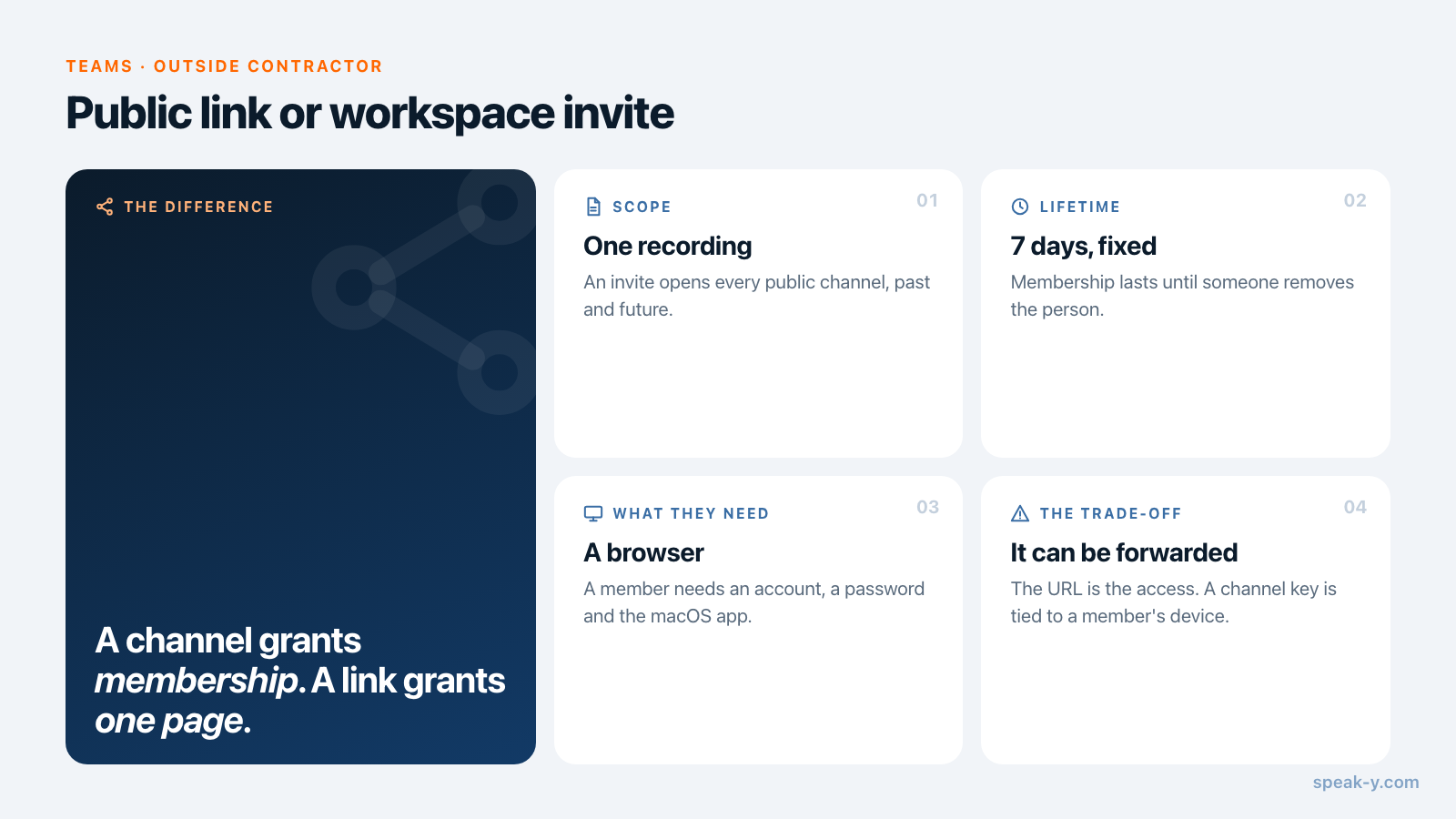
| Public link | Workspace channel | |
|---|---|---|
| Who opens it | Anyone holding the full URL | Named members whose devices hold the channel key |
| What they reach | One recording, as it was when the link was created | Every recording in the channel, past and future |
| What they need | A browser | Speak-Y account, encryption password, macOS app |
| How long | 7 days, fixed | Until they are removed |
| Can it be forwarded | Yes — the URL is the access | No — a key is tied to a member's device |
| Taking it back | Delete the recording; otherwise wait for expiry | Remove the member; the keys are rotated |
So a link is weaker in one respect and stronger in three. Weaker: access belongs to whoever has the URL, and Speak-Y has no button yet to revoke one link while keeping the recording. Stronger: the scope is one meeting, the lifetime is a week whether or not anyone remembers, and nothing about your workspace — its name, channels or members — is exposed.
What happens during the seven days
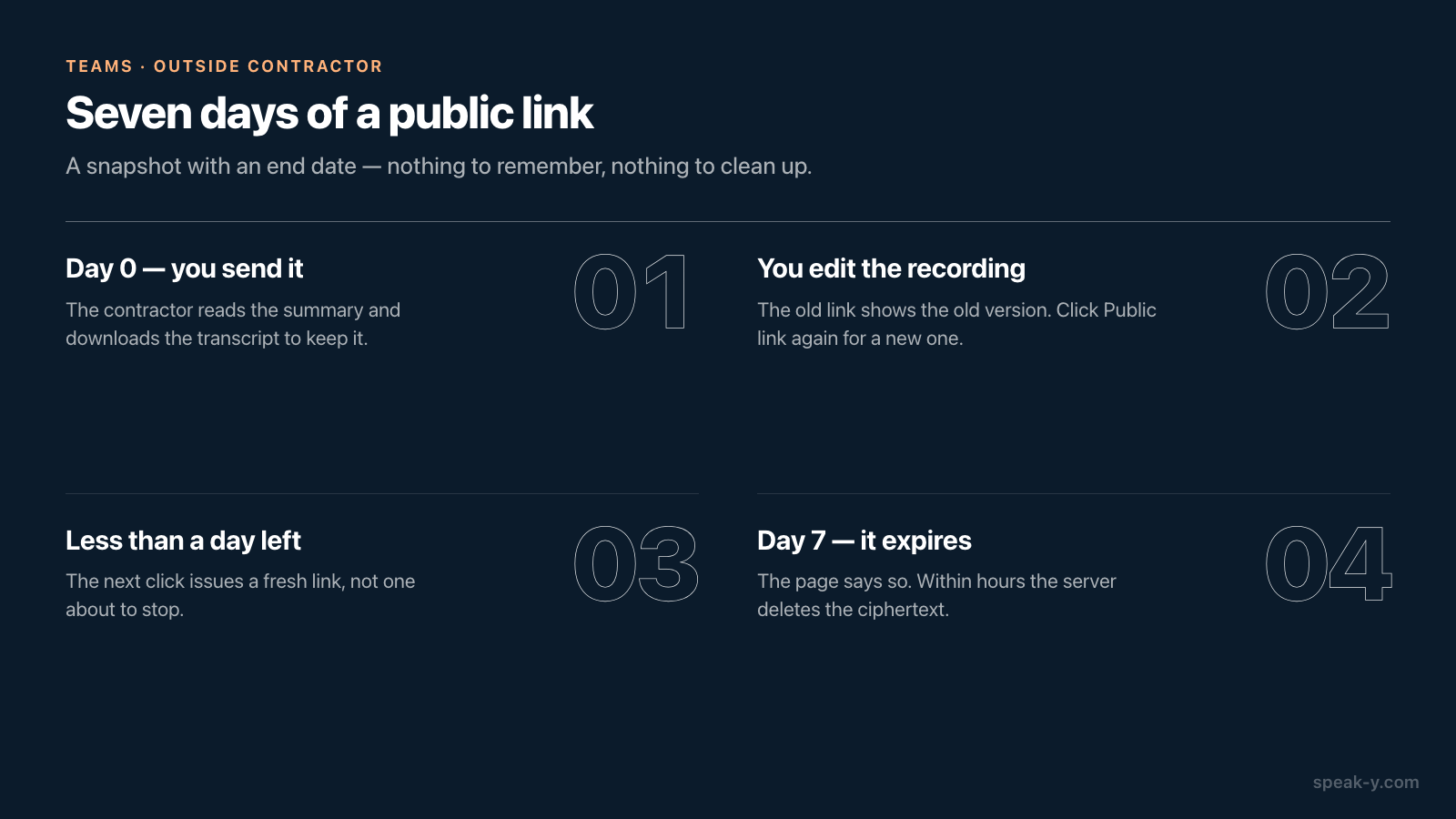
- Day 0. You send the link. The contractor opens it, reads the summary, and downloads the transcript if they need to keep it.
- You edit the recording. The link still shows the old version. Click Public link again and you get a new link with the current content; the first one is not withdrawn, because you already sent it.
- Less than a day left. A click on Public link quietly issues a fresh link instead of handing out one that is about to stop.
- Day 7. The page says the link has expired. Within hours the server deletes the ciphertext, and the address no longer exists.
- They ask again in a month. Click the button, send a new link.
If you delete the recording, every live link to it is revoked at once, as long as the Mac that created them is online.
When should the contractor become a member?
A link per call stops being convenient once the contractor is effectively part of the team. Switch to an invite when:
- you meet several times a month and they need to search earlier calls;
- they record calls themselves and should share them back;
- the engagement has a named end, so someone will remember to remove them.
Then do it deliberately. Create a private channel for the engagement, with you and the people who work with the contractor as members. Look at your public channels the way a newcomer would, because the contractor will see all of them. Invite with their email filled in, so the link works only for that account. Joining is free on any plan. And when the contract ends, remove them from the workspace: the keys are rotated, and what happens to their access is described in removing a teammate.
How other tools handle outside readers
For comparison, as stated in each vendor's help center on 5 October 2026:
- Slack has guest accounts on paid plans only. A single-channel guest is free and sees one channel; a multi-channel guest is billed like a regular member.
- Otter offers an "Anyone with the link" permission: the holder can view and play back the transcript without signing in.
- Fireflies uses "Teammates & anyone with link" as its default privacy setting for recaps; letting people without a Fireflies account view them requires Public Meeting Access, available on Business and Enterprise plans.
These give finer control — per-channel guests, per-link permissions. Speak-Y's link is blunter by design: one recording, one week, ciphertext on the server.
The short version
One call with someone outside the team: name the speakers, click Public link, paste it, mention the seven days. A standing engagement: a private channel and an invite, with a date to remove them. How to lay out channels so that an invite exposes only what you intend is covered in who sees what in team channels, and the Teams page has the overview of workspaces.
FAQ
How do I share meeting notes with an external contractor without adding them to my team?
Record the call in Speak-Y, name the speakers, then click Public link under the transcript and paste the link into an email to the contractor. They open it in any browser with no account and see the summary and the transcript by speaker. The link works for 7 days and gives access to that one recording only.
What can a contractor see if I invite them to a Speak-Y workspace instead?
Every public channel of the workspace with its whole history, from the moment they accept the invite, plus any private channel a member adds them to. Access lasts until an owner or admin removes them. A public link shows one recording, as it was when the link was created, for 7 days.
Is a public link less private than a team channel?
The server cannot read either: both are stored as ciphertext. The difference is who can open it. A channel is opened by named members whose devices hold its key. A public link is opened by anyone who holds the full URL, so it can be forwarded. That is why it covers a single recording and expires after 7 days.
Does the contractor need Speak-Y or a Mac to open the link?
No. The link opens a read-only page in any browser on any system, with no sign-up. Joining a workspace, by contrast, needs a Speak-Y account with an email, an encryption password and the macOS app, because workspaces and channels are not in the Windows or iOS apps yet.
When should a contractor get a workspace seat rather than a link?
When the work is recurring: several calls a month, a need to search earlier calls, or recordings of their own to share back. Then invite them and keep their meetings in a private channel with a short member list. Joining a workspace is free on any plan.