Customer Advisory Board Call to Roadmap Input, With Quotes and Times
A customer advisory board call gives the product manager an hour of six customers saying what they need, what they will not accept and what they would pay for. Then the roadmap input is written from memory, and the loudest member becomes "customers are asking for", while the quiet one who said the same thing twice drops out.
A shorter route: record the CAB call in Speak-Y, press a hotkey when a member makes a request, raises an objection or says they would pay for something, and after the call ask your AI assistant to group the marks by theme over MCP. Each theme comes back with who said it, in their words, and the time in the recording. The order of the roadmap and anything the company promises the board stay with the product team: the assistant counts and quotes, it does not decide.
This guide follows the Speak-Y macOS app and its MCP server as checked on 13 November 2026, with one example: the fourth-quarter CAB call of Fieldline, a scheduling app for field-service companies.
What gets lost between the CAB call and the roadmap?
Boards meet rarely, so each call carries a lot. Gainsight wrote in its own CAB tips that it meets its board at least four times a year, and quarterly is the cadence most guides recommend; a CustomerThink guide on CAB notes argues for a note-taker who knows the product and sits at the table, not in the back (searched on 13 November 2026). What usually goes missing between the call and the roadmap document:
- Who said it. "Offline mode came up" hides whether it was one member three times or three members once.
- The objection. A member explaining why a planned feature will not work for them is remembered less well than a request.
- Willingness to pay. "We would pay extra for that" is the most useful sentence of the call, and the one least often written down word for word.
- What was not promised. "We're looking at it" turns into "committed for spring" on the second retelling.
Before the call: three note types and a tag
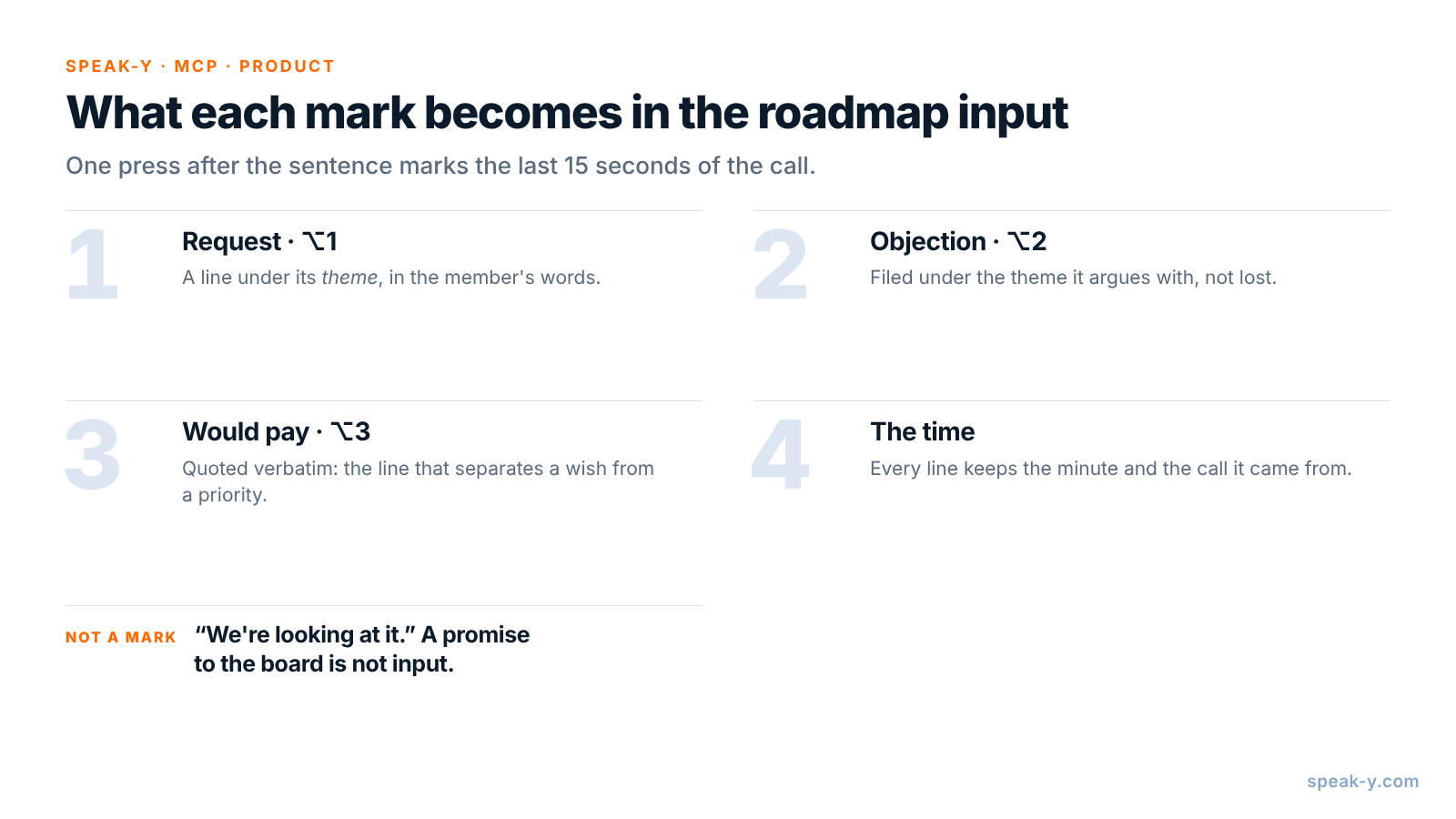
Open Settings → Notes. Under Note types, rename the default Mark the
moment to Request and keep it on ⌥1. Click Add note type, type
Objection into Type name, click Save, then Set hotkey and press
⌥2. Repeat for Would pay on ⌥3.
Pick one tag for the board, such as cab, and keep it on every board call.
The assistant then reads this quarter next to the last one, and a theme raised
in August and again in November shows up as one theme, not two.
During the call: let members talk, press the key
Record the call as a meeting. No bot joins: Speak-Y records your microphone and the call's sound on your Mac, so it works the same in Zoom, Google Meet or Microsoft Teams. Tell the members at the start that you are recording, who will read the transcript and why — see is it legal to record meetings for how consent rules differ.
Three habits make the marks useful:
- Press after the sentence. A mark covers the last 15 seconds of the call, so the request just said lands inside it.
- Ask about money directly. "Would you pay for that, or is it expected in the price?" gets the answer that separates a wish from a priority. Mark it on ⌥3.
- Ask for the objection. "What would stop you from using this?" after you show a concept brings out the reasons the feature might fail.
In Fieldline's 75-minute call, product manager Lena Ortiz marks four requests (08:12, 19:40, 27:05, 44:30), two objections (15:48, 36:22) and two "would pay" lines (22:15, 51:10). At 63:40 a member asks whether offline mode will be ready by spring and Lena answers, "We're looking at it, I can't give you a date." She does not mark it: it is not input, it is something the assistant must not turn into a commitment.
After the call: name the speakers, add the tag
Six members and you make seven numbered speakers. On By Speakers, click each
speaker chip and type the name and company — "Tomás Reyes, Brightwater HVAC" —
so the summary quotes customers, not numbers. Add the cab tag. The chips
above the transcript count the marks by type — All notes · 8, Request ·
4, Objection · 2, Would pay · 2 — and a click on a chip shows only
those replies.
Group the input with your assistant
Connect your assistant to the Speak-Y MCP server once: Connect AI assistant in the account menu at the bottom of the sidebar, or Settings → Integrations, then Connect next to Claude, ChatGPT or Cursor. The steps are in how to connect meeting notes to AI assistants. The server is free on every plan and reads the library on your Mac.
Save standing instructions in a project in Claude or ChatGPT, so after each board call the request is one line:
Group the input from CAB calls tagged "cab".

For each theme: the members who raised it, with company,
their words, the call date and the time, like (19:40).

Rules:
- Use only my Request, Objection and Would pay marks.
- Count members and calls per theme; do not rank themes.
- Put objections under the theme they argue with.
- Quote "would pay" lines verbatim.
- List anything I said about dates or plans under
  "Said to the board", word for word. Never call it
  a commitment.
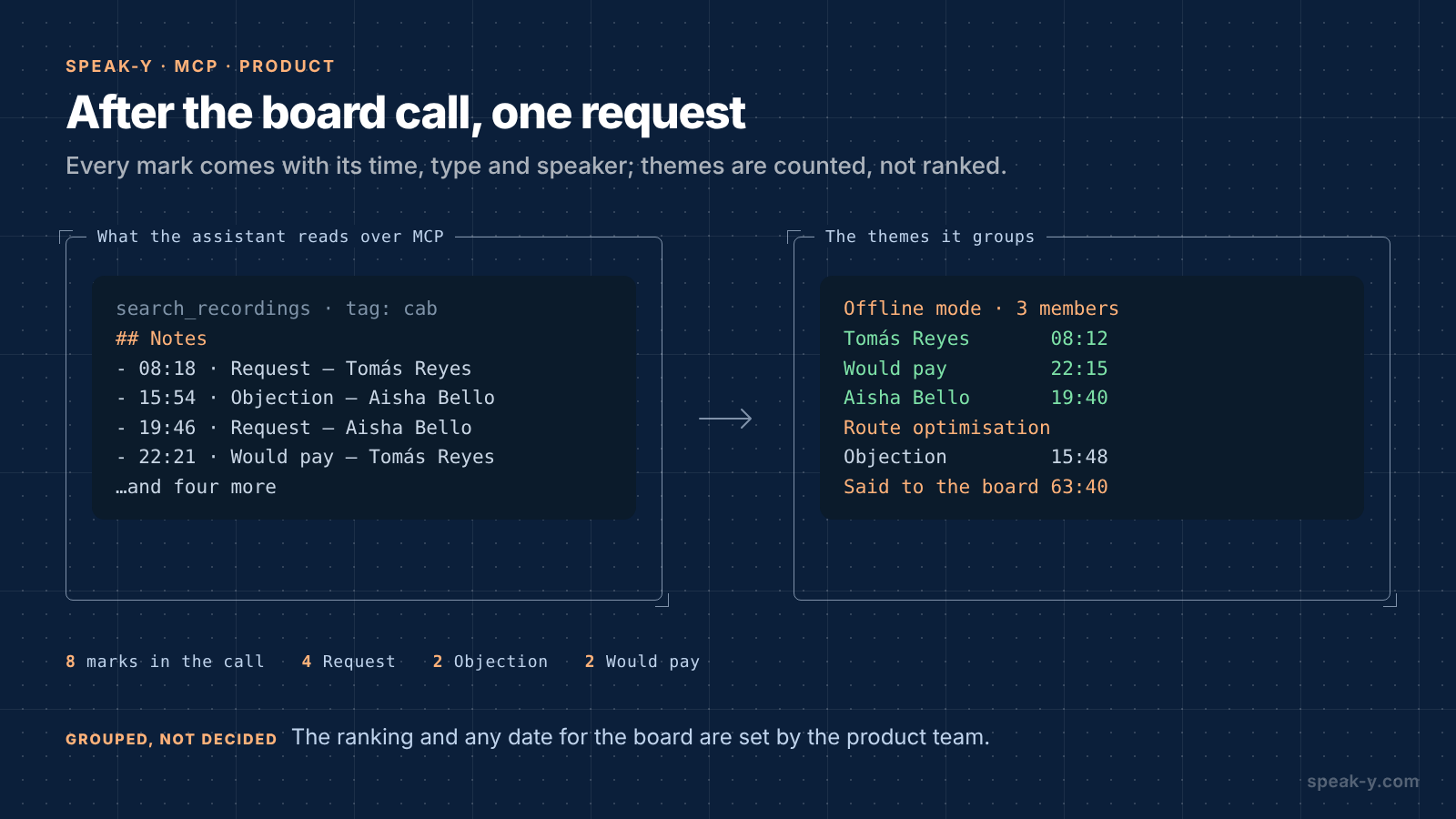
The assistant calls search_recordings with the tag and reads each call.
Alongside the transcript, Speak-Y hands it a Notes list — each mark with
its time, type, speaker and first words. A mark's time is the moment you
pressed the key, a few seconds after the reply began; the summary cites the
start of the reply:
Offline mode — 3 members, 2 calls
- Tomás Reyes, Brightwater HVAC: "Our techs lose signal in
  every basement." (Nov 13, 08:12)
- Would pay — Tomás Reyes: "We'd pay extra for offline;
  today we lose a day of notes a week." (Nov 13, 22:15)
- Aisha Bello, Northgate Facilities: "Half our sites have
  no signal at all." (Nov 13, 19:40)
- Also raised on Aug 7 by Jun Park, Corvid Pest (31:05)

Route optimisation — objection only
- Aisha Bello: "We tried it; dispatchers override it
  anyway." (Nov 13, 15:48)

Single sign-on — 1 member, 1 call
- Marta Kowalski, Kessel Elevators (44:30)
- Would pay — "SSO is a procurement requirement for us
  next year." (51:10)

Said to the board
- Lena Ortiz: "We're looking at it, I can't give you a
  date." (Nov 13, 63:40)
For the theme you take forward, the same recordings feed the next step: from a feature discussion to a PRD draft shows how to turn the call into a requirements draft.
Who decides what reaches the roadmap?
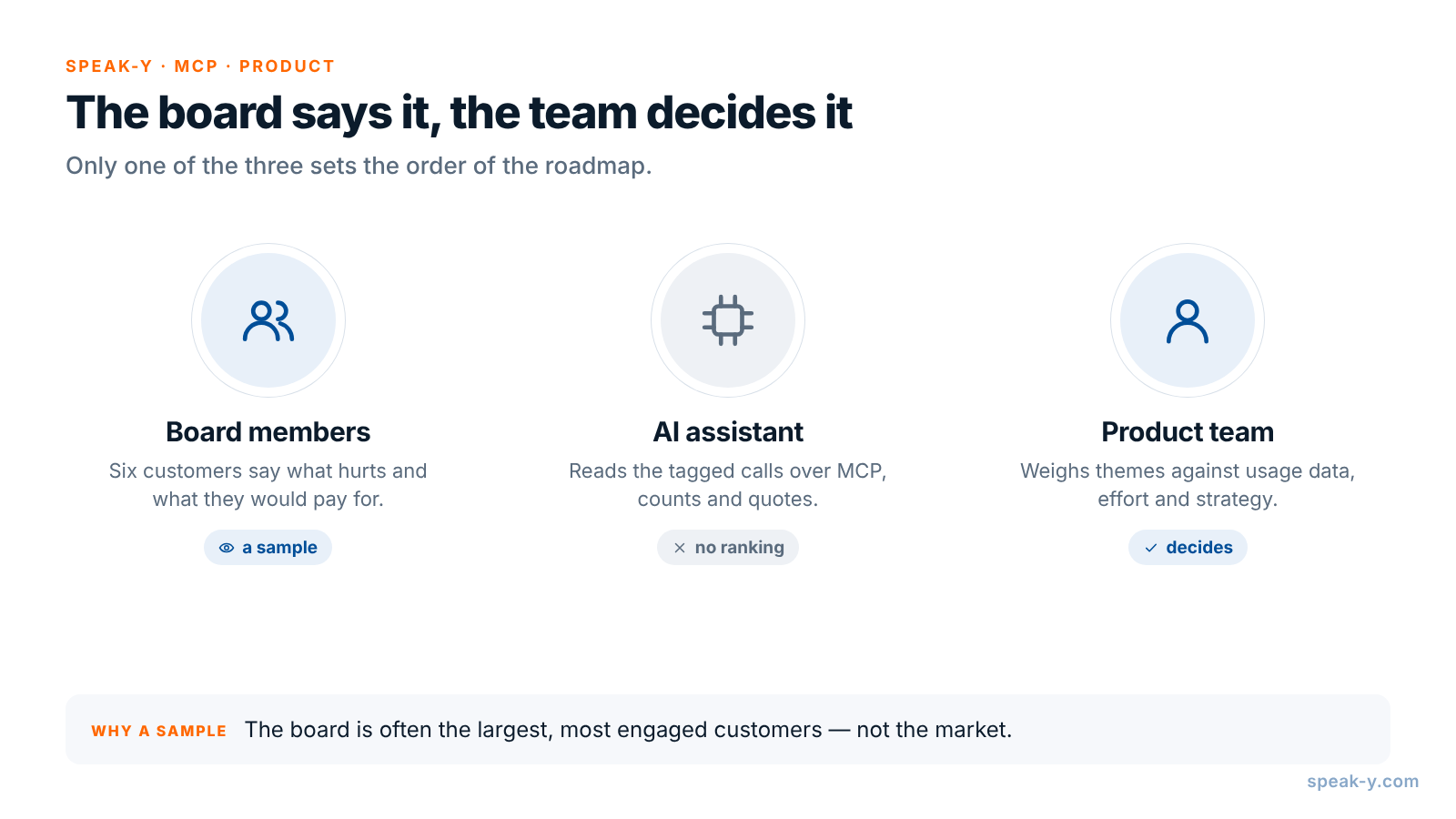
The board is a sample, not the market. Three hands are involved, and only one of them sets priorities:
- The members say what hurts and what they would pay for. Six companies, often the largest and most engaged, which is exactly why their view is skewed.
- The assistant collects, counts and quotes. It sees only what was said in the recorded calls.
- The product team weighs the themes against usage data, the rest of the customer base, effort and strategy, and decides.
What stays with the product team
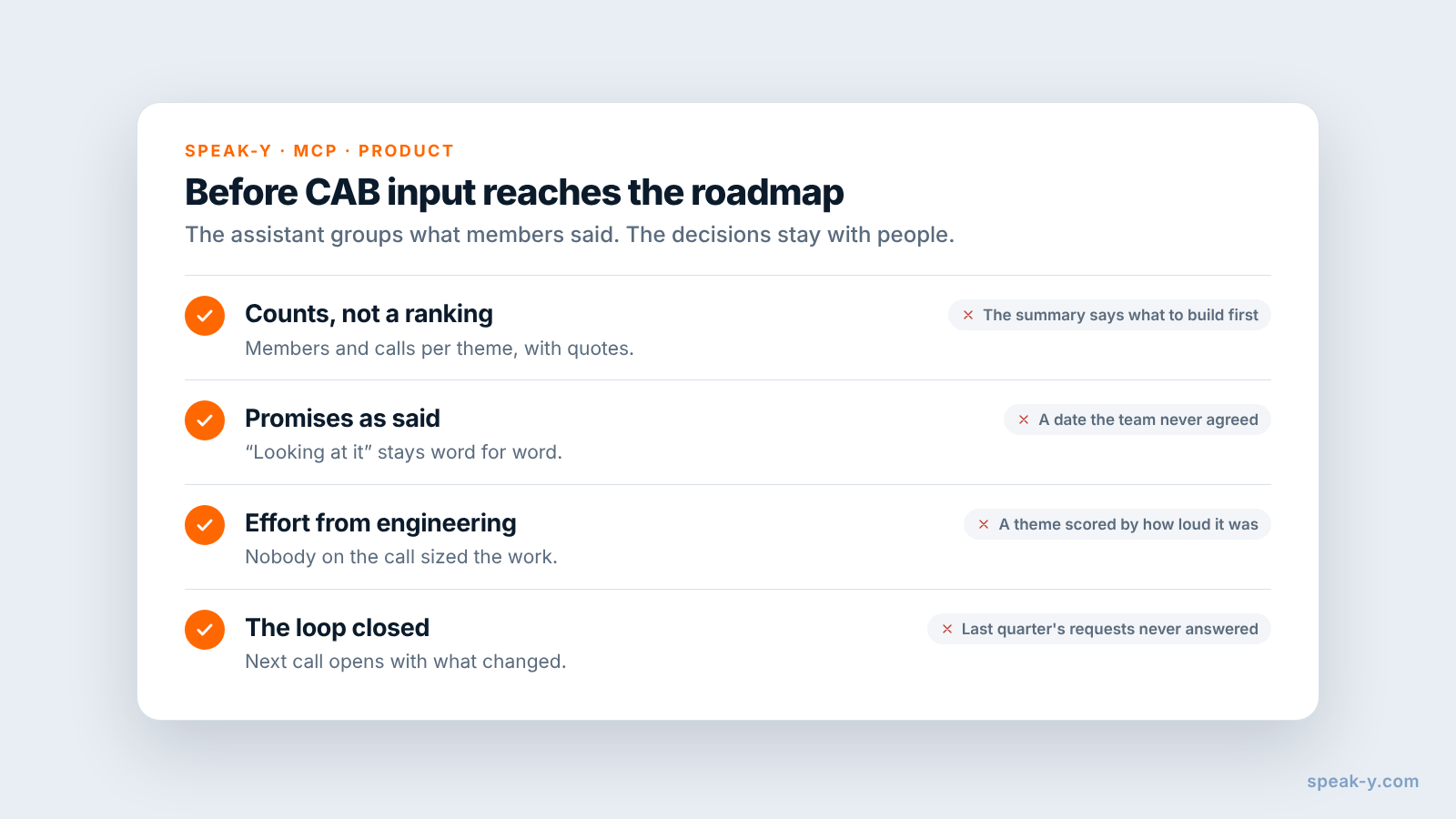
Four things the assistant should not do for you:
- The ranking. Three mentions of offline mode is a signal, not a priority. The order comes from the team, with data from customers who are not on the board.
- Promises. "We're looking at it" stays exactly that in the summary. A date goes to the board only after the team agrees it.
- Effort and feasibility. Nobody in the call knew what SSO costs to build. Engineering does.
- Closing the loop. Next quarter, start the call with what changed because
of the last one. Search the
cabtag for last quarter's requests and say which you took, which you did not and why.
Limits and costs
- Length. Checked on speak-y.com on 13 November 2026: Free stops a meeting recording at 30 minutes, Pro ($10 a month) at 60, Pro+ ($15) and Max ($30) at four hours. A 75-minute board call needs Pro+ or Max. The MCP server is free on every plan.
- Audio only. Slides and concept mock-ups shared on screen are not in the recording. Say which concept is on screen out loud, so the reaction lands next to its name in the transcript.
- Mac for marks. Note types, marks and the MCP server are in the macOS app; the recordings stay in the library on your Mac.
- Cloud assistants. Claude or ChatGPT receive the transcripts they read. If your board agreement limits who sees what members say, check that the assistant's terms fit it.
The short version
Request, Objection and Would pay on ⌥1, ⌥2 and ⌥3, one tag for the board. Ask about money and objections, let members talk, press the key; then speaker names and the tag. One request gives themes with members, quotes and times; the ranking, the dates and the answer to the board are written by people. To find the same kind of quote across one-on-one interviews, see how to find quotes in customer interviews.
FAQ
Can an AI assistant turn a customer advisory board call into roadmap input?
It can group what was said. Connected to the Speak-Y MCP server, Claude, ChatGPT or Cursor reads the CAB recordings with your tag — the transcript by speaker and a Notes list of your marks with their times — and groups requests, objections and willingness to pay by theme, with each customer's words and the time in the recording. Priorities stay with the product team.
How do I mark requests and objections during a CAB call?
Create note types in Speak-Y under Settings → Notes: rename the default Mark the moment to Request on ⌥1 and add Objection on ⌥2 and Would pay on ⌥3. A press marks the last 15 seconds of the call with that type, so each line arrives in the assistant's summary sorted, with the speaker and the time.
Should the assistant rank the requests for the roadmap?
No. It can count how many customers raised a theme and in how many calls, but six customers in a room are not your market, and a ranking also needs effort, strategy and data from the rest of your customers. Ask for counts and quotes, and let the product team set the order.
Do I need consent to record a customer advisory board call?
Tell the members before you start and record only if they agree. Speak-Y does not join the call as a bot, so nobody announces the recording for you. Whether telling them is enough or you need explicit consent depends on where you and the members are.
Which Speak-Y plan do I need for a 75-minute CAB call?
Pro+ or Max. Checked on speak-y.com on 13 November 2026: Free stops a meeting recording at 30 minutes, Pro ($10 a month) at 60, and Pro+ ($15) and Max ($30) at four hours. The MCP server is free on every plan.