Event Planner Vendor Brief From Client Calls, With Quotes and Times
Five planning calls since the deposit. In the first one the couple chose a plated dinner. In the third, the bride's sister mentioned that their mother is allergic to lilies. In the fifth, the groom said the ceremony has to be outdoors, "with a tent as backup, not negotiable", and twenty minutes later the plated dinner became family-style. Each sentence was clear when it was said. Now the venue, the caterer and the florist each need a brief, and the latest version of every decision is spread across five recordings.
A shorter route: record client planning calls in Speak-Y, press a hotkey when the client names a must-have or changes an earlier decision, and ask your AI assistant to collect the marks over MCP for the event's tag and draft the vendor brief. Each line comes back sorted by vendor, in the client's words, with the date and the time in the recording; a later change replaces the earlier decision and says so. The budget, the contracts with vendors and every confirmation stay with you.
This guide follows the Speak-Y macOS app and its MCP server as checked on 24 November 2026, with one invented example: Grace Okafor, an independent wedding planner, is working with Sam Carter and Priya Nair on a wedding next June.
What does a vendor brief need from the client calls?
Clients describe their event out loud, in passing, while talking about something else. Four things get lost between the call and the brief:
- The exact words. "Outdoors, with a tent as backup" is a different instruction to a venue from "outdoors if possible".
- Must-have or idea. "No lilies, my mother is allergic" is a rule for the florist. "Peonies would be lovely" is a suggestion.
- The vendor it belongs to. A sentence about the dance floor matters to the venue and the band, not to the caterer.
- What changed. A couple who chose a plated dinner in October and family-style in November needs the newer answer in the caterer's brief, with the date, and the old one marked as replaced.
The last point has a deadline. Venues and caterers lock the event details in a banquet event order (BEO) and ask for a final headcount guarantee; depending on the venue, it is due anywhere from about 48 hours to seven business days before the event (checked on 24 November 2026). A change that never reached the caterer by then is a change that did not happen.
Before the first call: two note types and an event tag
Open Settings → Notes. Under Note types, rename the default Mark the
moment to Must-have and keep it on ⌥1. Click Add note type, type
Change into Type name, click Save, then Set hotkey and press ⌥2.
Pick one tag for the event, such as carter-wedding, and put it on every call
with the couple from the first consultation on. When you ask for the brief,
the assistant then reads exactly this event's conversations, and nothing from
another client's wedding.
During the call: let the client say it, press the key
Record the call as a meeting. No bot joins: Speak-Y records your microphone and the call's sound on your Mac, so it works the same in Zoom, Google Meet or Microsoft Teams. For a walkthrough at the venue, start a recording with your Speak-Y hotkey in hands-free mode, hover the recording button and click the check mark on Record as Meeting?, and keep the laptop close to the people talking. Ask at the start whether you may record — see is it legal to record meetings for how consent rules differ. California, for example, requires the consent of all parties to record a confidential conversation.
Three habits make the marks useful:
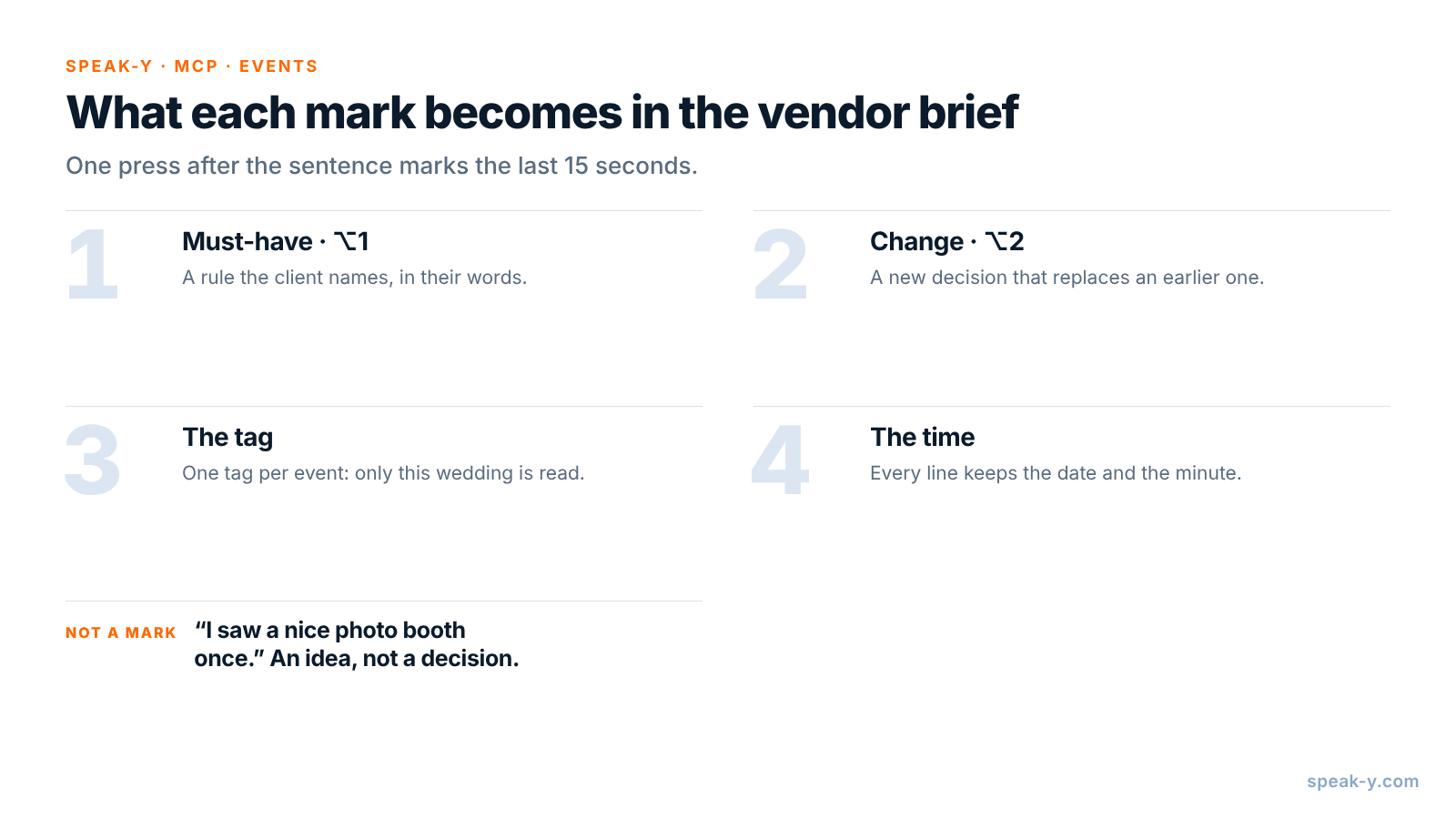
- Press after the sentence. A mark covers the last 15 seconds of the conversation, so the decision just said lands inside it.
- Ask "must or nice?" "Is the outdoor ceremony a must or a nice-to-have?" gets a sentence that sorts itself. Mark the must on ⌥1.
- Repeat the old decision back. "Are we still doing a plated dinner?" turns a quiet change into a clear sentence worth marking on ⌥2.
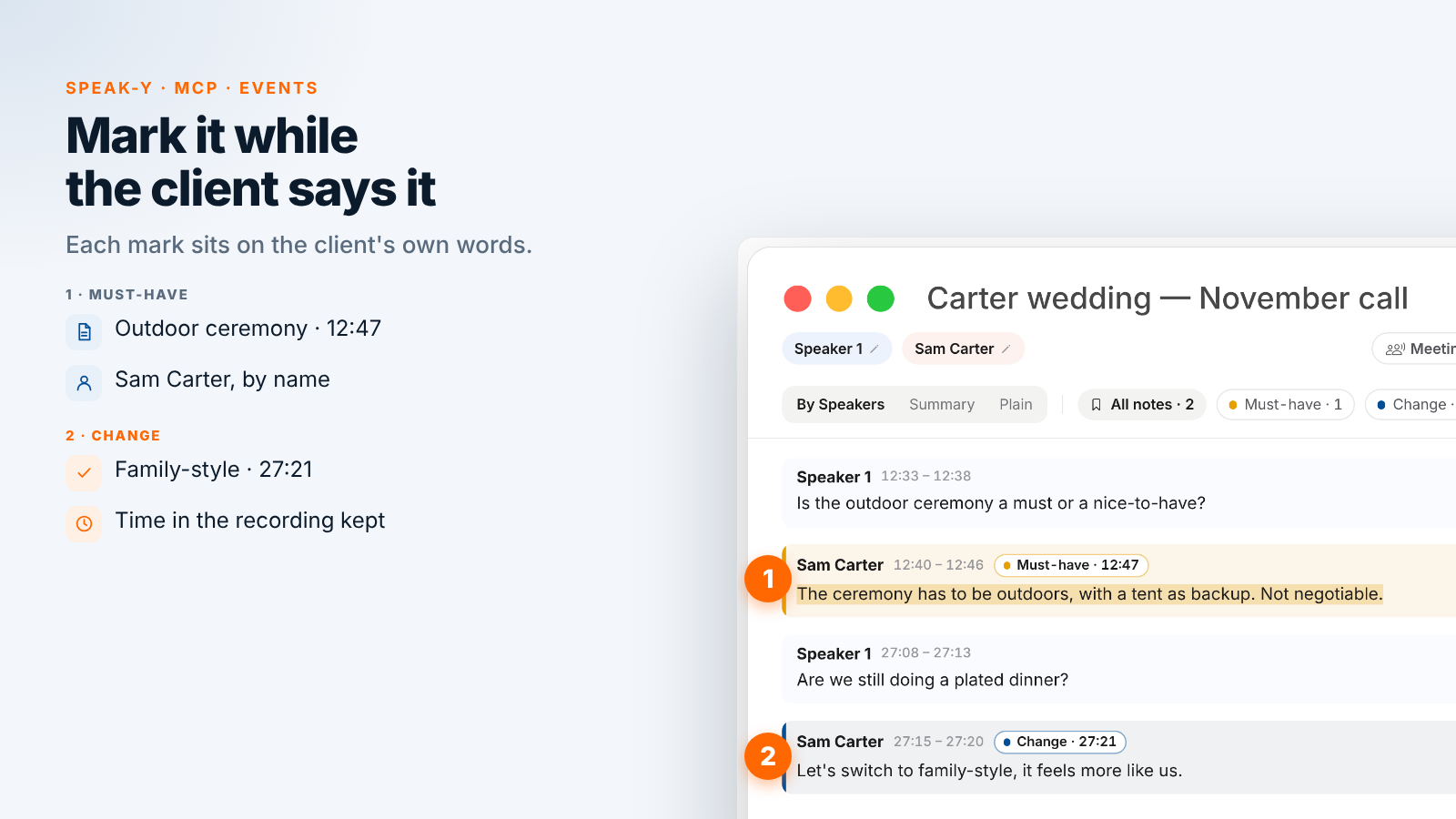
On the 18 November video call, Grace marks one must-have and one change. At 12:40 Sam says, "The ceremony has to be outdoors, with a tent as backup. Not negotiable." At 27:15, asked about the dinner, he answers, "Let's switch to family-style, it feels more like us." When Priya mentions she has seen a nice photo booth at a friend's wedding, Grace does not mark it: it is an idea, not a decision.
After the call: name the speakers, add the tag
On By Speakers, click each speaker chip and type the name and role —
"Sam Carter, groom" — so the brief quotes people, not numbers. Add the
carter-wedding tag. The chips above the transcript count the marks by type,
and a click on a chip shows only those replies.
Ask your assistant for the vendor brief
Connect your assistant to the Speak-Y MCP server once: Connect AI assistant in the account menu at the bottom of the sidebar, or Settings → Integrations, then Connect next to Claude, ChatGPT or Cursor. The steps are in how to connect meeting notes to AI assistants. The server is free on every plan and reads the library on your Mac.
Save standing instructions in a project in Claude or ChatGPT, so each time the request is one line:
Draft the vendor brief for the Carter
wedding: conversations tagged
"carter-wedding".

Rules:
- Use only my Must-have and Change marks.
- Group by vendor: venue, catering, florist,
  other.
- One line per item, in the client's words,
  with the date and the time, like
  (Nov 18, 12:40).
- A Change replaces the earlier decision on
  the same topic: keep the later one, name
  the one it replaces with its date.
- No budget, no prices, no contract terms.
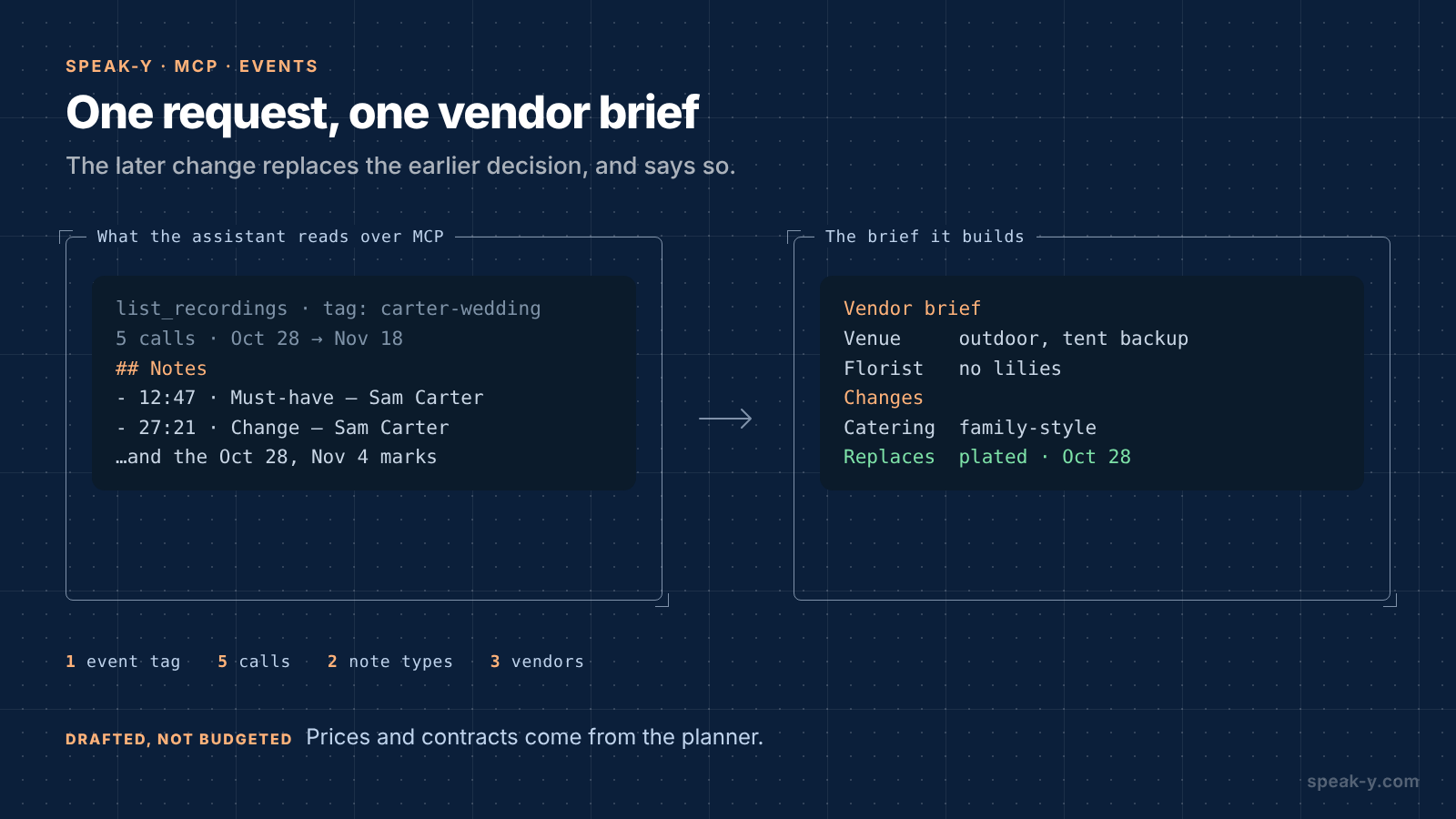
The assistant calls list_recordings with the tag and reads each
conversation. Alongside the transcript, Speak-Y hands it a Notes list —
each mark with its time, type, speaker and first words. A mark's time is the
moment you pressed the key, a few seconds after the reply began; the brief
cites the start of the reply:
Vendor brief — Carter wedding

Venue
- Outdoor ceremony, tent as backup. Sam
  Carter: "The ceremony has to be outdoors,
  with a tent as backup." (Nov 18, 12:40)

Florist
- No lilies. Priya Nair: "No lilies, my
  mother is allergic." (Nov 4, 08:05)

Changes
- Catering: family-style, not plated. Sam
  Carter: "Let's switch to family-style."
  (Nov 18, 27:15)
  Replaces: plated dinner (Oct 28, 14:02).
The recordings do not know your plan. Add it by voice: put the cursor in the assistant's message field, hold Right ⌘ — the default Speak-Y hold hotkey — say "Add: I'll call the caterer on Friday", release and send. The assistant puts your next step into the brief and marks it as yours. For a fuller brief built from one long kickoff call, see a creative brief from an agency kickoff call.
What stays with the planner
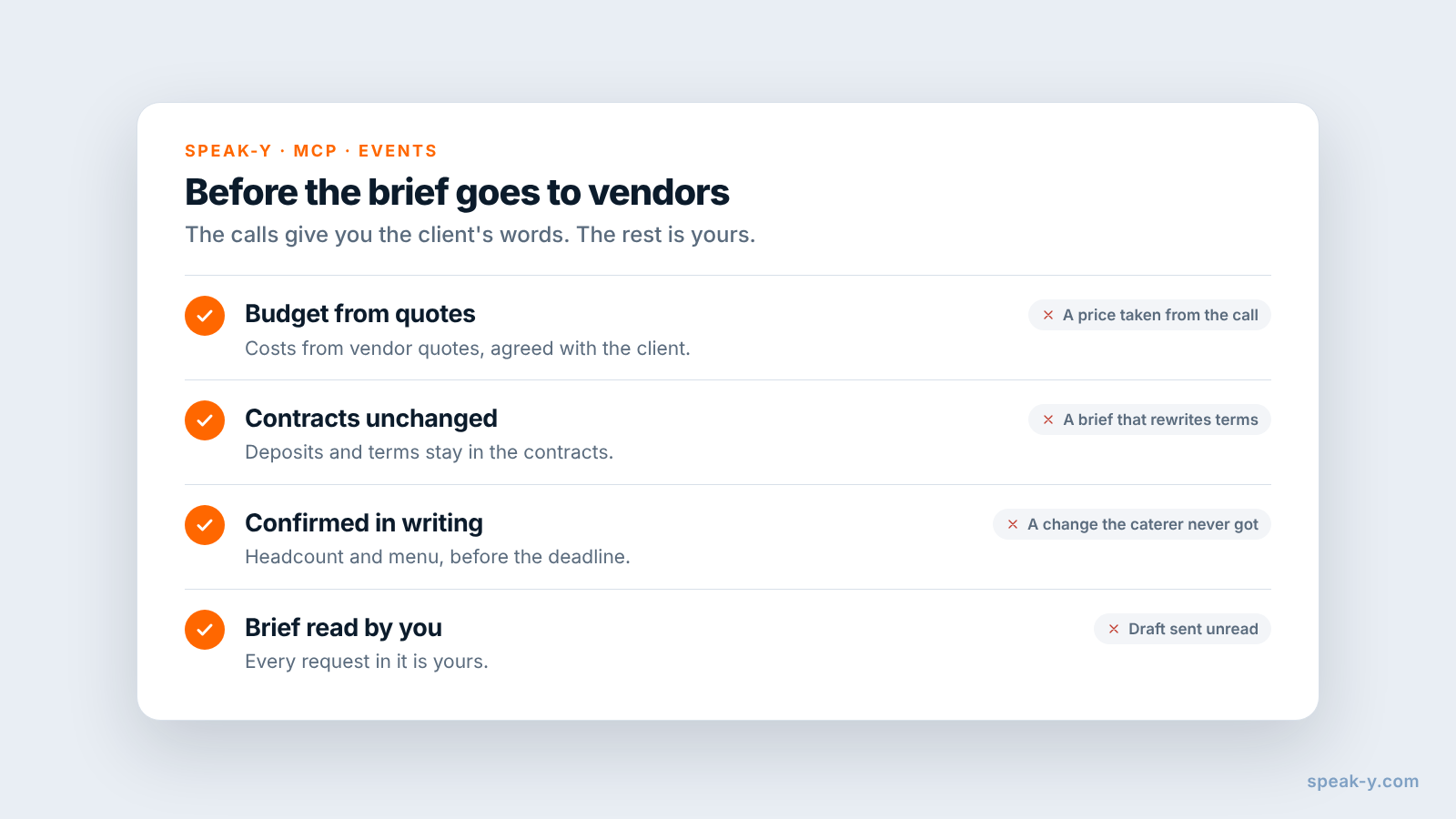
The draft knows what the couple said. Four things it cannot do:
- The budget. What family-style costs per guest, and whether a tent fits the budget, come from vendor quotes and your conversation with the client.
- The contracts. Deposits, cancellation terms and minimums live in the vendor contracts; a brief does not change them.
- The confirmations. The headcount guarantee, the final menu and the BEO are confirmed with each vendor, in writing, before their deadline.
- Your voice. Read the brief before it goes to a vendor. "Tent as backup" is a request you make, and you know whether the venue has one.
Recording consent and the assistant you choose
Speak-Y's MCP server reads the library on your Mac. The assistant you connect is a different matter: Claude or ChatGPT receive the transcripts they read, and what happens to them next depends on that service's terms and your account settings.
Planning calls carry more than menus: family tensions, guest lists, health details such as allergies, money. Ask at the start whether you may record, say who reads the transcripts, keep the event tag on this event's calls only, and send vendors only the part of the brief they need — the florist does not need the seating politics.
Limits and costs
- Length. Checked on speak-y.com on 24 November 2026: Free stops a meeting recording at 30 minutes, Pro ($10 a month) at one hour, Pro+ ($15) and Max ($30) at four hours. An hour-long planning call needs Pro; a long venue walkthrough, Pro+ or Max. The MCP server is free on every plan.
- Audio only. Mood boards, floor plans and photos of the venue are not in the recording. Say the room and the table out loud when the client reacts to them.
- Mac for marks. Note types, marks and the MCP server are in the macOS app; the recordings stay in the library on your Mac.
- Not a planning tool. Timelines, vendor contacts, payments and guest lists stay in your planning software. Speak-Y keeps what was said.
The short version
Must-have on ⌥1, Change on ⌥2, one tag per event. Ask "must or nice", repeat the old decision back, press the key; then speaker names and the tag. One request gives a brief by vendor in the client's words, with the call and the time, the latest decision on top and the replaced one named. Budget, contracts and confirmations are yours. For the client side of the same calls, see a client call follow-up email.
FAQ
Can an AI assistant write a vendor brief from recorded client calls?
It can draft one from what the client said. Connected to the Speak-Y MCP server, Claude, ChatGPT or Cursor reads the calls with the event's tag — the transcript by speaker and a Notes list of your marks with their times — and sorts each must-have by vendor in the client's words, with the date and the time in the recording. Budget, contracts and confirmations stay with the planner.
How do I keep the latest decision when a client changes their mind?
Mark it as a change. In Speak-Y, add a note type called Change under Settings → Notes and press its hotkey when the client replaces an earlier decision. Ask the assistant to keep the later mark, name the decision it replaces with its date, and put both in a Changes section of the brief.
How do I mark a client's must-haves during a planning call?
Create note types in Speak-Y under Settings → Notes: rename the default Mark the moment to Must-have on ⌥1 and add Change on ⌥2. A press marks the last 15 seconds of the conversation with that type, so the sentence the client just said lands in the assistant's list sorted, with the speaker and the time.
Do I need the client's consent to record a planning call?
Ask every time, at the start. Some US states, California among them, require the consent of all parties to record a confidential conversation. A simple habit works everywhere: ask whether you may record, say who will read the transcript, and stop if the client says no.
Which Speak-Y plan do I need for hour-long planning calls?
Pro for calls up to an hour, Pro+ for longer ones. Checked on speak-y.com on 24 November 2026: Free stops a meeting recording at 30 minutes, Pro ($10 a month) at one hour, and Pro+ ($15) and Max ($30) at four hours. The MCP server is free on every plan.