Newsletter Draft From Voice Notes: A Week of Ideas, One Outline
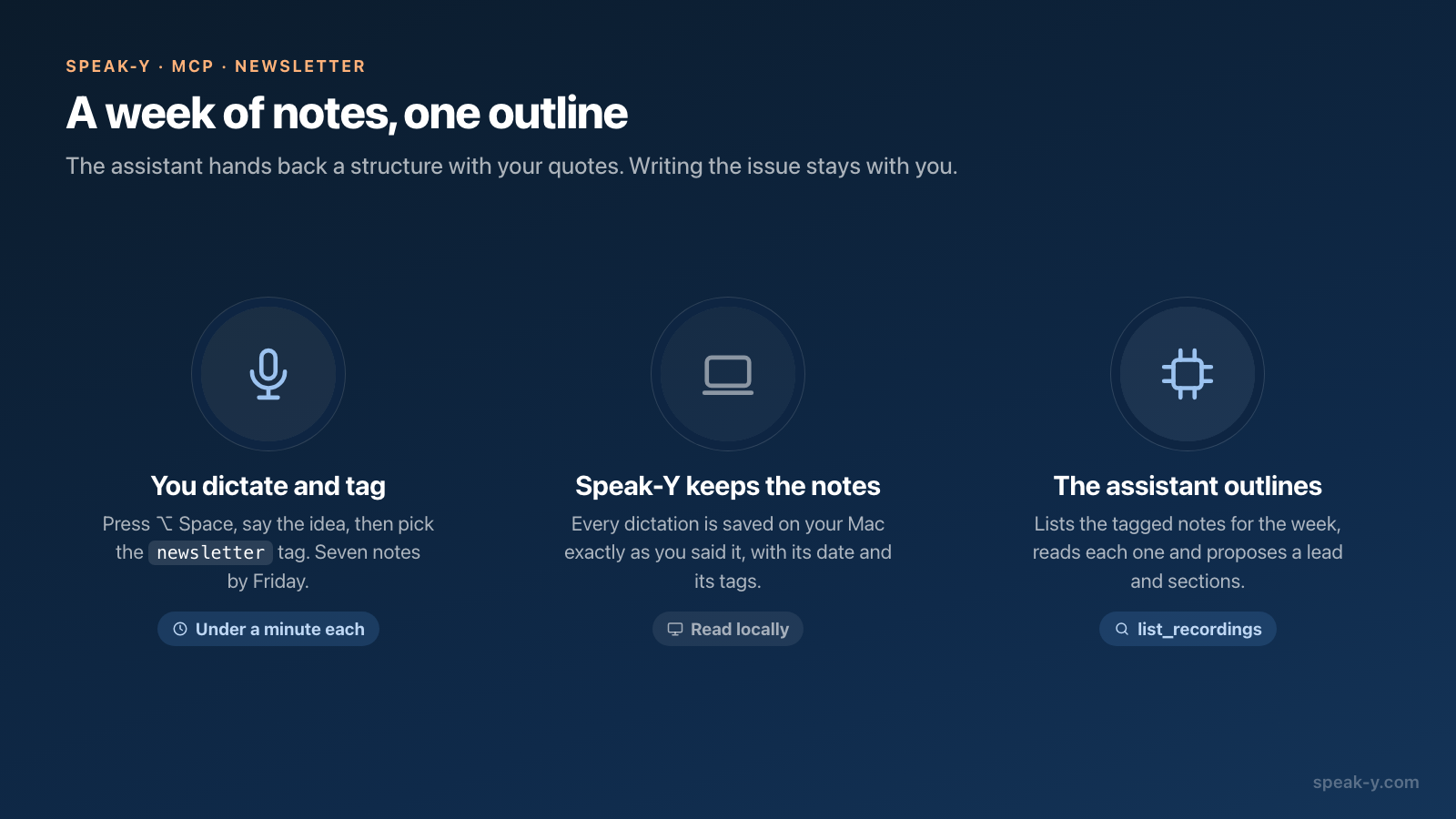
A weekly newsletter can be outlined in about ten minutes from the voice notes
you dictated during the week. Say each idea out loud when it comes, put the tag
newsletter on the note, and on publishing day ask an AI assistant connected to
Speak-Y over MCP for an outline. It lists the tagged notes of the week, reads
them, and proposes a lead, two or three sections and a short item, with your
own words quoted and the date of the note after every line.
The assistant does not write the issue. You choose what goes in, and you write each section by dictating it and cleaning it up with AI Process, so the newsletter still sounds like you. This guide follows one author through one week; the app labels and tool names were checked against the macOS app on October 22, 2026.
Why collect newsletter ideas by voice?
Because the good ideas arrive away from the draft: after a call, on a walk, halfway through someone else's article. A typed note at that moment is usually three words that mean nothing on Friday. A spoken note is a paragraph — the idea, the example and why it matters — because talking costs almost nothing.
The trouble with voice notes is the opposite: by the end of the week there are too many, in no order, and some of them repeat each other. Sorting them is the part an assistant does well. Deciding which one deserves to lead the issue is the part it does not.
How do you capture ideas during the week?
Two moves per idea, both under a minute.
- Dictate it. In the Speak-Y app for Mac, press ⌥ Space, talk, and press ⌥ Space again. No text field needs to be active: every dictation is saved under Dictations in the Speak-Y window. Say the idea, one example and one sentence on why a reader should care.
- Tag it. Open the note, click Tags and pick
newsletter. The first time, type the name in Search or create… and choose Create new tag; from then on it is one click.
Take Maya, who writes a weekly newsletter about product design. In the week of
October 12–16, 2026, she dictates seven notes with the tag newsletter: a
thought about onboarding checklists on Monday, a pricing page she saw and a
reader question about empty states on Tuesday, more on empty states on
Wednesday, a conversation with a support lead and a changelog idea on Thursday,
and on Friday morning the sentence that becomes her lead: "people don't read
onboarding, they skim for the next button."
One tag for the whole newsletter is enough, because the date range separates the issues. A note that belongs to a later issue can simply wait: if it is not used this week, it is still tagged next week.
How does the assistant find the week's notes?
With two tools of the Speak-Y MCP server. list_recordings takes the
filters an issue needs:
tag— only notes carryingnewsletter, matched exactly but without regard to case;date_fromanddate_to— plain dates such as2026-10-12and2026-10-16; a date without a time covers that whole day;limit— 20 notes by default, up to 100.
The answer lists the notes newest first, with the date, the word count, the
tags and the first 160 characters of the text. For each one the assistant then
calls get_transcript, which returns the full text of the note.
That text is the dictation as you said it. Versions you made with AI Process are not part of what the MCP server returns, so the assistant works from your raw wording — exactly what it should quote back to you. Reading happens locally, from the library on your Mac; nothing is uploaded to Speak-Y to answer the request. To connect a client, click Connect next to it in Settings → Integrations.
What should you ask for?
An outline, not a newsletter. A template that works:
Outline this week's newsletter from my Speak-Y notes.

Notes: tag newsletter, from Monday to Friday of this week.
Read every note in full.

Give me:
- a lead: the one idea the issue opens with, and why
- two or three sections, each with the notes it comes from
- one short item for the end
- "thin": notes that are only a sentence and need an example

Rules:
- Quote my own words, with the date of the note after each quote.
- Do not write paragraphs for me. Do not add ideas I did not say.
- If two notes say the same thing, put them in one section.
- End with how many notes you read and how many you used.
The last rule is what lets you trust the outline: seven notes read, six used means one idea was left out on purpose, and the outline says which. Save the template where your client keeps standing instructions — a project in Claude or ChatGPT, a rules file in Cursor — and the Friday request shrinks to one line. More phrasing of this kind is in prompts to ask AI about your recordings.
What does the outline look like?
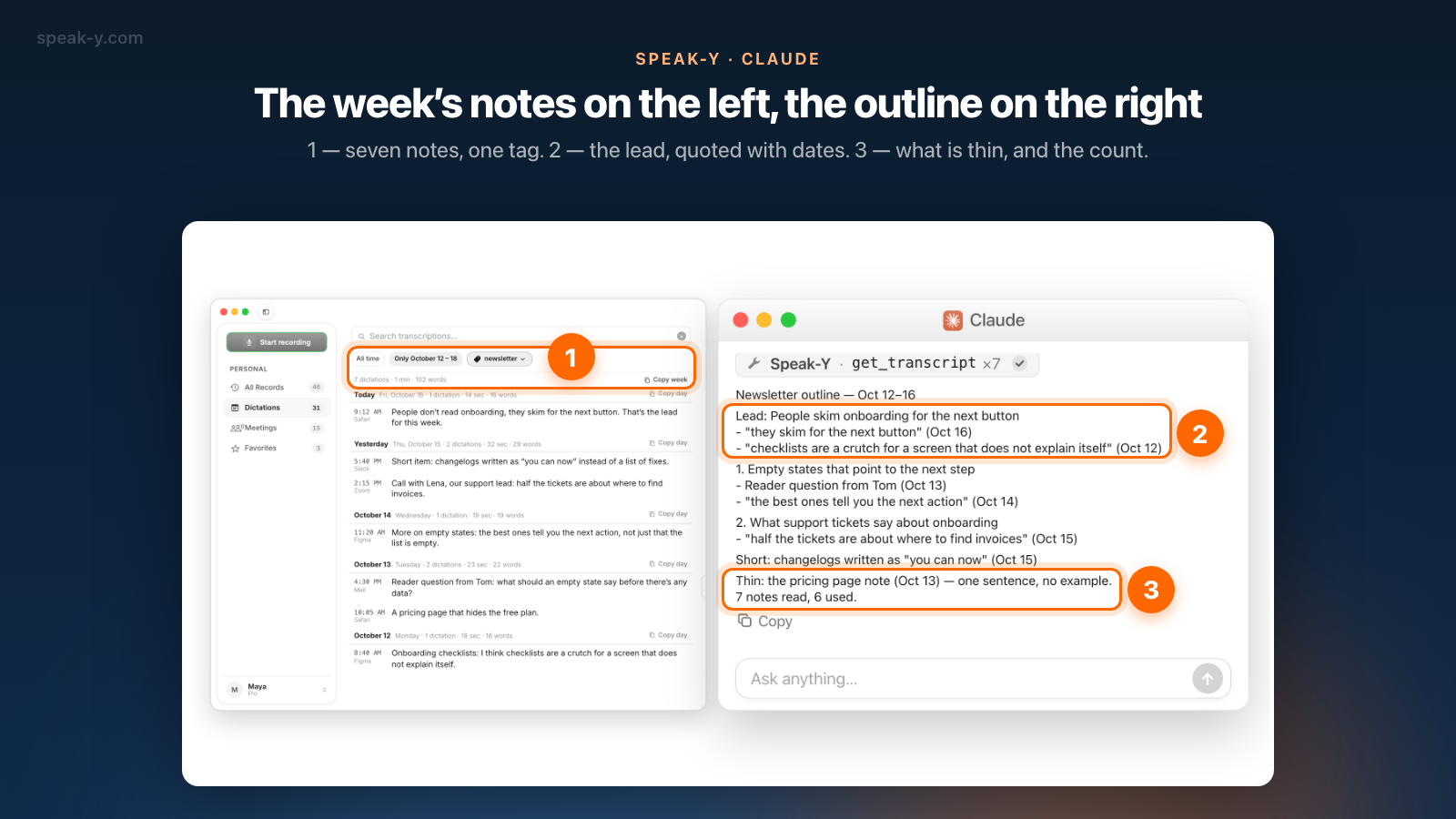
Maya asks: "Outline this week's newsletter from my Speak-Y notes tagged
newsletter, Oct 12–16. Don't write it." The assistant calls list_recordings
once, get_transcript seven times, and answers:
Newsletter outline — Oct 12–16

Lead: People skim onboarding for the next button
- "they skim for the next button" (Oct 16)
- "checklists are a crutch for a screen that does not explain itself" (Oct 12)

1. Empty states that point to the next step
- Reader question from Tom (Oct 13)
- "the best ones tell you the next action" (Oct 14)

2. What support tickets say about onboarding
- "half the tickets are about where to find invoices" (Oct 15)

Short: changelogs written as "you can now" (Oct 15)

Thin: the pricing page note (Oct 13) — one sentence, no example.
7 notes read, 6 used.
Two things in it are hard to get from memory. The lead joins a note from Friday with one from Monday that Maya had forgotten, and the two empty-state notes, two days apart, became one section. The "thin" line is useful too: the pricing page idea needs an example before it can go into an issue, so it waits for next week.
How do you check the outline?
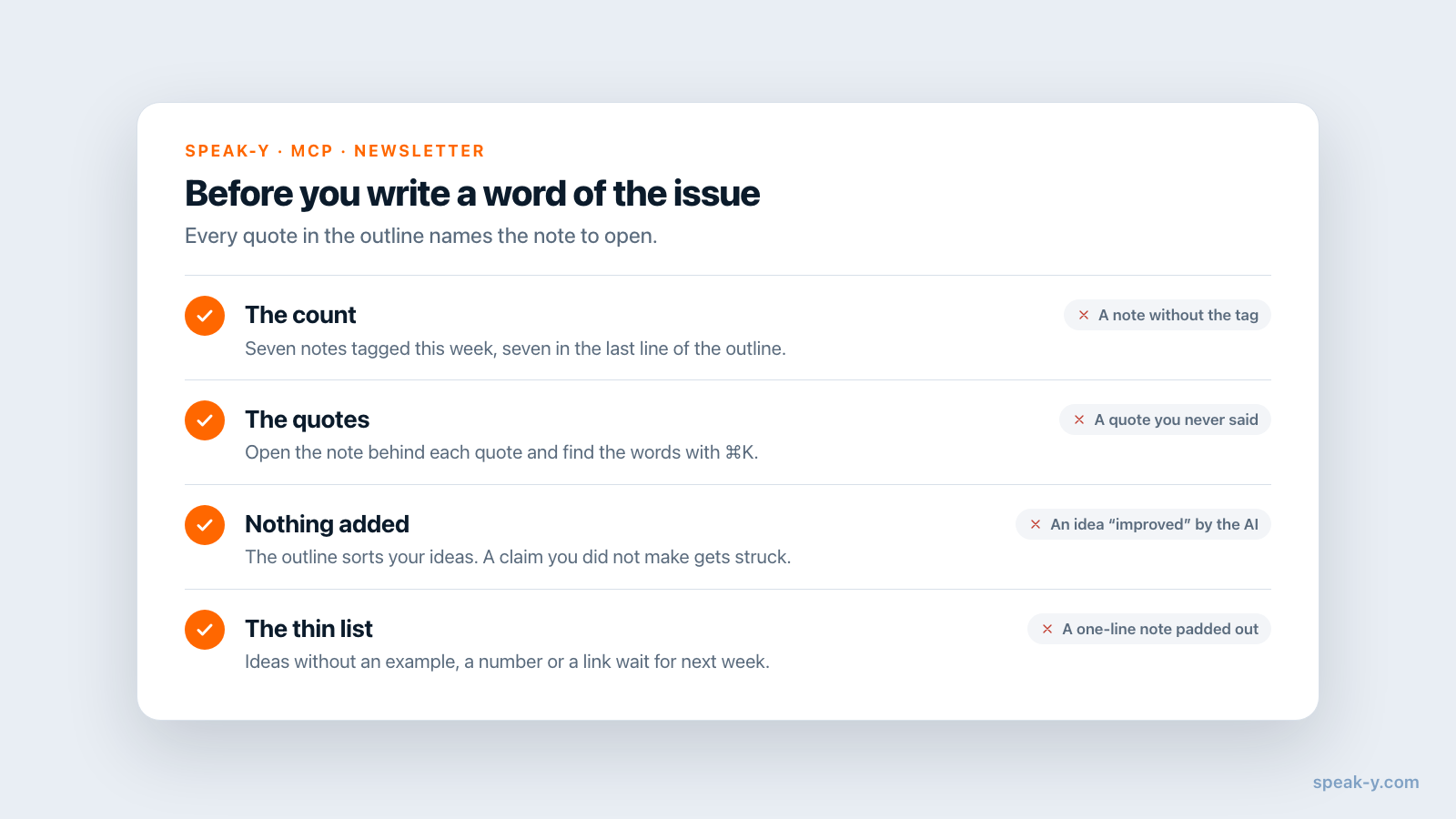
Before writing a word of the issue, spend two minutes on four checks:
- The count. Seven notes tagged this week, seven read. A missing note has no tag or was dictated outside the dates.
- The quotes. Open the note behind each quote and make sure the words are there. A quote should be found by ⌘K in the Speak-Y window, which searches the text you dictated.
- Nothing added. An outline that "improves" an idea with a claim you never made is the first step to a newsletter that is not yours. Strike it.
- The thin list. It tells you which ideas need an example, a number or a link before they can be used. Better to move them to next week than to pad them now.
How do you write it in your own voice?
Section by section, by talking. With the outline in front of you, press ⌥ Space and say the section as you would explain it to a reader — filler words, restarts and all. Then:
- Open the new note under Dictations and press AI Process.
- In the AI Processing window, click Grammar Fix under Quick Actions. It fills in a prompt that fixes grammar and punctuation, removes filler words and keeps the meaning and tone.
- Press Apply. The cleaned text opens as a new tab next to Original; the dictation itself is not changed.
- Click Copy at the bottom of the note — it copies the tab that is open — and paste the section into your newsletter editor.
Grammar Fix is the right tool here because it does not rewrite. The sentences, the examples and the order are the ones you said; only the "um" and the false starts are gone. A free-form prompt such as "make it punchier" gives you someone else's newsletter. If a section needs a structure first, the voice notes to a structured draft guide shows custom prompts in the same window.
What stays your job?
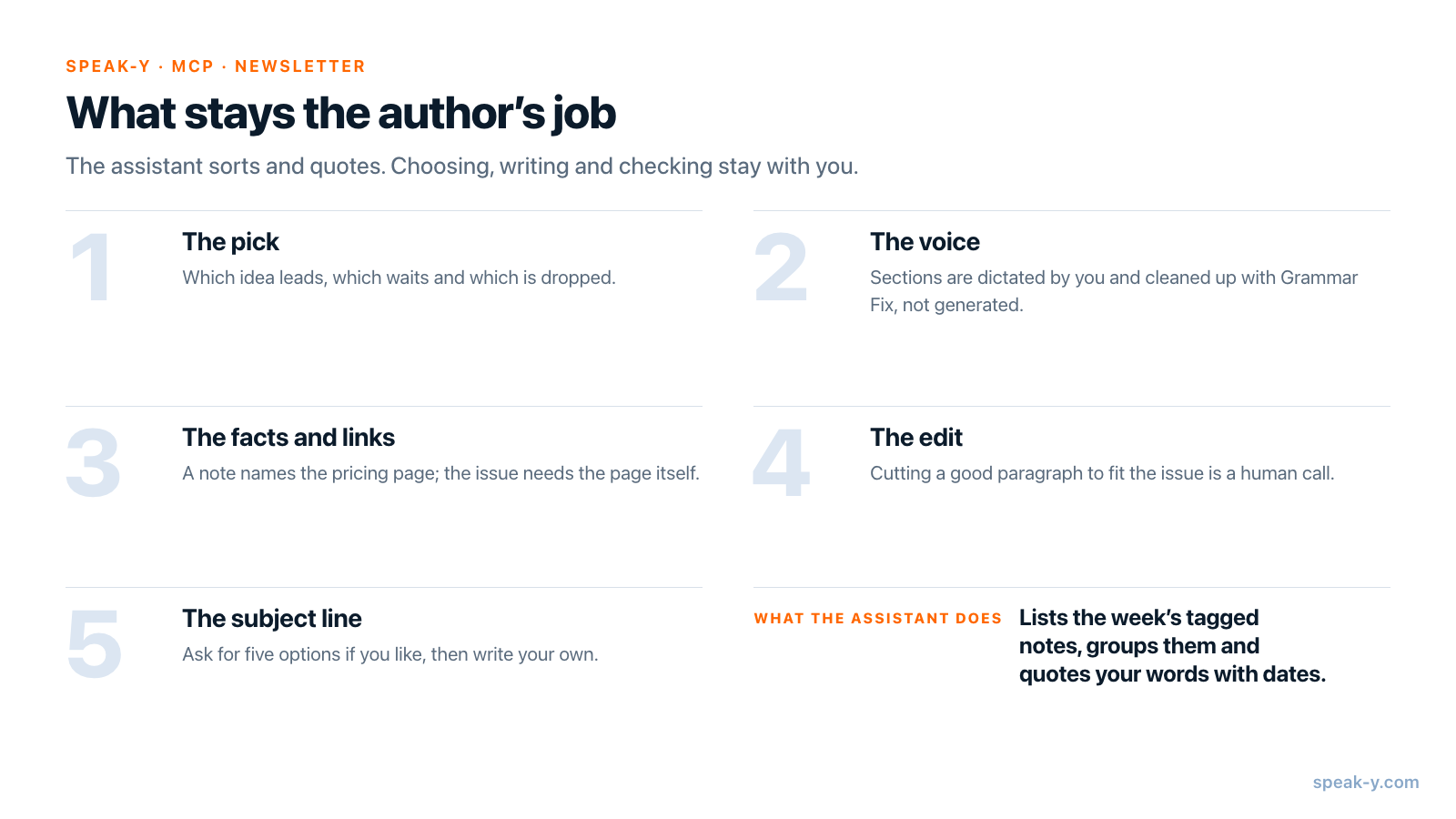
Everything that makes a newsletter worth opening:
- The pick. Which idea leads, which waits, which is dropped. The outline proposes; it cannot know what your readers already heard last month.
- The voice. Sections are dictated by you and cleaned up, not generated.
- The facts and links. A note says "a pricing page that hides the free plan"; the issue needs the page, a screenshot and the date you saw it.
- The edit. Cutting a good paragraph because the issue is too long is still a human decision.
- The subject line. Ask the assistant for five options if you like, and then write your own.
What leaves your Mac, and what does it cost?
The MCP server reads from the library on your Mac. What the assistant reads — the text of your notes — then becomes part of your conversation with the model provider, as with any MCP server; local vs cloud MCP shows the path. Notes for a newsletter are usually meant to be published, but a note dictated after a confidential call is not: keep the tag off it.
As of October 22, 2026 (pricing): the MCP server is free on every plan. Free includes 2,000 dictated words a week on the Mac and 50 AI requests a week, where each AI Process Apply is one request. Pro has unlimited dictation and 200 AI requests a week; Pro+ and Max have no AI request limit.
When does another tool fit better?
When you want the merge done inside the notes app. AudioPen, for example, rewrites each voice note in a writing style you choose, including a custom style built from a sample of your writing. Its paid Prime plan combines notes into SuperSummaries and lists read-only access for AI assistants over MCP; the free tier records up to three minutes per note and Prime up to 15 (AudioPen website, checked October 22, 2026).
The route in this guide suits authors who already have their notes, meetings and dictation in one Mac app and want the structure from an assistant of their choice, with the final words written by themselves. The same tag-and-date idea works for anything you assemble weekly — for meetings instead of notes, see the weekly report from meetings.
FAQ
Can an AI assistant turn my voice notes into a newsletter draft?
Into an outline, yes. With Speak-Y connected over MCP, an assistant such as Claude, ChatGPT or Cursor lists the week's dictations that carry your newsletter tag, reads each one and proposes a lead, sections and short items, quoting your own words with the date of the note. Writing the issue itself works better in your own voice, dictated and cleaned up with AI Process.
How does the assistant know which notes are for the newsletter?
By a tag. Put one tag, for example newsletter, on every dictation meant for the issue: open the note, click Tags and pick it. The list_recordings tool of the Speak-Y MCP server filters by that tag and by a date range, so notes without the tag are not listed and not read.
Does the assistant see the AI Process versions of my notes?
No. The MCP server returns the text of each note as you dictated it, not the versions made with AI Process. That is what an outline should be built from: your own wording, which the assistant can quote back with the date of the note.
Will the AI write the newsletter in my voice?
Not reliably, which is why this routine does not ask it to. The assistant proposes the structure; you dictate each section in your own words and press AI Process → Grammar Fix, which fixes grammar and punctuation and removes filler words while keeping the meaning and tone. The words in the issue stay yours.
Do I need a paid Speak-Y plan for this?
No. The MCP server is included in every plan, Free too. As of October 22, 2026, Free includes 2,000 dictated words a week on the Mac and 50 AI requests a week; each AI Process Apply is one request. Pro has unlimited dictation and 200 AI requests a week, Pro+ and Max are unlimited.