Proposal From a Discovery Call: Draft It in the Client's Words
A proposal written from a discovery call should sound like the client described their own problem — because they did, forty minutes ago. An AI assistant connected to Speak-Y over MCP can draft that part for you: the situation, the goals and the scope as discussed, in the client's words, with a quote and the time each point was said. You mark the important moments during the call with ⌥1, ask one sentence afterwards, and get a draft in which every claim can be checked against the recording.
What the assistant should not write is the price, the timeline and the promises. It knows the client's budget, not your costs; it knows the board meeting date, not your calendar. Those sections stay empty in the draft, and you fill them — by keyboard or by voice. This guide follows the Speak-Y macOS app and the vendors' documentation as checked on 16 October 2026.
Why draft from the call and not from memory?
Because memory rewrites the client's words into yours. By the evening after a discovery call, "we are paying people to call patients who are not going to answer" has become "inefficient appointment confirmation process". The second version is accurate and persuades nobody: the client does not recognise their own problem in it.
A recording keeps three things a proposal needs and notes lose:
- The wording. A sentence the client actually said, quoted in the Situation section, tells them you listened.
- The numbers. Forty appointments a week, $180 per empty chair, a budget ceiling — said once, easy to round in your head.
- What was not said. If nobody discussed the approach or the start date, the draft should show a gap there, not a plausible paragraph.
During the call: mark the problem and the budget
Record the call as a meeting in Speak-Y. Nothing joins the call and no bot appears in the participant list: Speak-Y records the microphone and the call's sound on your Mac, so it works the same in Zoom, Google Meet or Teams. Tell the client you are recording.
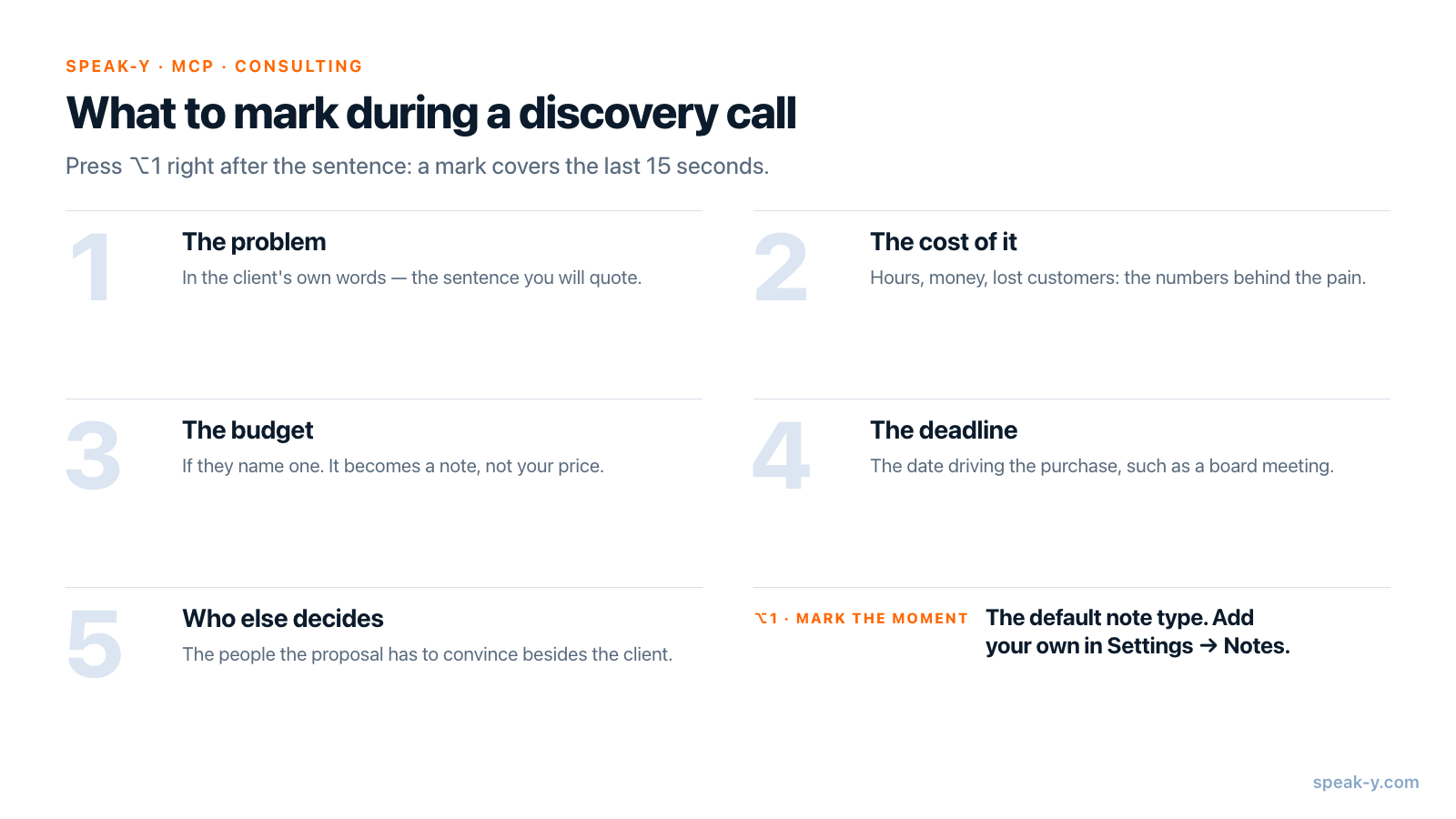
Then press ⌥1 — the default Mark the moment note — right after each sentence the proposal will need. A mark covers the last 15 seconds of the transcript, so press after the point is made, not before. In a typical discovery call that is four or five marks:
- The problem, in the client's words.
- The cost of the problem — hours, money, lost customers.
- The budget, if they name one.
- The deadline that is driving the purchase.
- Who else decides.
If you want the marks sorted by kind, add your own types in Settings →
Notes → Add note type, such as Problem on ⌥2 and Budget on ⌥3.
One type is enough to start.
What should the proposal prompt say?
The structure of your proposal, and rules about evidence. Speak-Y's MCP server hands the assistant the recording as Markdown: the AI summary, a Notes section listing every mark with its time, and the transcript by speaker with timestamps. Connect it once — Connect AI assistant in the account menu, or Settings → Integrations, then Connect next to your client; the steps are in how to connect meeting notes to AI assistants. A prompt that works:
Draft a proposal from my last discovery call in Speak-Y.

Sections: Situation, Goals, Scope as discussed, Investment,
Timeline, Approach.

Rules:
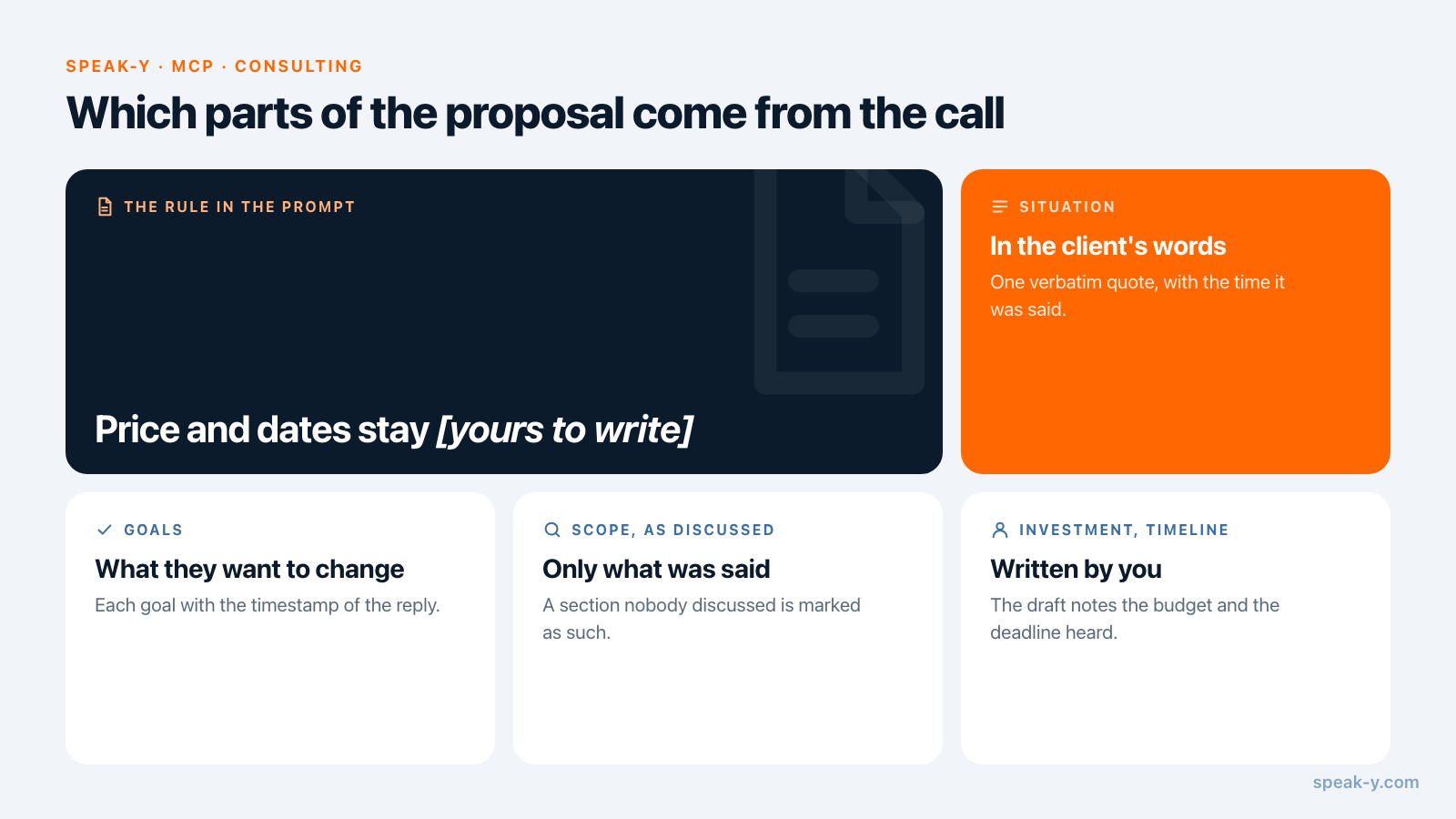
- Use the client's words. Quote one sentence verbatim in
  Situation, with its time.
- After every number, date and name, put the time of the
  reply it comes from, like (21:40).
- Start from the moments I marked; they are in the Notes section.
- Investment and Timeline: do not write a price or dates.
  Write "[yours to write]" and what the client said about
  budget and deadlines, with the time.
- If a section was not discussed, say so. Do not invent it.
Save it where your MCP client keeps standing instructions — a project in Claude or ChatGPT, a rules file in Cursor — so that after each call the request is just "Proposal draft from my last discovery call."
What the draft looks like
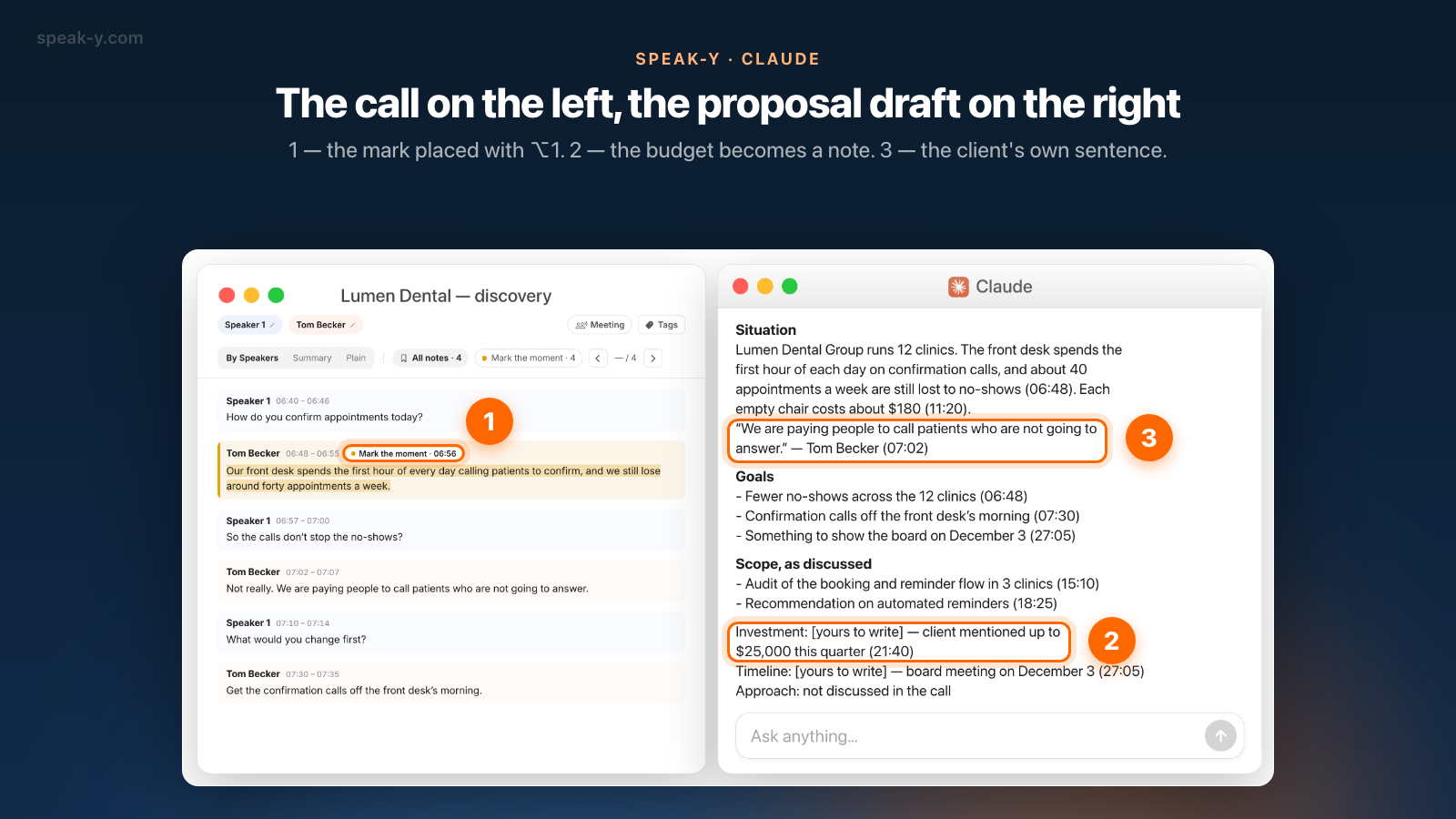
Take a 40-minute discovery call with Tom Becker, COO of a group of 12 dental
clinics, about appointment no-shows. You marked four replies. After the call
you rename Speaker 2 to "Tom Becker" on the By Speakers tab, so the
assistant quotes him by name, and ask for the draft. The assistant calls
get_latest_recording and returns:
Situation
Lumen Dental Group runs 12 clinics. The front desk spends the
first hour of each day on confirmation calls, and about 40
appointments a week are still lost to no-shows (06:48). Each
empty chair costs about $180 (11:20).
"We are paying people to call patients who are not going to
answer." — Tom Becker (07:02)

Goals
- Fewer no-shows across the 12 clinics (06:48)
- Confirmation calls off the front desk's morning (07:30)
- Something to show the board on December 3 (27:05)

Scope, as discussed
- Audit of the booking and reminder flow in 3 clinics (15:10)
- Recommendation on automated reminders (18:25)

Investment: [yours to write] — client mentioned up to
  $25,000 this quarter (21:40)
Timeline: [yours to write] — board meeting on December 3 (27:05)
Approach: not discussed in the call
Before it goes anywhere, open the recording and check the timestamps on By Speakers: the budget at 21:40, the quote at 07:02. Assistants tidy spoken language, and a tidied sentence is no longer a quote — copy it from the transcript if the wording changed.
What the assistant should not write
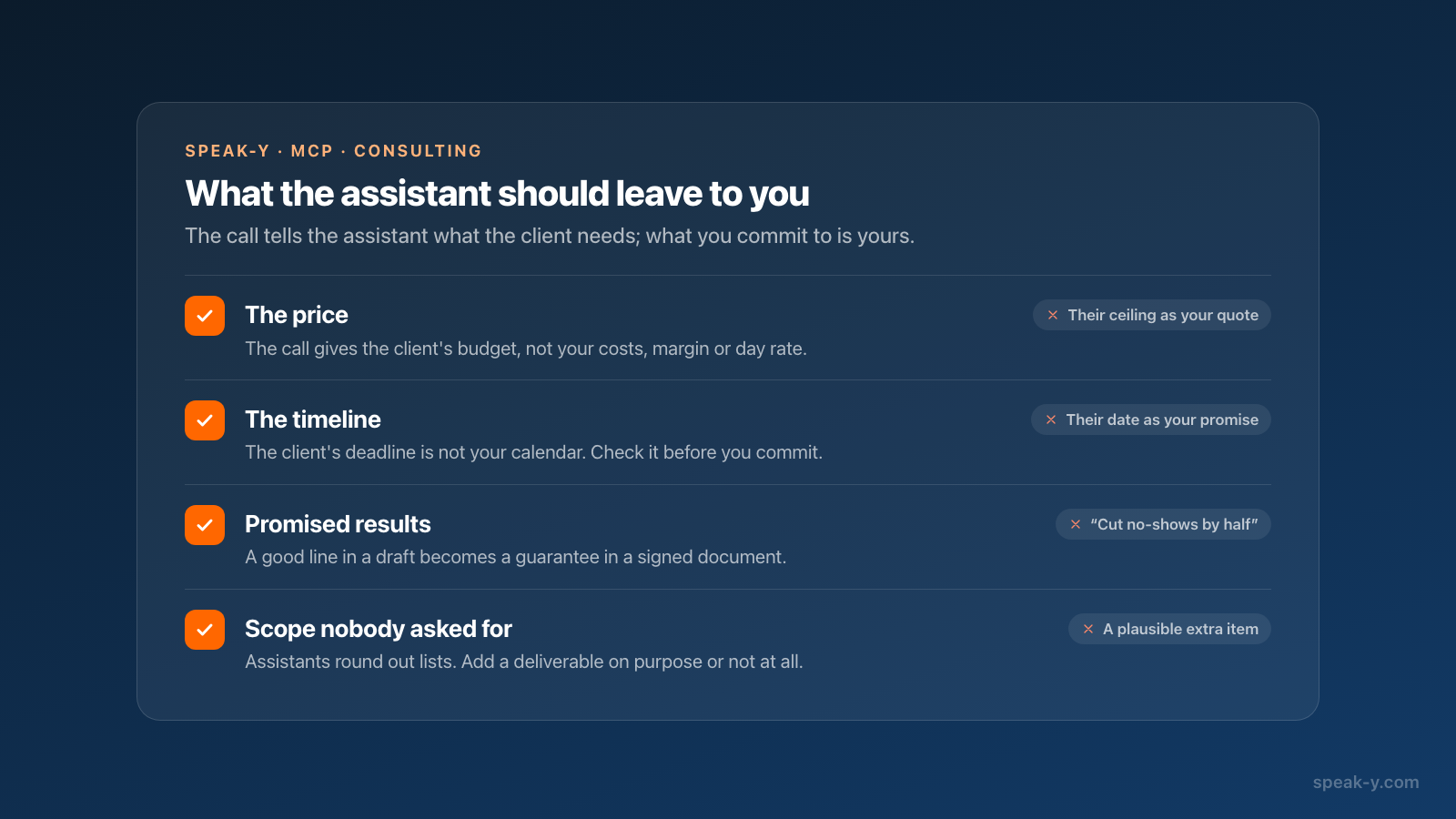
Four parts of a proposal are commitments, and a call transcript is not enough to make them:
- The price. The call gives the client's budget, not your costs, margin or day rate. An assistant asked for a price tends to echo the budget it heard — and the client's ceiling becomes your quote.
- The timeline. "Something for the board on December 3" is the client's deadline. Whether you can meet it depends on your calendar, which the assistant has not seen.
- Promised results. "Cut no-shows by half" reads well in a draft and is a guarantee in a signed document. Write outcomes you can stand behind.
- Scope nobody asked for. Assistants round out lists. A deliverable that was not discussed is either a sales decision or a mistake — make it on purpose.
Fill the gaps by voice
The empty sections are where your thinking goes, and talking is faster than typing for a first pass. Put the cursor in the assistant's message field and hold Right ⌘ — the default Speak-Y hold hotkey — and say the section:
Add an Approach section: two weeks of interviews with front-desk staff in three clinics, then a four-week reminder pilot in one of them.
Release the key and the text is typed where the cursor is. Send it, and the assistant adds the section in the draft's style. The same works for the price and the timeline: dictate your own figures and dates, then ask the assistant to put them in. For long passages, press ⌥ Space once to start and once to stop instead of holding a key; more in from voice notes to a structured draft.
Then move the text into your proposal template — Google Docs, Pages, Word or a proposal tool — and read it once as the client will.
When does a proposal tool fit better?
When the proposal has to be sent, signed and paid in one place. Proposal platforms do that part, and they have AI of their own. As of 16 October 2026:
- Proposify describes an AI generator inside its editor that drafts sections such as the executive summary and scope of work from call notes or meeting transcripts you give it; e-signatures are on every plan.
- PandaDoc documents a Claude connector, built on MCP and available on every plan including Free, that creates documents from your PandaDoc templates and sends them for signature.
They combine with this route rather than replace it. With the PandaDoc connector added next to Speak-Y in Claude, the request becomes "draft the proposal from my last call, then create it from my consulting template". The second half runs under PandaDoc's connector and permissions, not Speak-Y's.
What leaves your Mac?
The MCP server reads the recording locally; nothing is uploaded for it to do so. What the assistant reads then becomes part of your conversation with the model provider — true of every MCP server. A discovery call holds the client's numbers and internal problems, so decide before you ask, especially under an NDA. Local vs cloud MCP shows where the text travels. The same call also gives you the deal note for your CRM — CRM update after a sales call covers that half — and, if you work with a team, the recording can go to a client channel in Speak-Y Teams.
FAQ
Can an AI assistant write a proposal from a discovery call recording?
It can write the first draft of the parts that come from the call: the client's situation, their goals and the scope you discussed, with quotes and the time each one was said. Connected to Speak-Y over MCP, an assistant such as Claude, ChatGPT or Cursor reads the transcript and your marks on your Mac. The price, the timeline and the approach stay yours to write.
Why shouldn't the assistant set the price in a proposal?
Because the call only tells it the client's budget, not your costs, your margin or how much of your calendar the work takes. An assistant asked for a price will usually echo the budget it heard, which turns the client's ceiling into your quote. Let it note the budget with its timestamp and write the figure yourself.
How do I add a section that was not discussed in the call?
Dictate it. Put the cursor in the assistant's message field, hold Right ⌘ — the default Speak-Y hold hotkey — and say what the section should contain; release, and the text is typed where the cursor is. Ask the assistant to add it to the draft, or dictate straight into the proposal document.
Do I need a paid plan for this?
The MCP server is included in every Speak-Y plan, Free too. The limit that matters is meeting length: checked on speak-y.com on 16 October 2026, Free stops a meeting recording at 30 minutes and Pro ($10 a month) at 60, which covers most discovery calls.
Does the client's call leave my Mac?
The MCP server reads the transcript locally, from the library on your Mac. What the assistant reads becomes part of your conversation with the model provider, as with any MCP server. If the discovery call is under an NDA, decide before you ask whether an assistant should read it.