A Team Decision Log That Keeps Itself: One Channel, One Hotkey
Every product team has tried a decision log, and most have a dead one: a wiki page with six careful entries from the first month and nothing after. The log dies because writing an entry is a second job. The decision is made at 11:40 in a meeting; the entry is due afterwards, from memory, by whoever feels responsible that week.
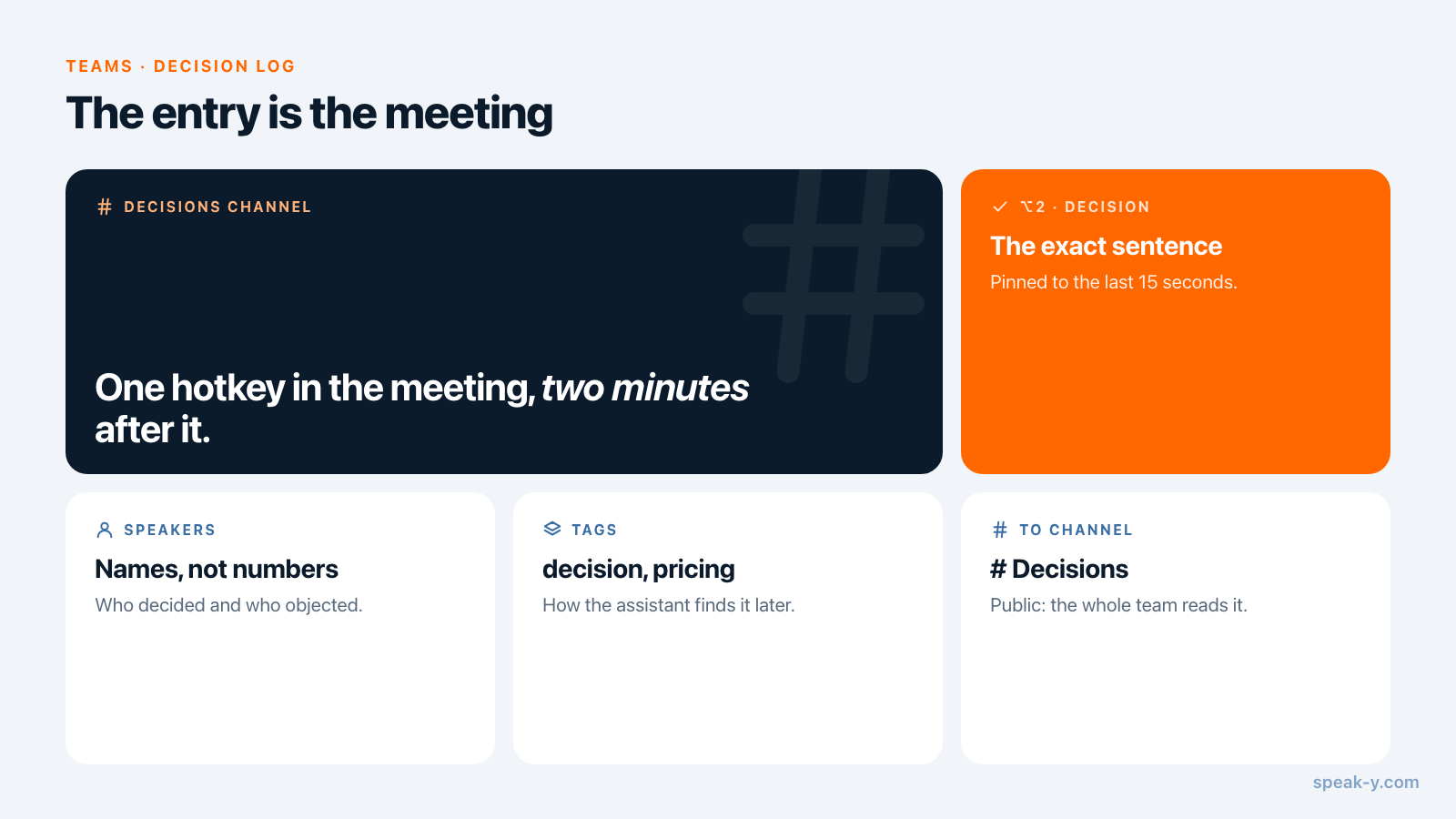
A log that keeps itself turns that around. Record the meeting, press one hotkey when the decision is said aloud, and share the recording to a public channel called Decisions. The entry is the meeting: who said what, the summary, the action items, and a mark on the exact sentence. A quarter later, "why did we decide that?" is a search in the channel or a question to an AI assistant.
This guide follows the Speak-Y macOS app as checked on 13 October 2026, for a product team of five to twenty people. It assumes a workspace already exists; if not, set one up first.
Why does a decision log die?
Three reasons, and none of them is laziness:
- The entry is written later. By the time someone opens the wiki, the wording has softened. "Annual stays the default, we revisit in January" becomes "aligned on pricing".
- The reasons are missing. A hand-written entry records the outcome. The objection that almost won, and the number that settled it, stay in the room.
- Nobody owns the page. A log that depends on one conscientious person stops when that person goes on holiday.
A recording fixes the first two for free: the wording and the debate are in the transcript. The remaining work is making the decision easy to find in an hour of talk, which is what the mark and the channel are for.
Set up once: a Decision mark and a Decisions channel
The mark. Speak-Y ships with one note type, Mark the moment on ⌥1. Add
your own in Settings → Notes: click Add note type, type Decision
into Type name, click Save, then Set hotkey and press ⌥2. Each
person who records does this once on their own Mac. Agree on the name, so the
marks read the same for everyone.
The channel. Open the workspace's ⋯ menu in the sidebar, choose New channel, name it Decisions and create it as public (#). Public channels are created by the workspace owner or an admin, and everyone in the workspace reads them — including people who join next year, which is the point of a log. A public channel cannot be made private later, so keep decisions that involve people or pay in a separate private channel; the choice is covered in who sees what in meeting channels.
In the meeting: say it, then press the key
A decision the transcript cannot find was never said clearly. Before pressing the key, one person says the decision as a full sentence:
So we decided: annual stays the default toggle, monthly is one click away. We revisit after the January cohort.
Then press ⌥2. Speak-Y pins a Decision mark to the last 15 seconds of the transcript, in the type's colour. Nothing is typed. The mark buttons next to the recording pill work without the hotkey, and they are invisible during screen sharing, so a demo is not interrupted.
The sentence does two jobs. It gives the mark something exact to point at, and it makes the room hear the decision once more — which is when someone says "wait, that is not what I agreed to", while it is still cheap.
Speak-Y records on the Mac of whoever presses the button, and no bot joins the call. Tell people at the start that the meeting is recorded; the rules differ by place and are covered in is it legal to record meetings.
After the meeting: name, tag, share
Two minutes once the transcript is ready:
- Name the speakers. On By Speakers, click a Speaker 2 chip and type the name. In three months "Leo objected" is useful and "Speaker 3 objected" is not.
- Tag it. Click Tags and pick
decisionplus one topic tag such aspricing. The topic tag is how the assistant finds the meeting later. - Share it. Press To channel under the transcript and pick Northbeam Product / Decisions. The transcript with names and timestamps, the AI summary and the action items go into the channel, end-to-end encrypted; the audio stays on your Mac.
- Show the marks. Marks are private by default. Click the Private chip above the transcript and choose Show in # Decisions — channel members will see them; the chip now reads In channel.
Name and tag before sharing: the channel receives the recording as it is at that moment. What exactly travels is in sharing a meeting to a team channel.
A quarter later: how do we find the why?
Three months on, a new designer asks why the pricing page opens on annual. Nobody has to remember.
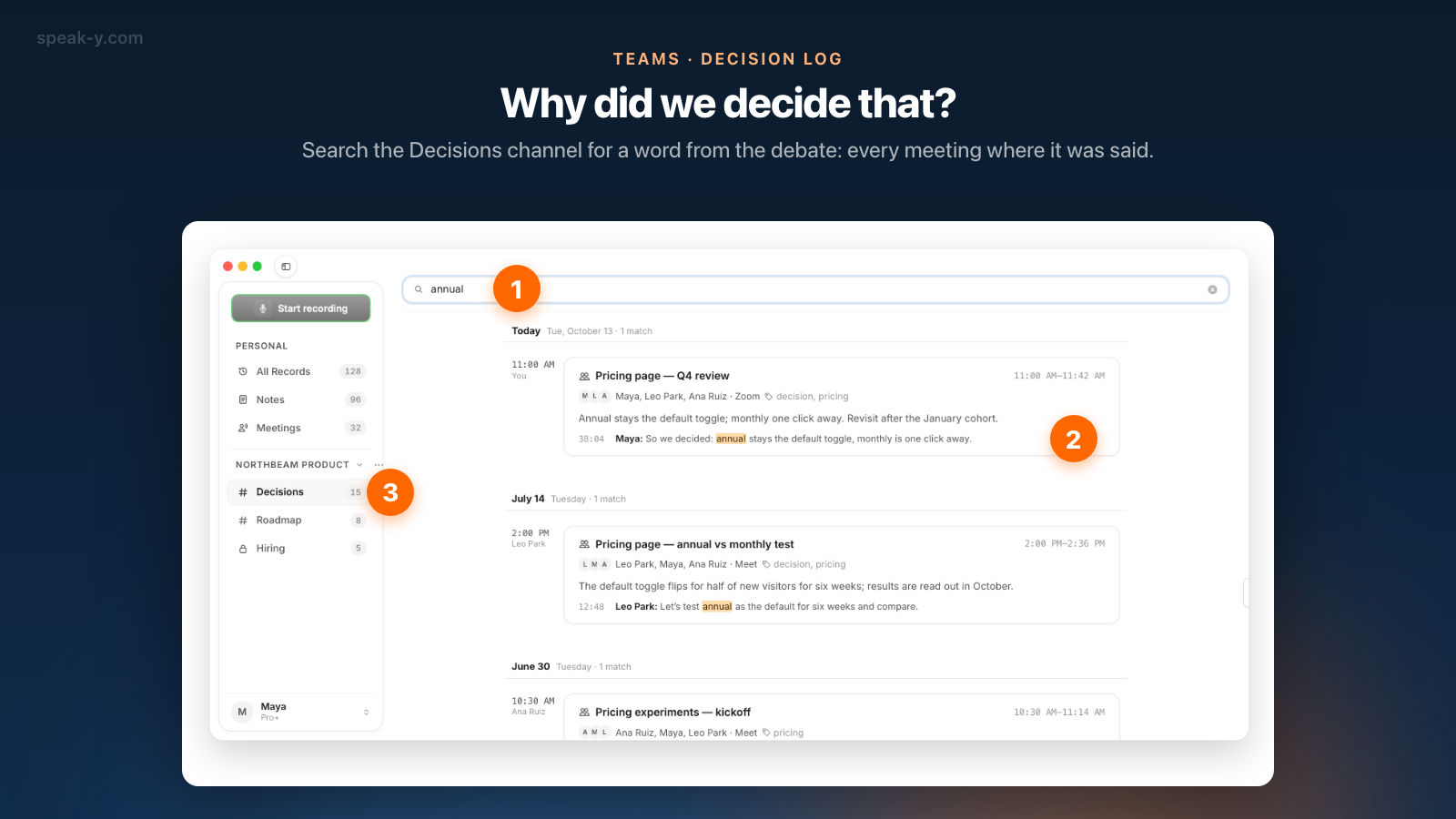
Search the channel. Click Decisions in the sidebar, then the magnifier in the channel's header, and type a word from the debate — "annual". The search reads the transcripts of every meeting in the channel, across its whole history, and groups the results by day: the lines where the word was said, each with its timestamp and the meeting it came from. Open a result and the meeting opens read-only, with the summary, the action items and the marks its author chose to show.
The channel search reads transcript text only — not titles, summaries or tags — and stays inside one channel. Search for the words people say, not for the name you would give the topic afterwards.
Ask the assistant. For a question that spans channels, connect Claude, ChatGPT or Cursor to the Speak-Y MCP server — one click on Connect in Settings → Integrations, included on every plan — and ask:
Search my recordings tagged decision for the pricing page default. Which meetings decided it, when, and who argued against? Quote the sentence with its time.
The assistant searches your own recordings and those of every channel you belong to, from the copy on your Mac: transcript text, titles, summaries and action items, filtered by tag and date. Its model runs in the cloud, so the text it reads goes to that vendor; local vs cloud MCP explains what that means for a confidential roadmap.
What is not a decision?
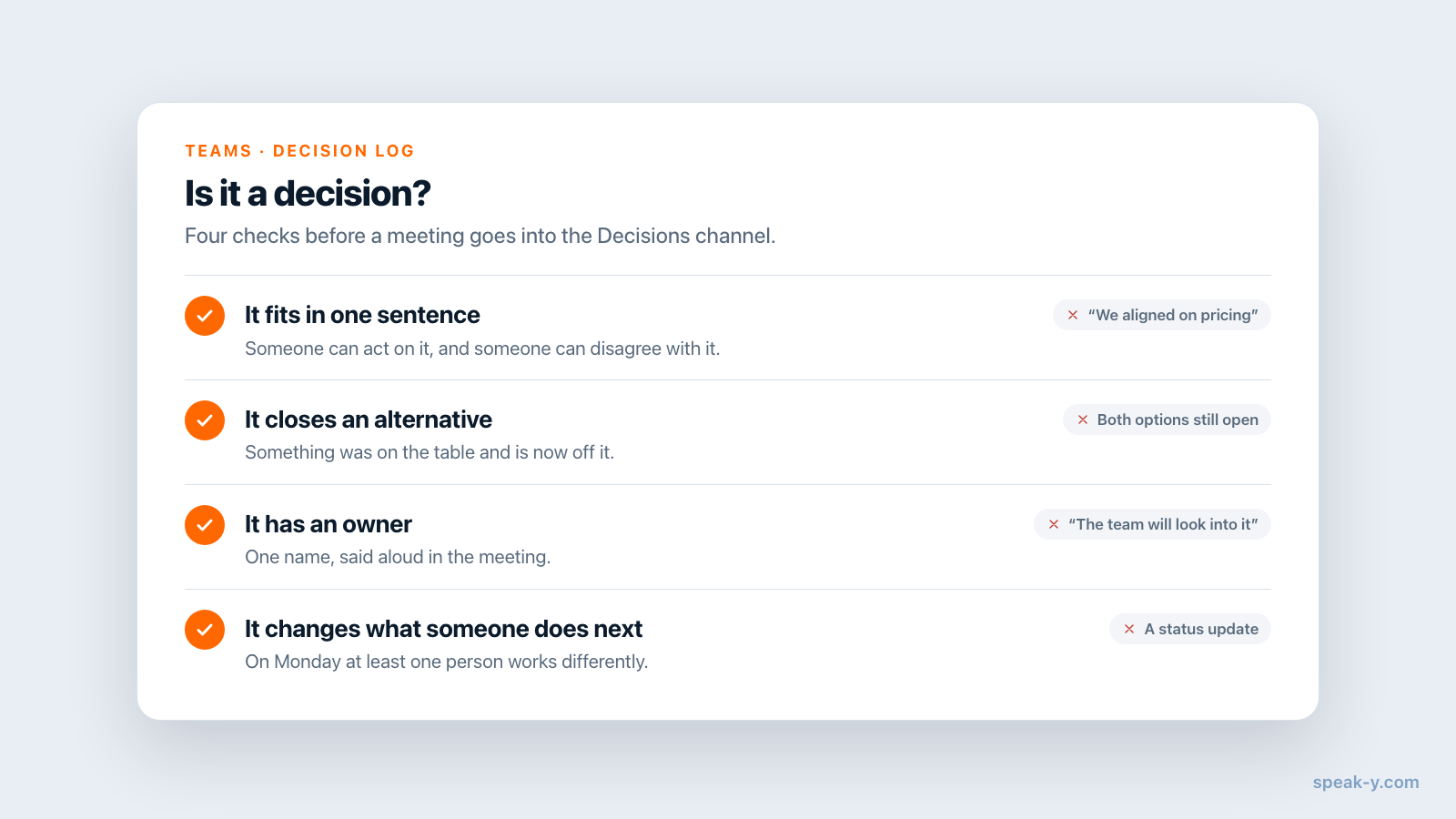
A log that takes everything becomes a second meeting archive, and people stop opening it. Four checks before a meeting goes into Decisions:
- It fits in one sentence. "Annual stays the default" passes. "We aligned on pricing" does not — nobody can act on it or disagree with it.
- It closes an alternative. Something was on the table and is now off it. If both options are still open, it was a discussion.
- It has an owner. One name, said aloud. "The team will look into it" is a postponement.
- It changes what someone does next. A status update, however important, changes nothing on Monday.
Meetings that fail the checks stay where they are: in the recorder's own library or in the project's working channel. A brainstorm, a weekly sync with no outcome and a one-on-one do not belong in the log. For a meeting with one decision in forty minutes of status, share it anyway — the mark and the search word take the reader to the right minute.
What a Decisions channel does not replace
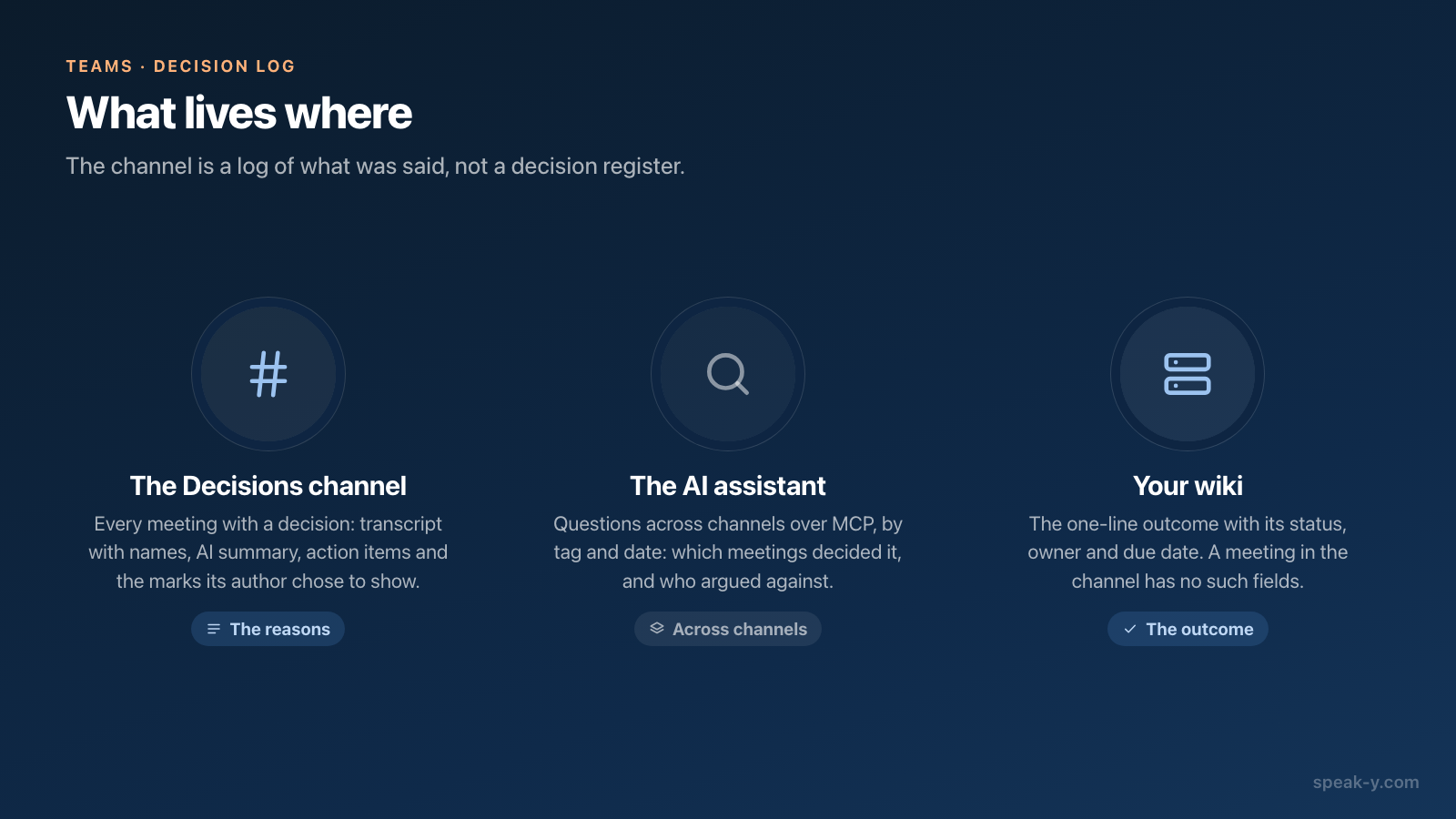
It is a log of what was said, not a decision register, and the difference matters:
- No fields. A meeting in the channel has no status, due date or approver. If your process needs those, keep a decision page next to the channel: Confluence's DACI template, for example, starts with a table for status, impact, the people involved, the due date and the outcome, according to Atlassian's template page (checked on 13 October 2026).
- No "superseded by". When a decision is reversed, the new meeting goes into the channel too, but nothing links the two. Say "this replaces the July decision" aloud, so the search finds both.
- No tracking. The action items record what was promised, not whether it was done.
- Macs only for channels. Workspaces and channels are in the macOS app.
The two work together: the wiki page holds the outcome in one line, and the channel holds the forty minutes that explain it.
Costs. Creating the workspace needs Pro or higher; everyone else joins free on any plan and reads every public channel. A paid plan matters for whoever records: checked on speak-y.com on 13 October 2026, Free stops a meeting at 30 minutes, Pro ($10 a month) at 60, and Pro+ ($15) and Max ($30) at four hours.
The short version
One note type called Decision on ⌥2, one public channel called Decisions. In the meeting: say the decision as a sentence, press the key. After it: names, a tag, To channel, show the marks. A quarter later: the magnifier and one word from the debate. The Teams page has the overview of workspaces and channels, and turning meetings into a team knowledge base covers the channels that sit next to this one.
FAQ
How do I keep a decision log without writing it by hand?
Record the meeting in Speak-Y, press a hotkey for a Decision mark when the decision is said aloud, and share the recording to a public channel called Decisions. The channel then holds the transcript with names, the AI summary, the action items and the mark, in date order. Nobody writes an entry; the entry is the meeting itself.
How do I create a Decision mark with its own hotkey in Speak-Y?
Open Settings → Notes, click Add note type, type Decision into Type name and click Save. Then click Set hotkey on the new type and press a combination such as ⌥2. During a recording, the key pins a mark of that type to the last 15 seconds of the transcript.
How do we find out why a decision was made three months ago?
Open the Decisions channel, click the magnifier in its header and type a word from the debate, such as annual or onboarding. The search reads the transcripts of every meeting in the channel and groups the matching lines by day with their timestamps. For a question across channels, ask an AI assistant connected to the Speak-Y MCP server.
Can teammates see my Decision marks in the channel?
Only if you choose so. Marks are private by default; on the shared recording click the Private chip above the transcript and pick Show in the channel, and the chip changes to In channel. Without that step teammates still read the transcript, the summary and the action items, but not the marks.
What does a decision log in Speak-Y cost a team?
Creating the workspace needs Pro or higher; teammates join free on any plan and read every public channel. Whoever records needs meeting minutes on their own plan: checked on speak-y.com on 13 October 2026, Free stops a meeting at 30 minutes, Pro ($10 a month) at 60, and Pro+ ($15) and Max ($30) at four hours.